
The restaurants, which are operating in Mitsukoshi Mall, can automatically send reports to the mall after closing daily entries. To do so, please follow these steps.
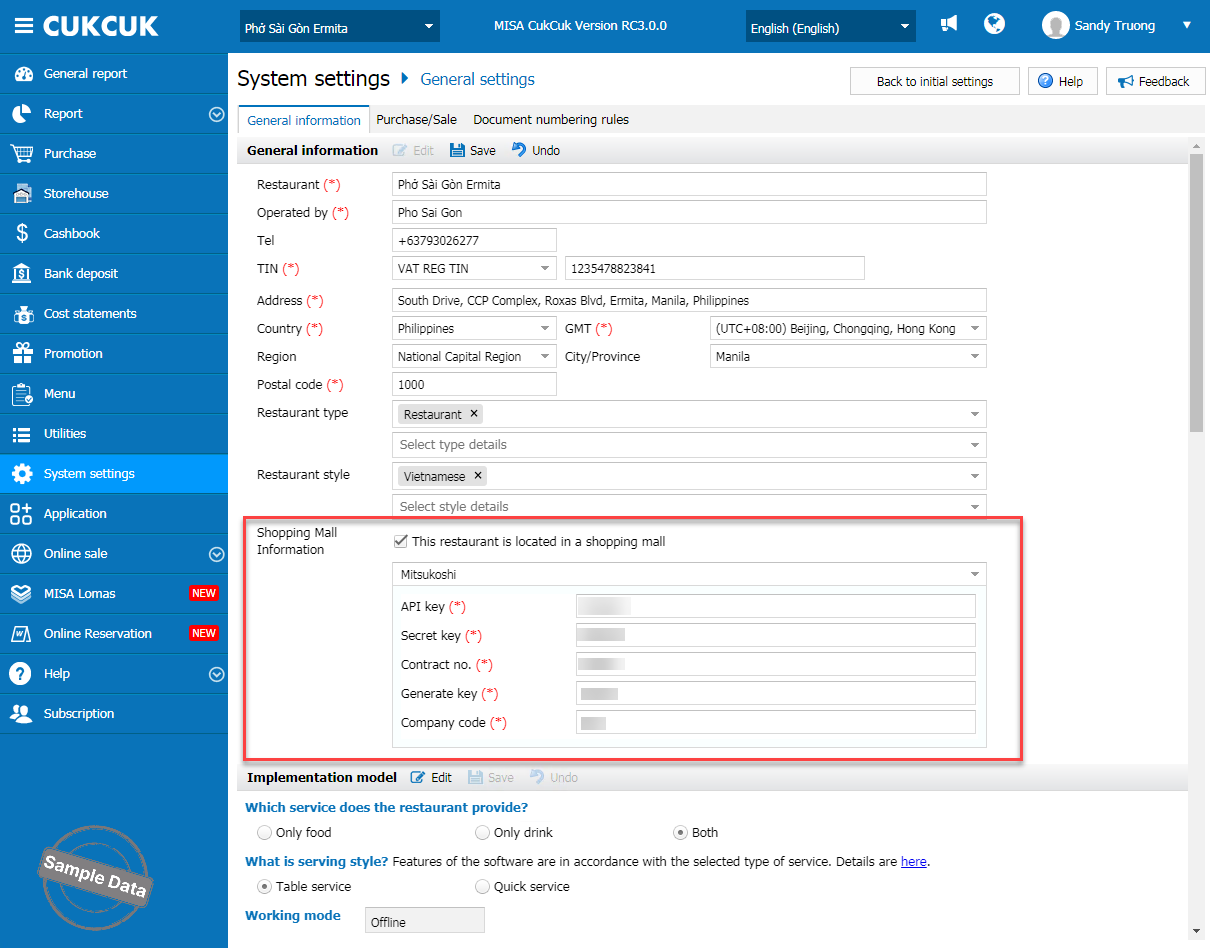
On the management page, go to System settings\General settings. On General information tab, click Edit, check Belong to trade center, and select Mitsukoshi. And fill in required information. Click Save.
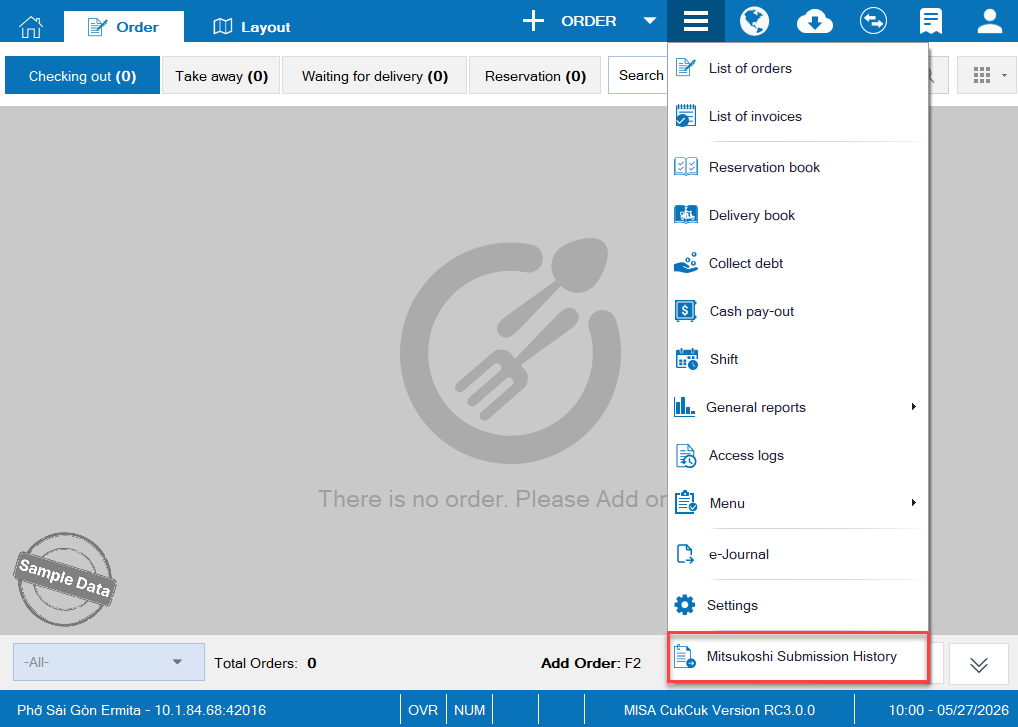
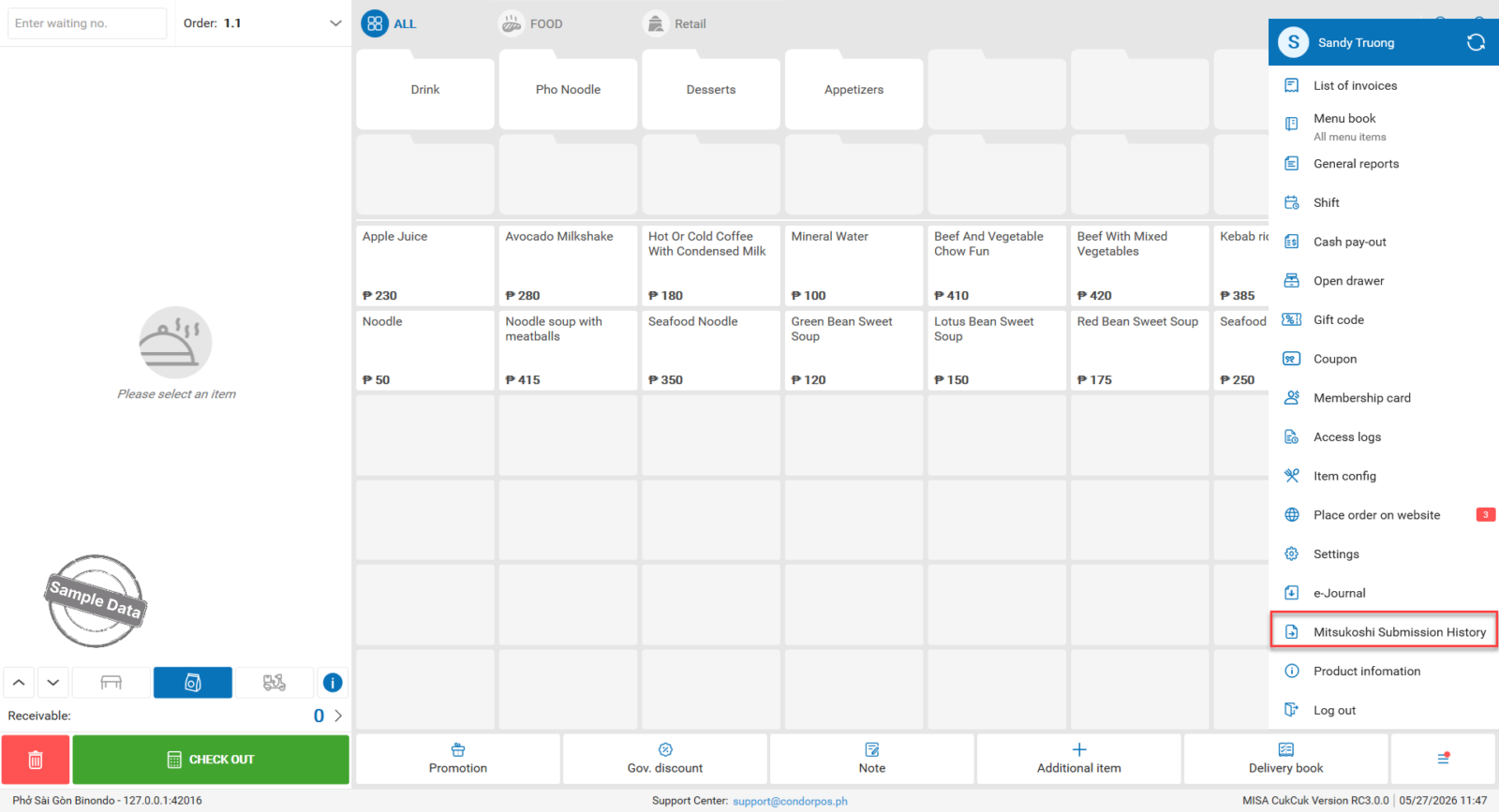
After closing entries, to check submission history, click on this icon and select Mitsukoshi Submission History.
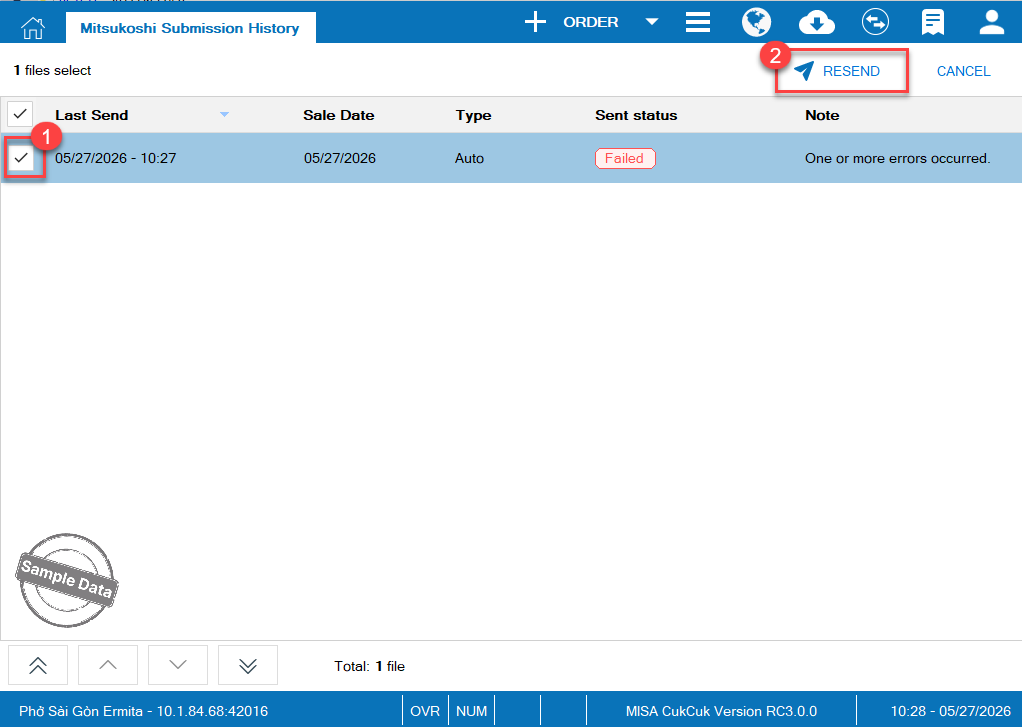
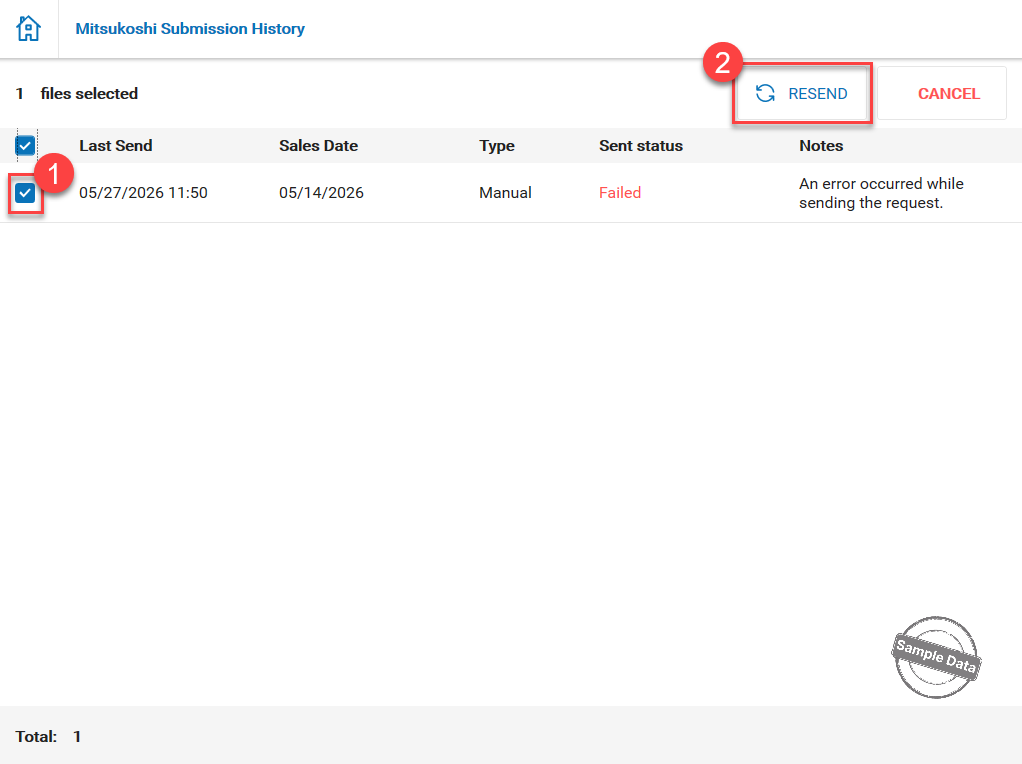
If the report failed to be sent, select it and click Resend.
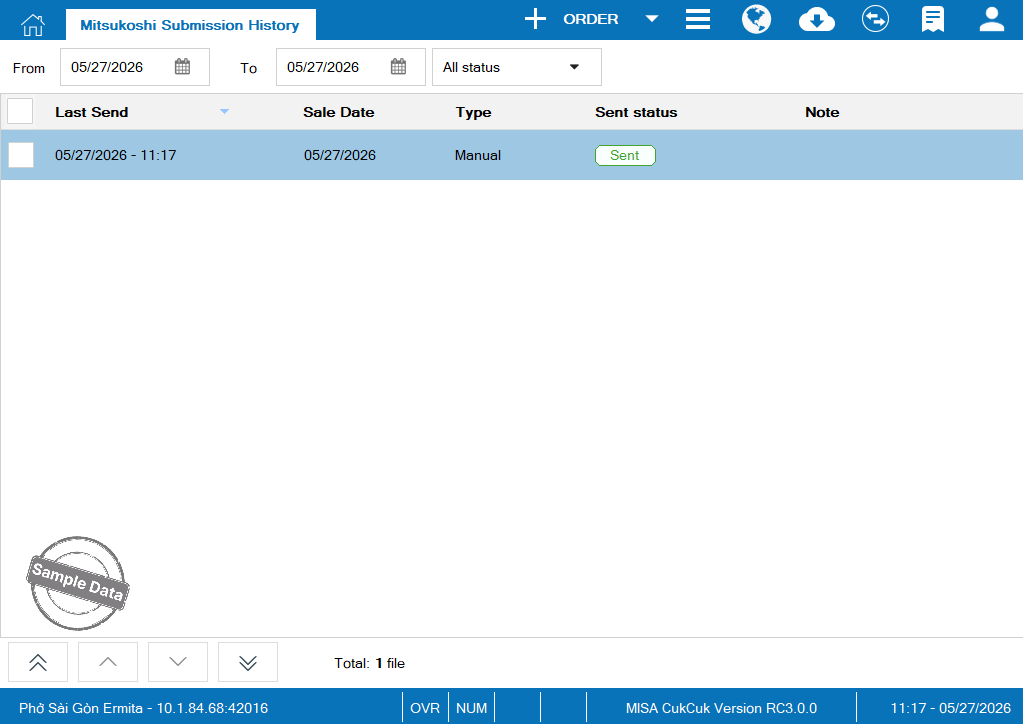
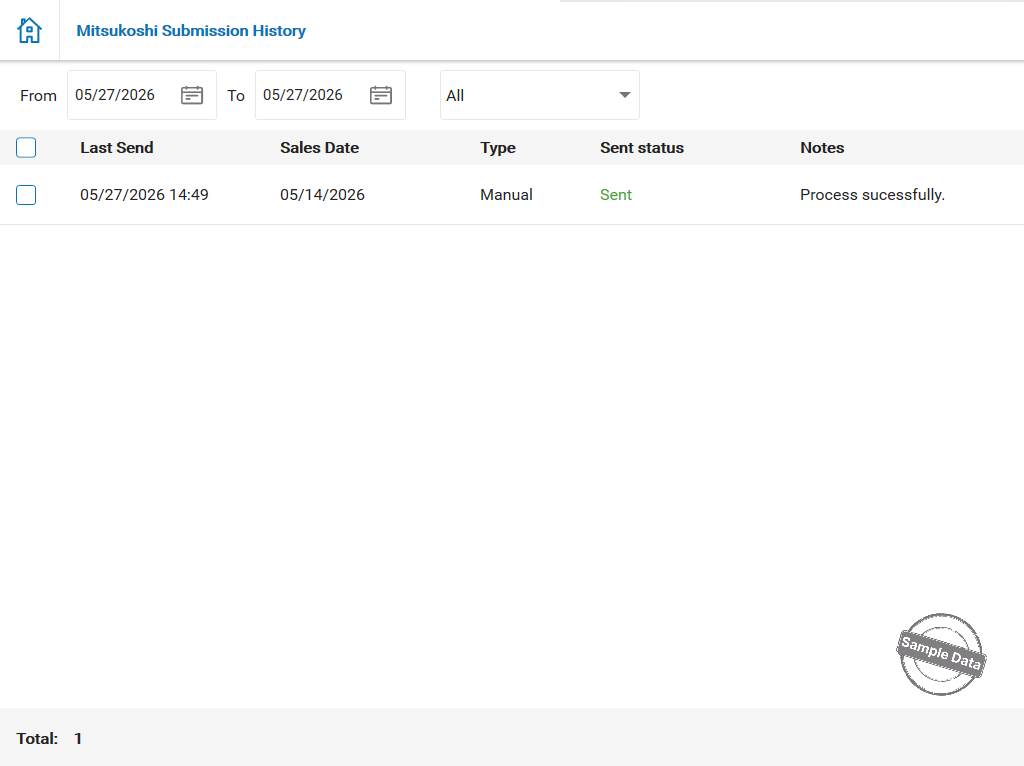
Here is the report when it’s successfully sent.
After closing entries, to check submission history, click on this icon  and select Mitsukoshi Submission History.
If the report failed to be sent, select it and click Resend.
Here is the report when it’s successfully sent.
Have a nice day!
