
I. Purpose
The restaurants, which are operating in NLEX Mall, can automatically send reports to the mall after closing daily entries. To do so, please follow these steps.
II. Instruction steps
1. Set Up NLEX Integration
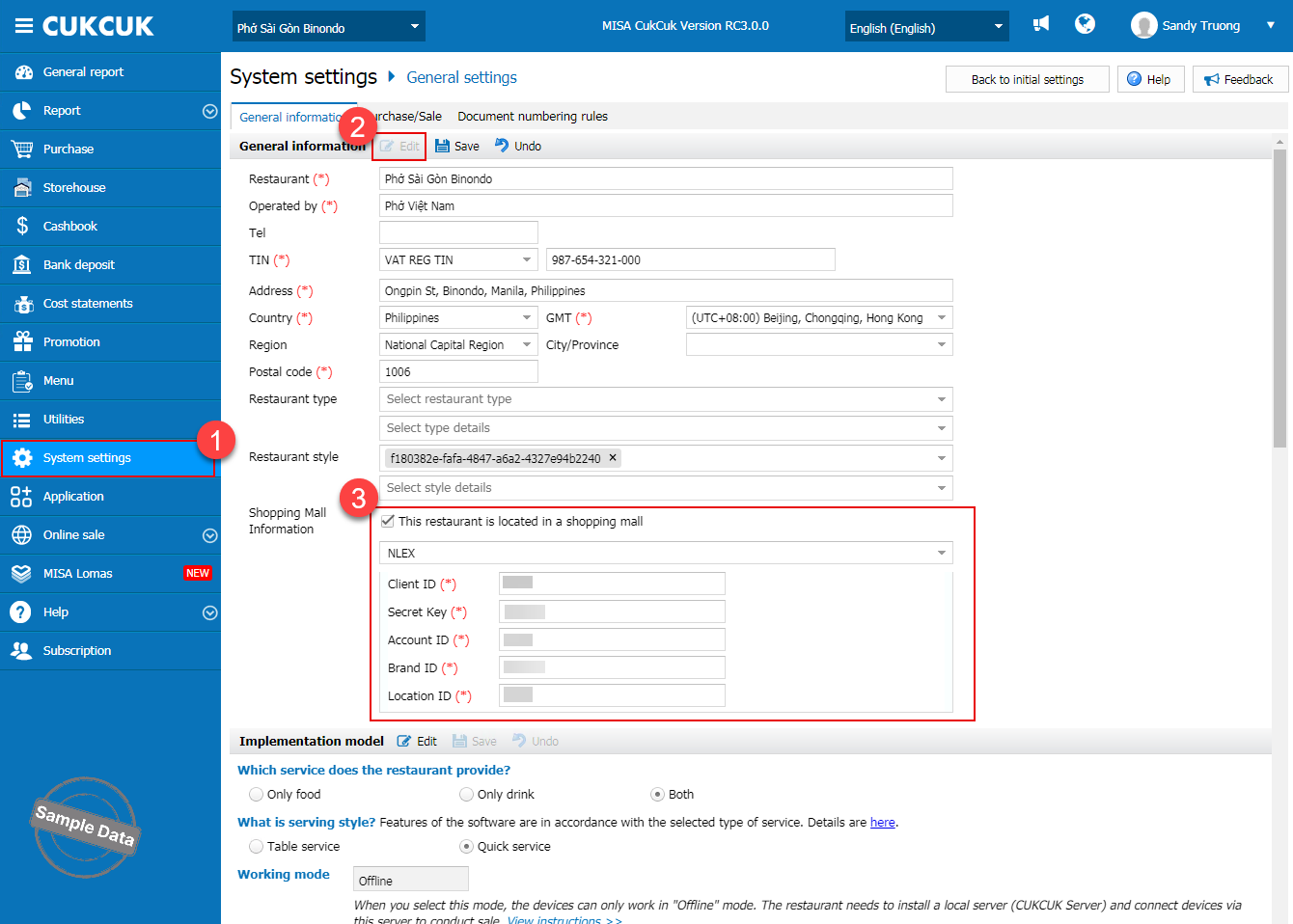
- On the dashboard, go to System Settings → General Settings.
- On the General Information tab, click Edit.
- Select Belong to trade center.
- Choose NLEX from the list.
- Enter all required information.
- Click Save to apply the settings.
2. View and Resend NLEX Submission Reports
Follow these steps to view the NLEX submission history, export reports, or resend failed submissions:
- Click the icon
 and select NLEX Submission History.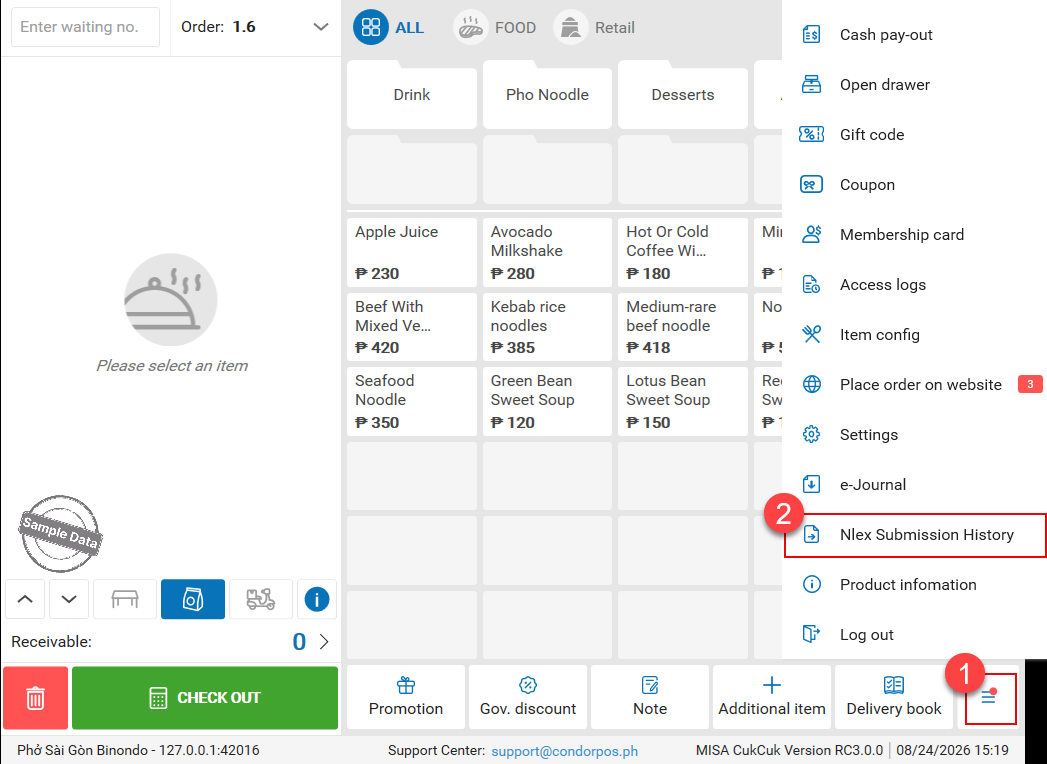
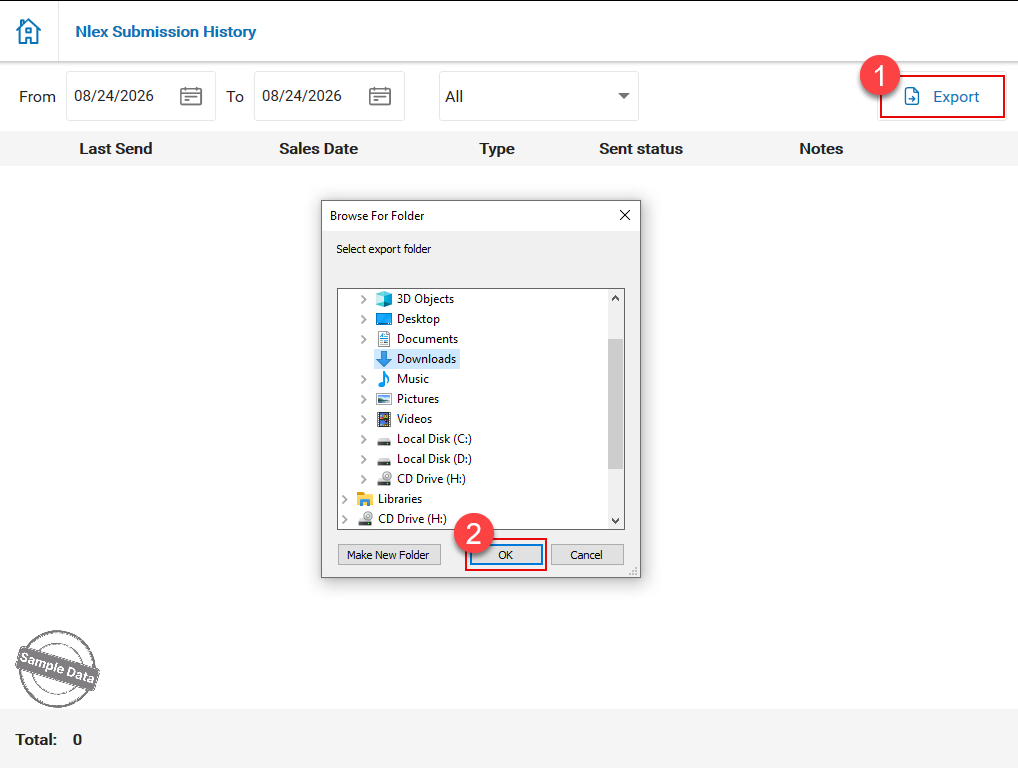
- Select the desired time range, then click Export.
- Browse to the folder where you want to save the report, then confirm the save location.
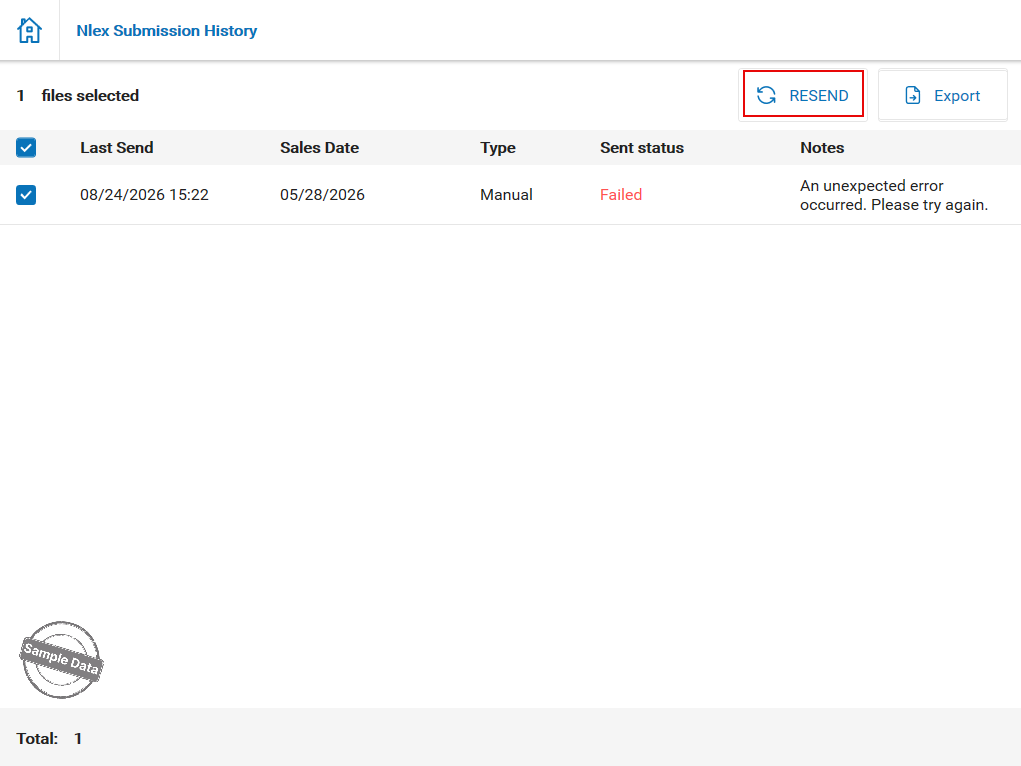
- If a report fails to send, select the failed report and click Resend.
Follow the same steps in the Table Service version.
Have a nice day!
