
The restaurants, which are operating in Gateway Mall, can automatically send reports to the mall after closing daily entries. To do so, please follow these steps.
On the management page, go to System settings\General settings. On General information tab, click Edit, check Belong to trade center, and select Gateway. And fill in required information. Click Save.
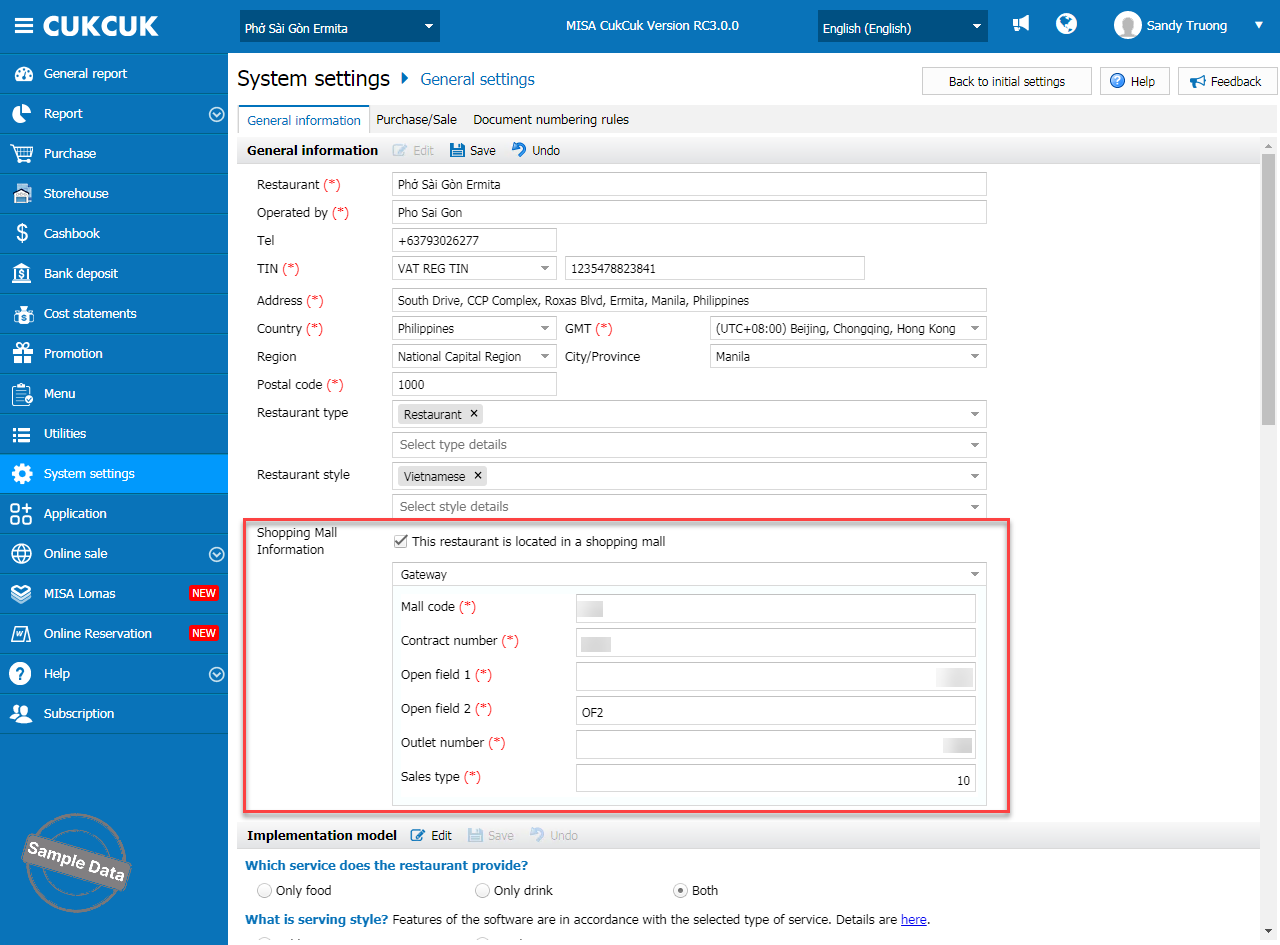
2.1. Auto-export the report
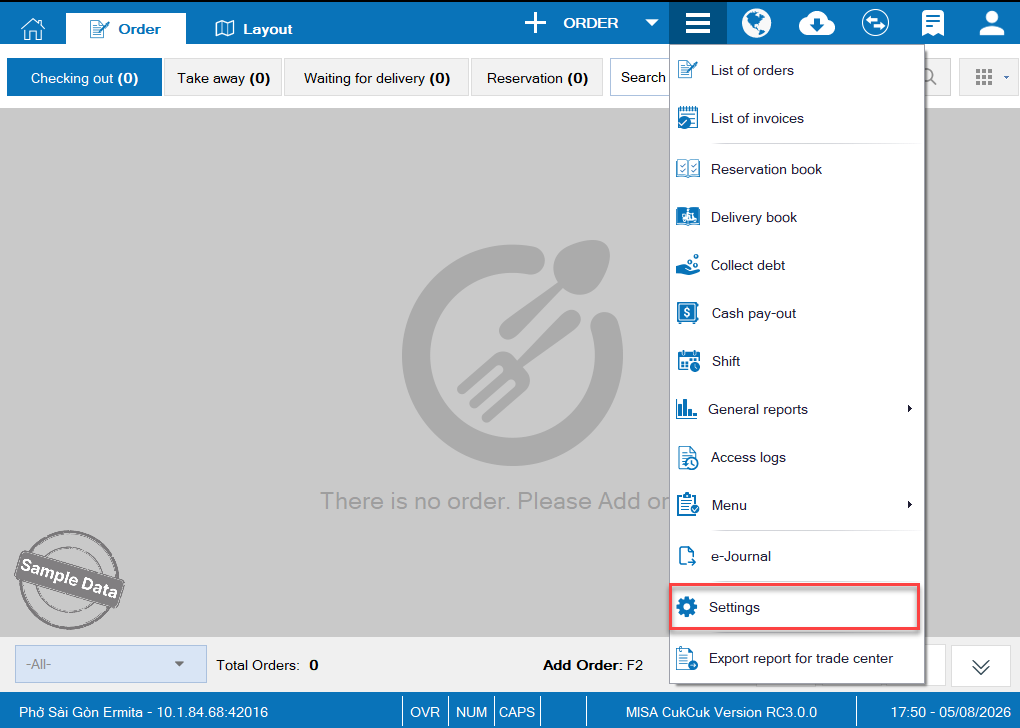
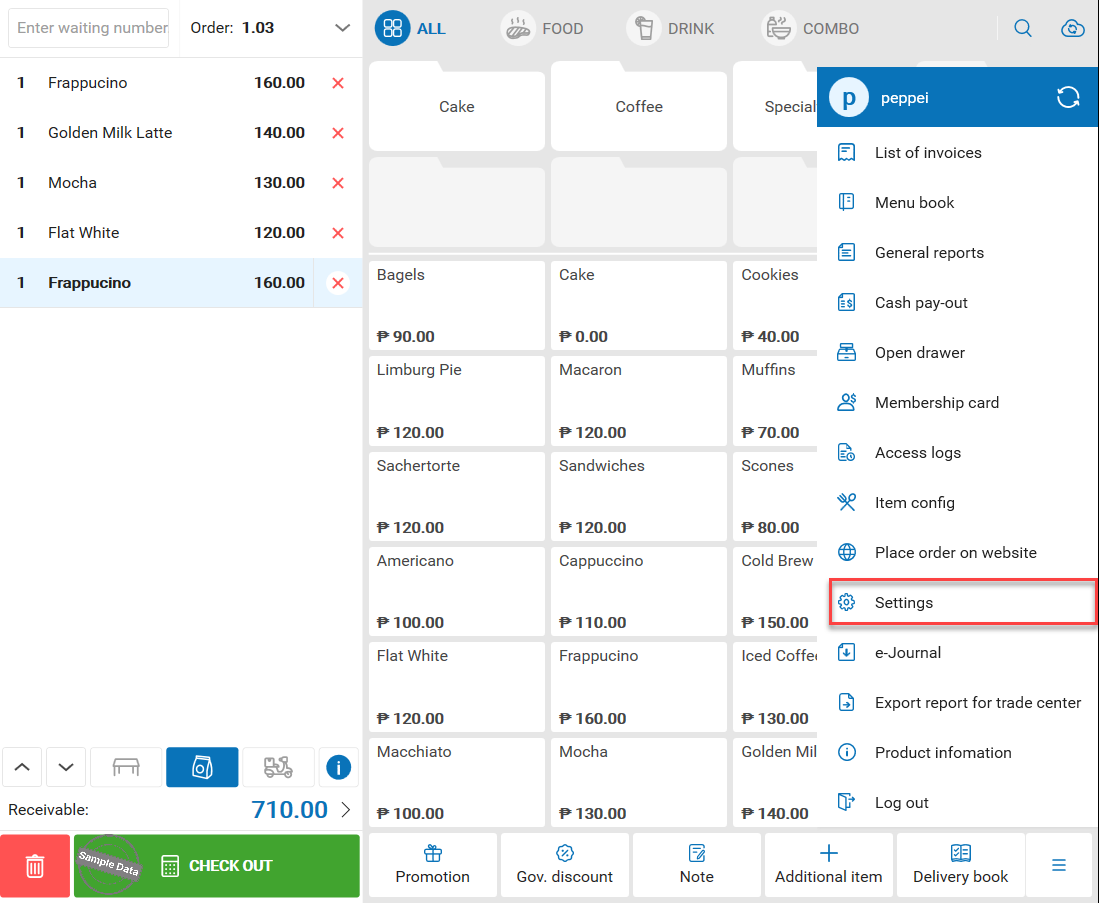
To check or browse the location of Auto-export report, click on this icon and select Settings.
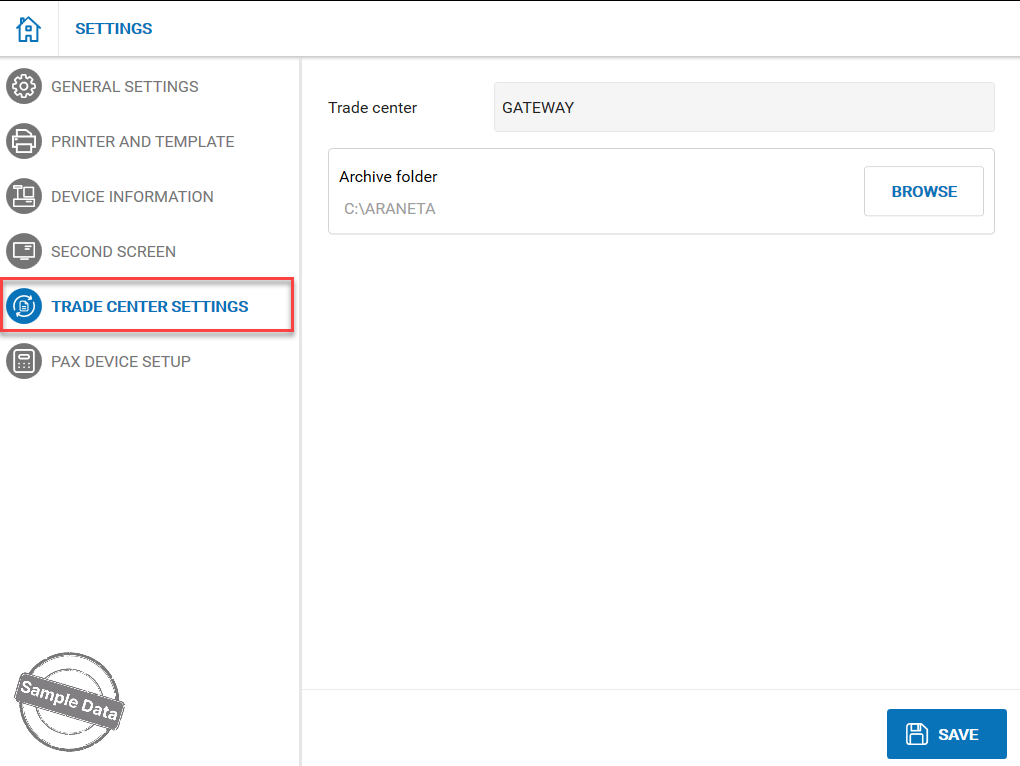
On Trade center settings, you can see the location of the auto-exported files. Click on Browse if you want to change the location.
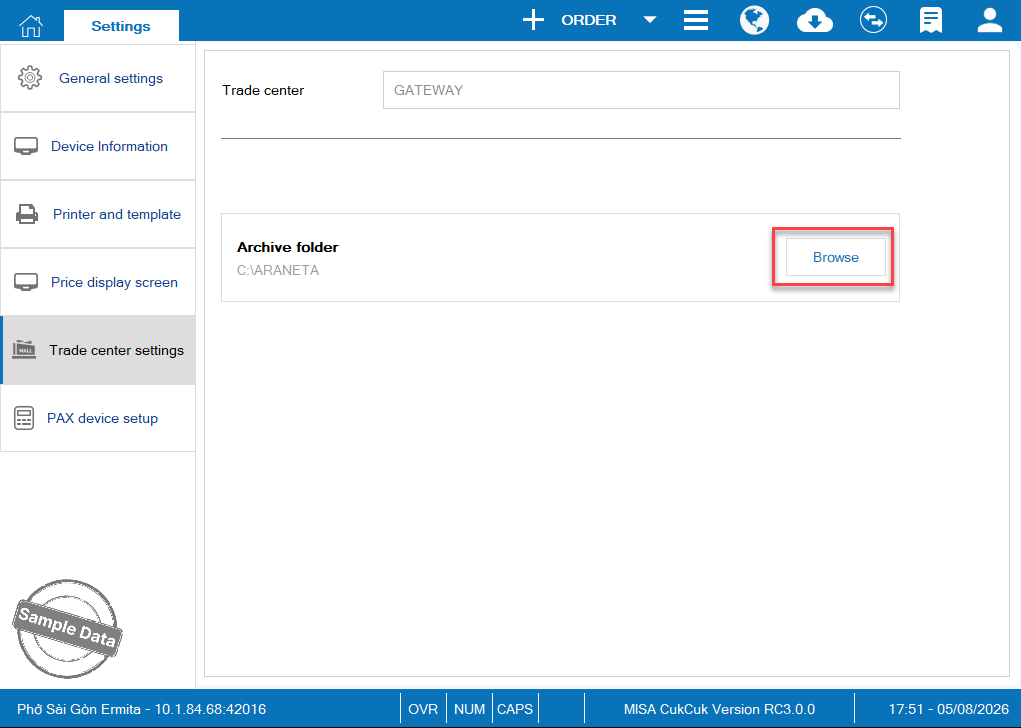
After closing entries, the report will be automatically exported to the location you have set before.
2.2. Manually export the report
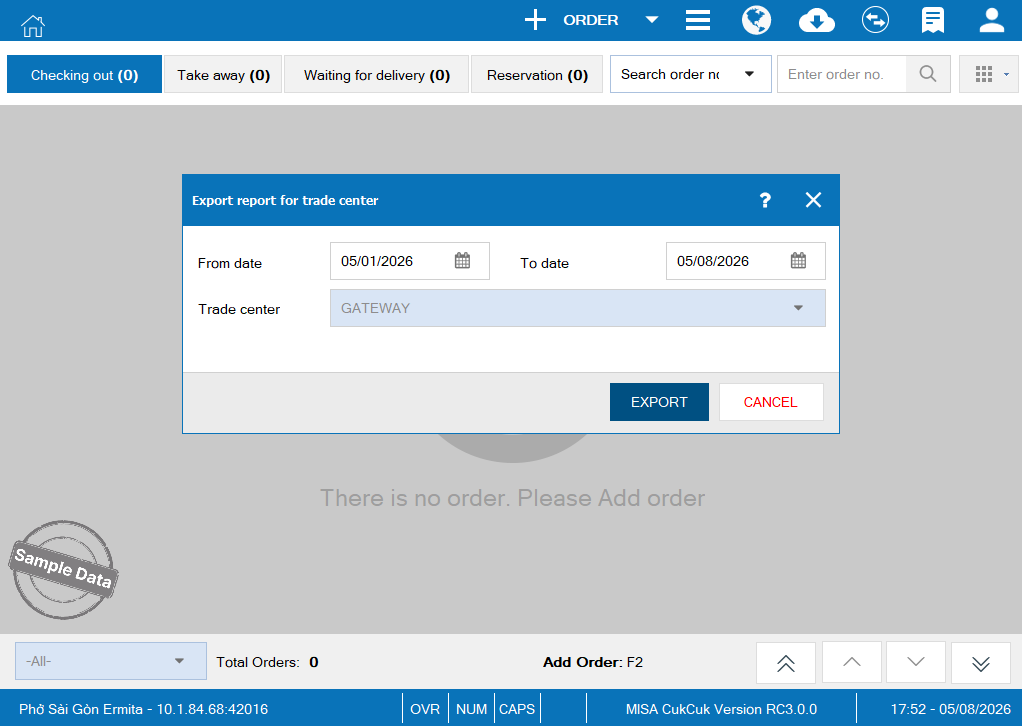
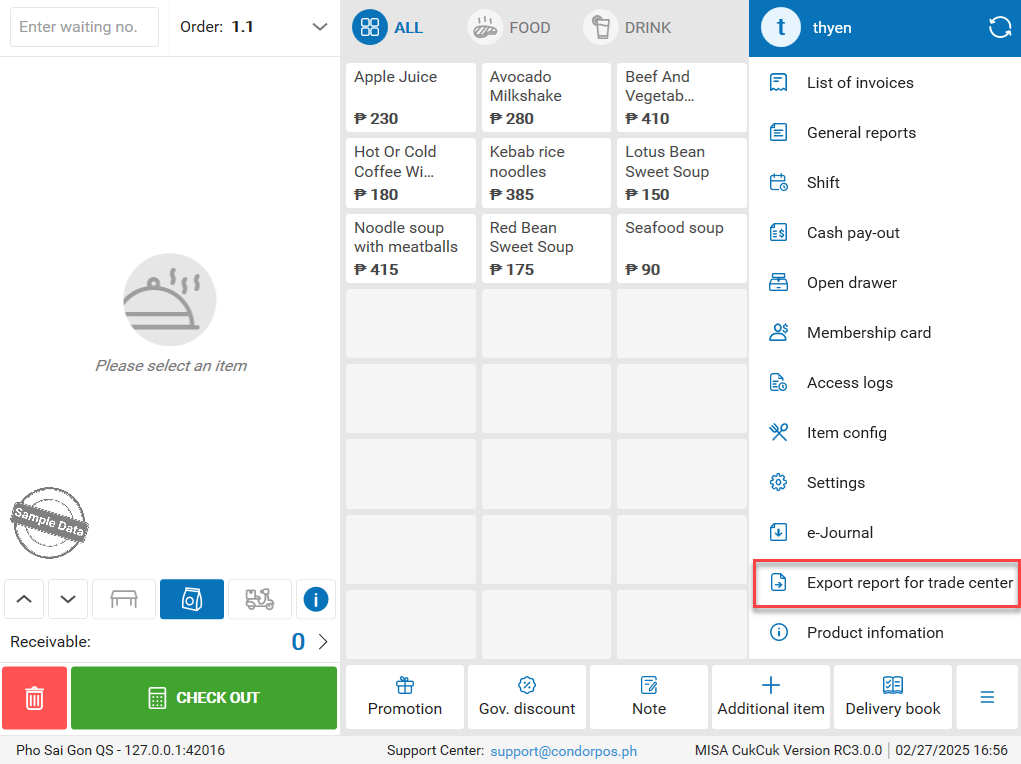
To export report manually, click this iconand select Export report for trade center.
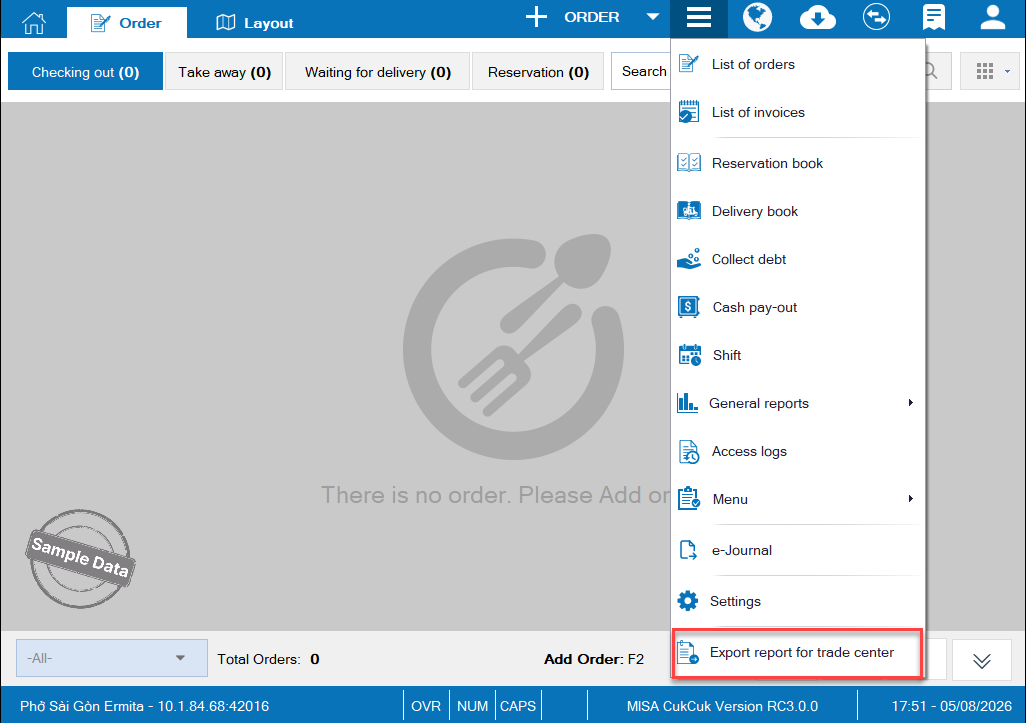
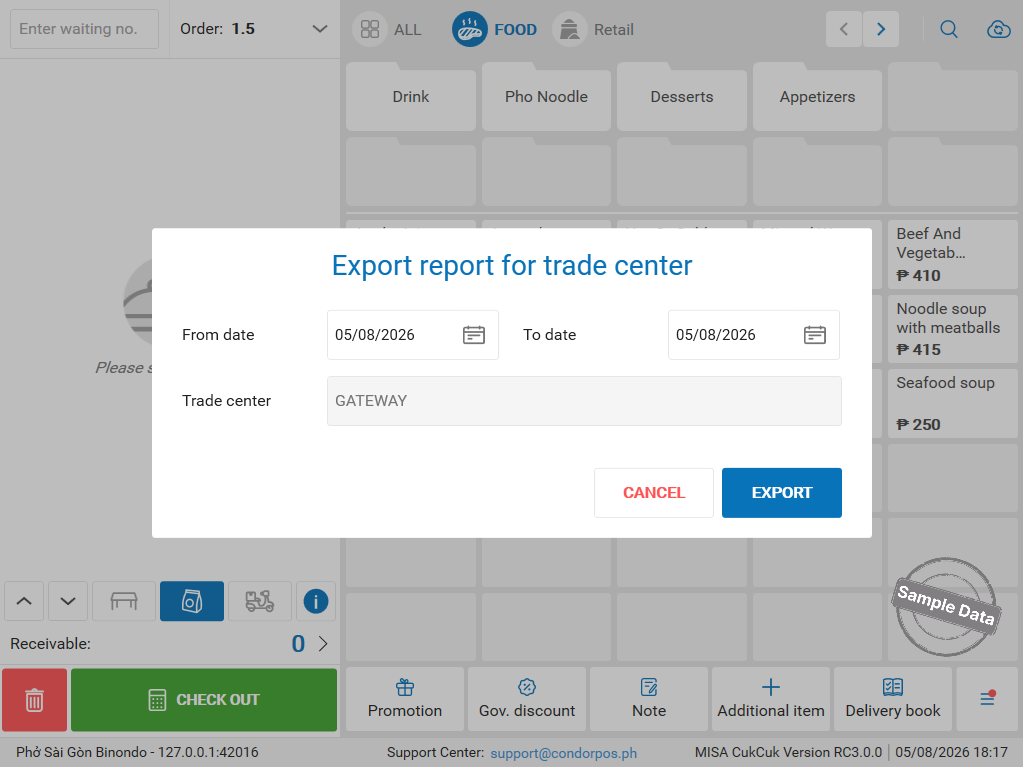
Select time range and click Export.
3.1. Auto-export the report
To check the location of Auto-export report, click on this icon  and select Settings.
On Trade center settings, you can see the location of the auto-exported files. Click on Browse if you want to change the location.
3.2. Manually export the report
To export report manually, click this iconand select Export report for trade center.
Select time range and click Export.
Have a nice day!
