
I. Purpose
Customers can place orders online on the restaurant’s website and use modern payment methods such as Apple Pay, Google Pay, and other e-wallets through the FIUU gateway.
II. Tutorial Video
You can watch the tutorial video here: https://youtu.be/qK8CXtSZsOA
II. Instruction steps
There are 2 ways to set up FIUU Online Payment
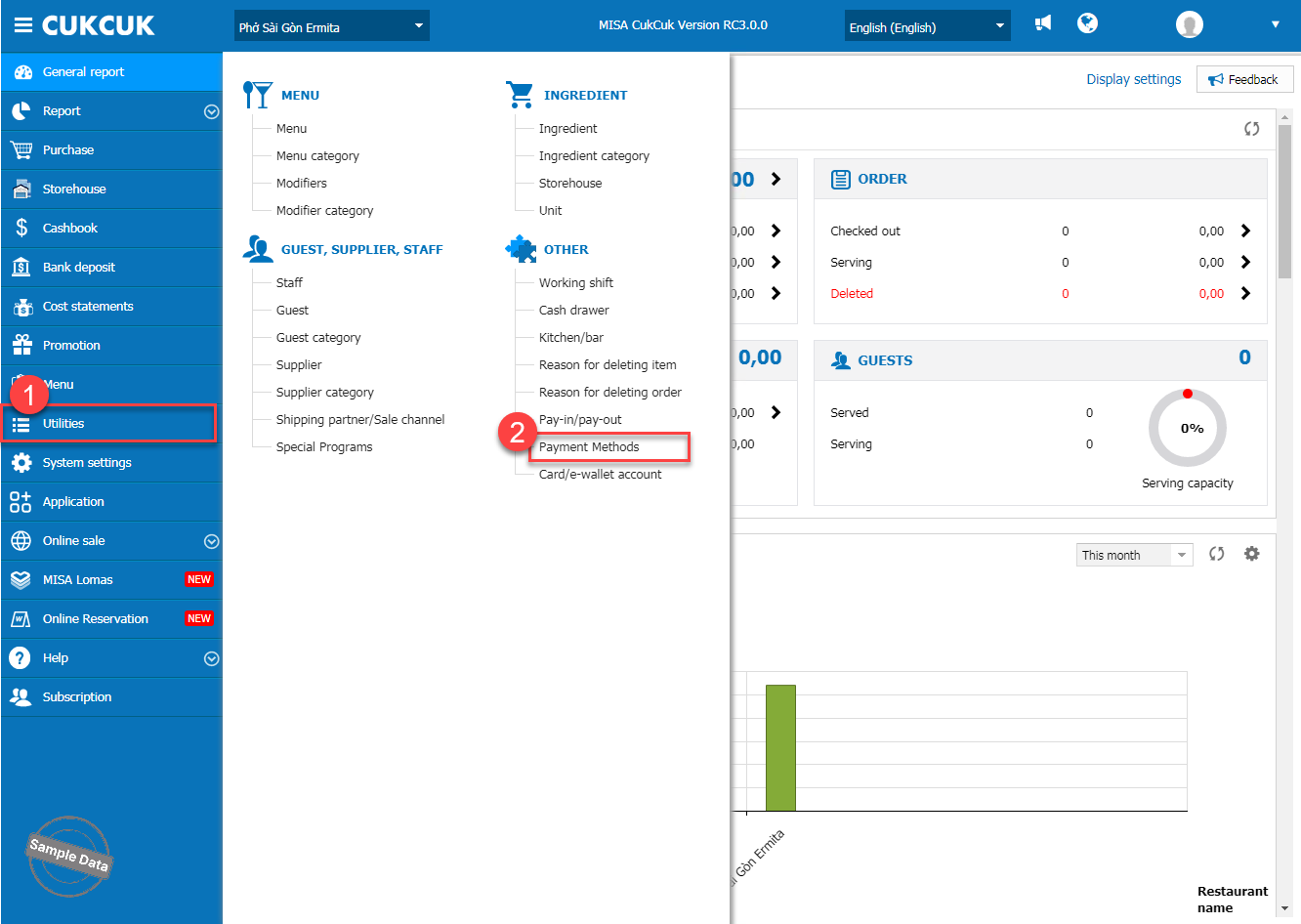
Step 1: On the management page, go to Utilities/Payment Methods.
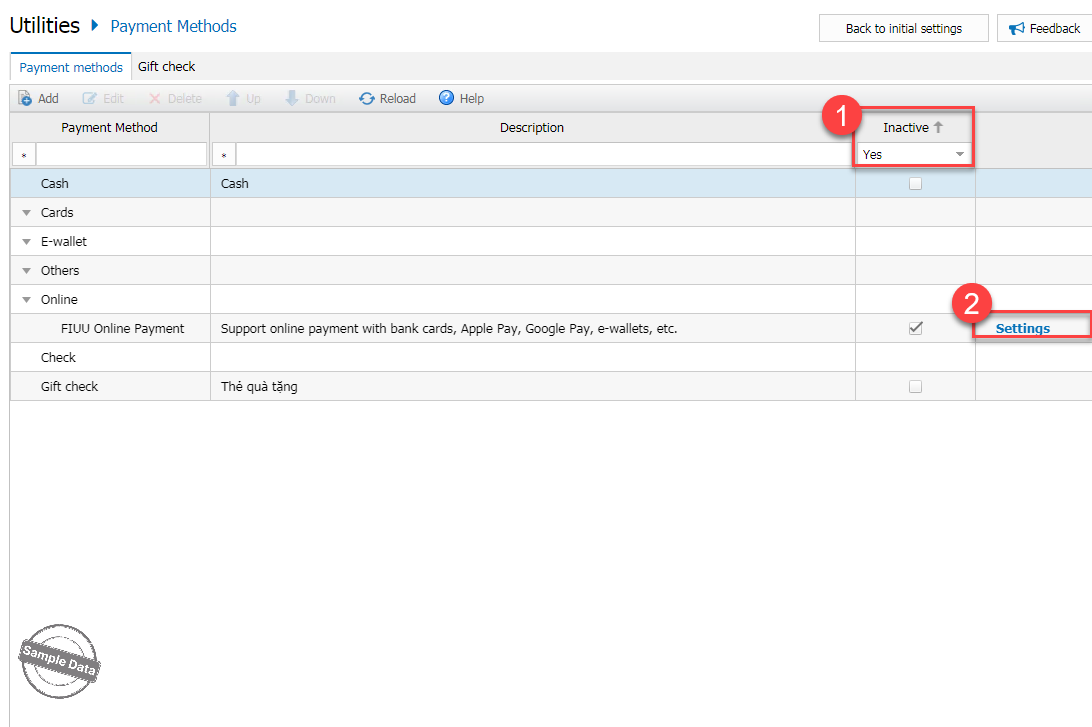
Step 2: On Inactive column, select Yes. Click Settings on FIUU Online Payment.
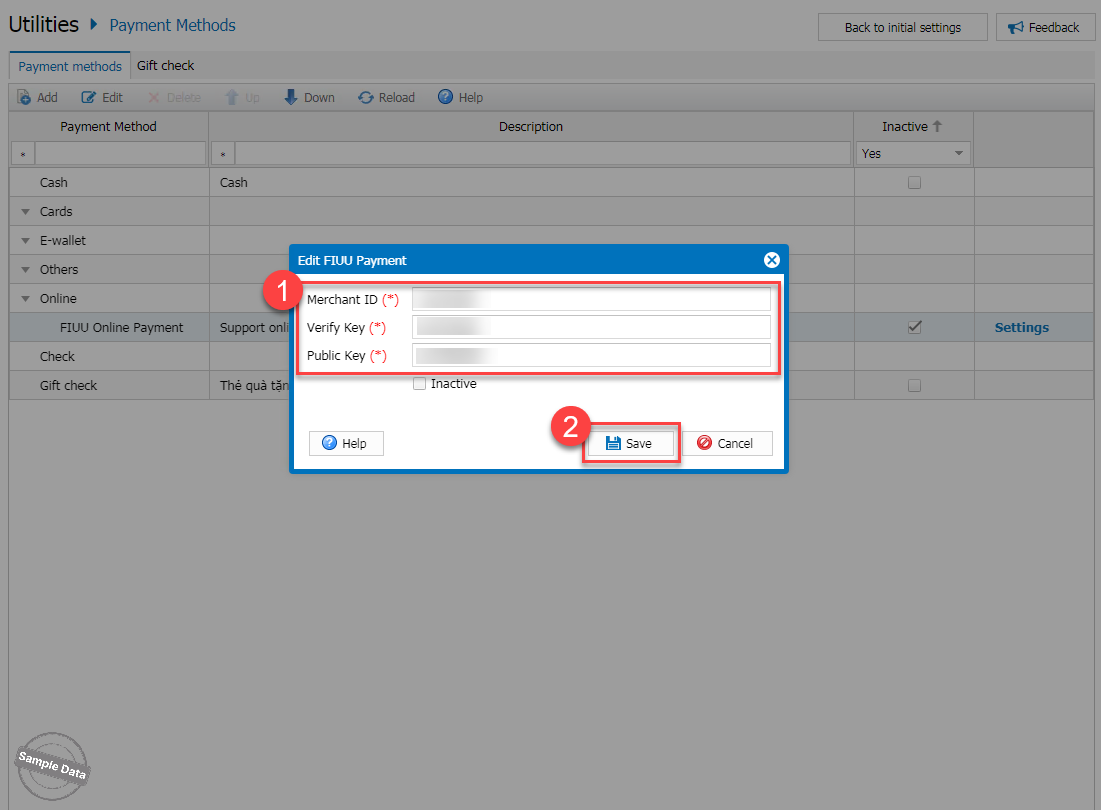
Step 3: Fill in Merchant ID, Verify Key, and Public Key. Then, click Save.
Option 2:
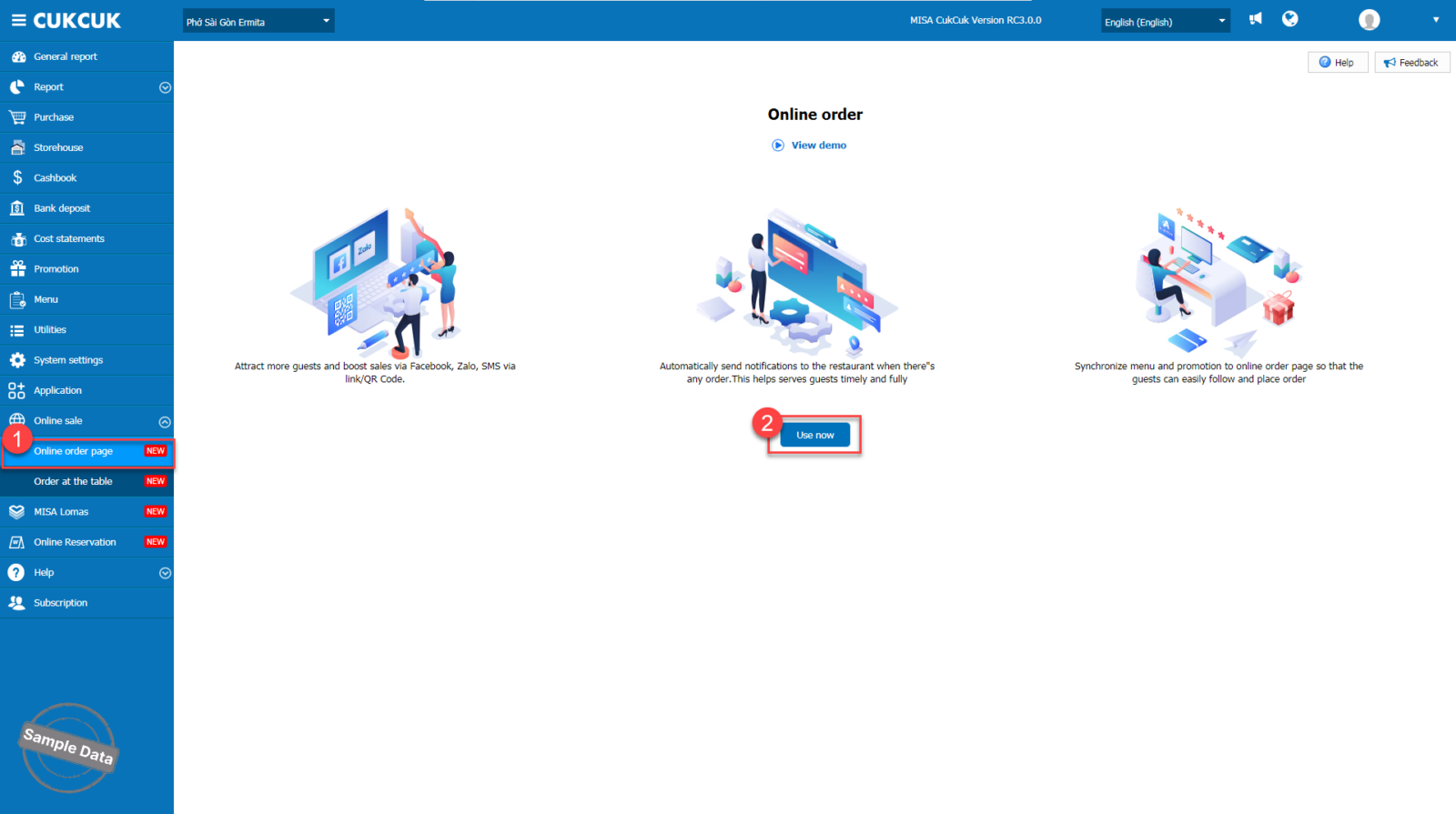
Step 1: Go to Online order page and click Use now.
Step 2: After setting up restaurant information on the online ordering page, select FIUU Online Payment.
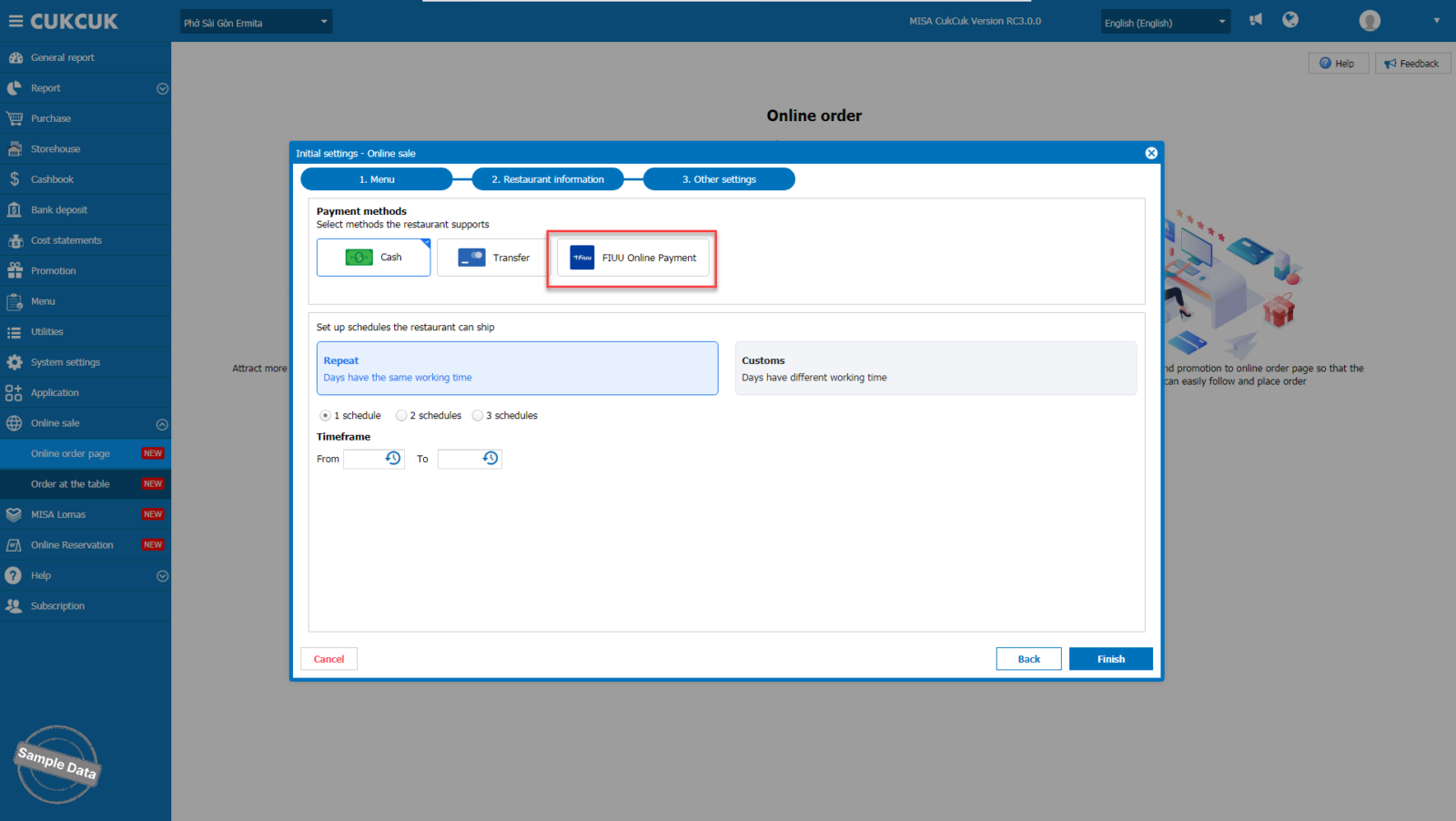
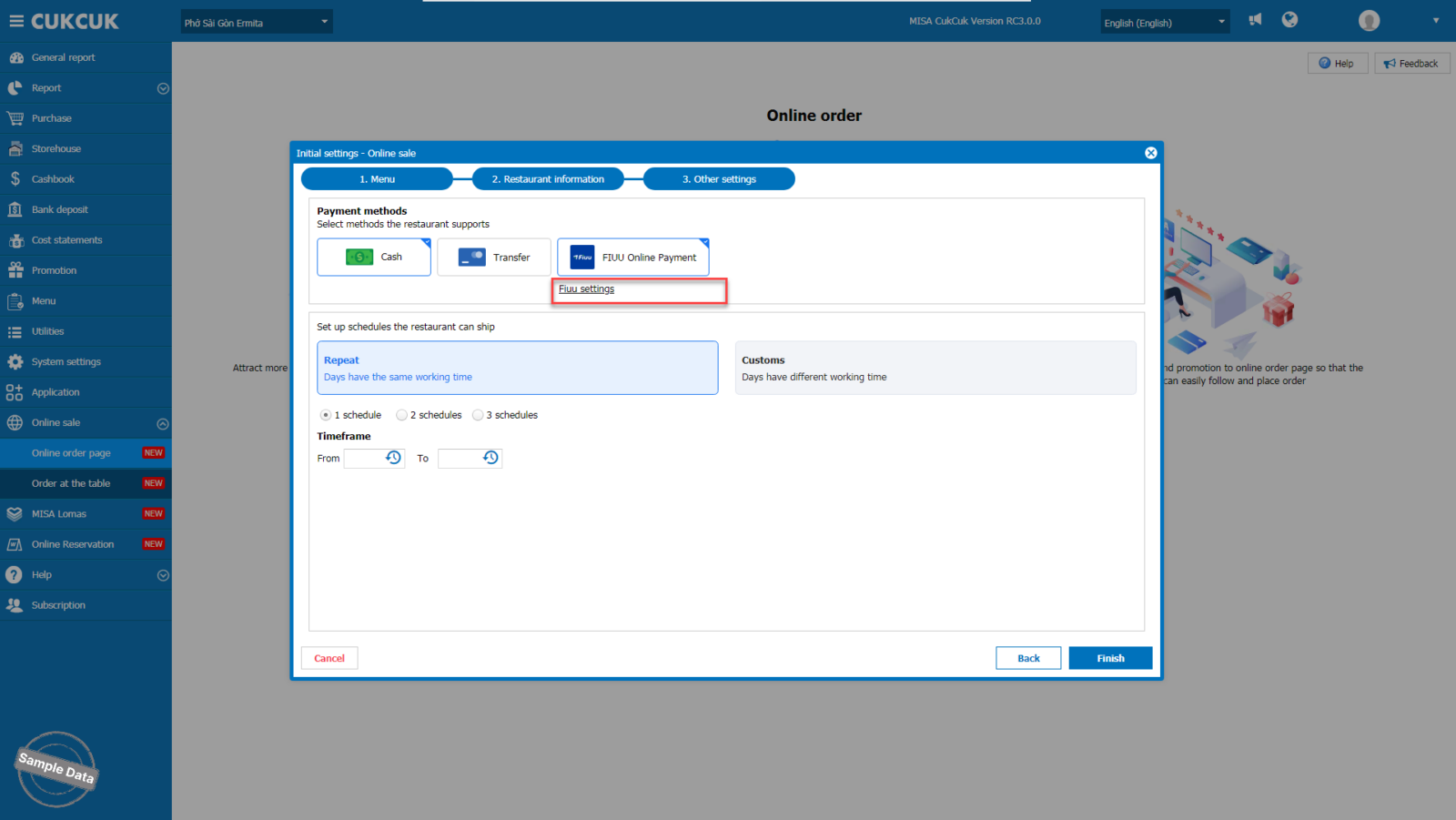
Step 3: Click Fiuu settings.
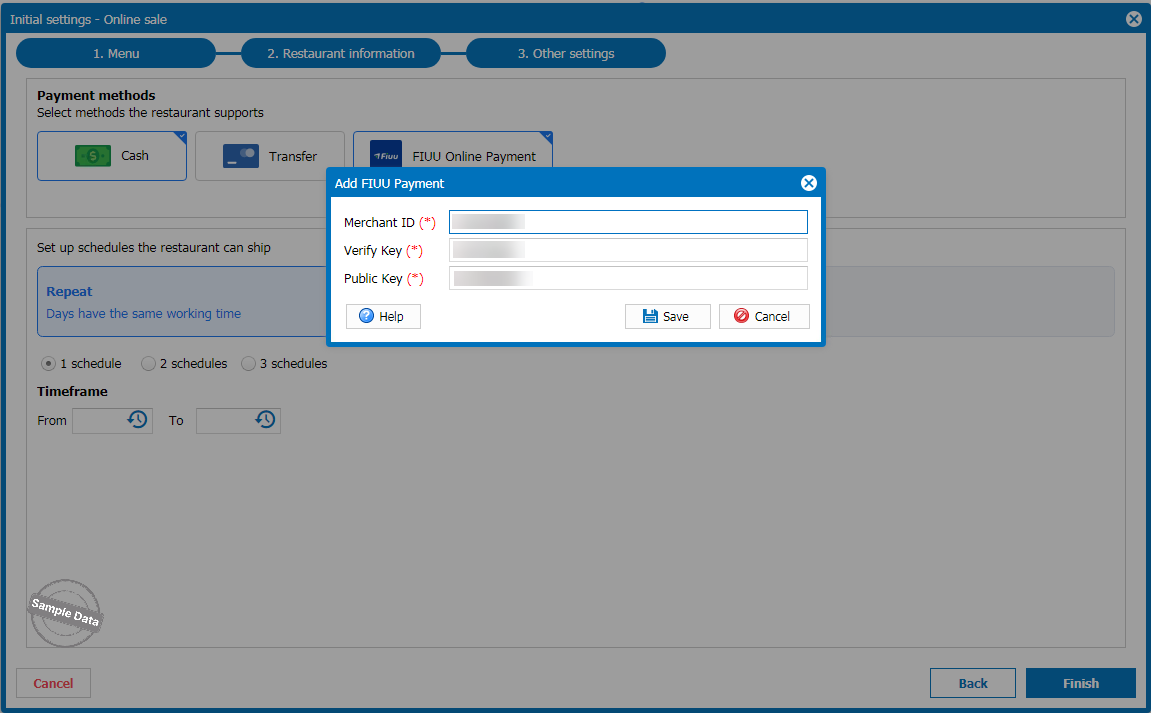
Step 4: Fill in Merchant ID, Verify Key, and Public Key. Then, click Save.
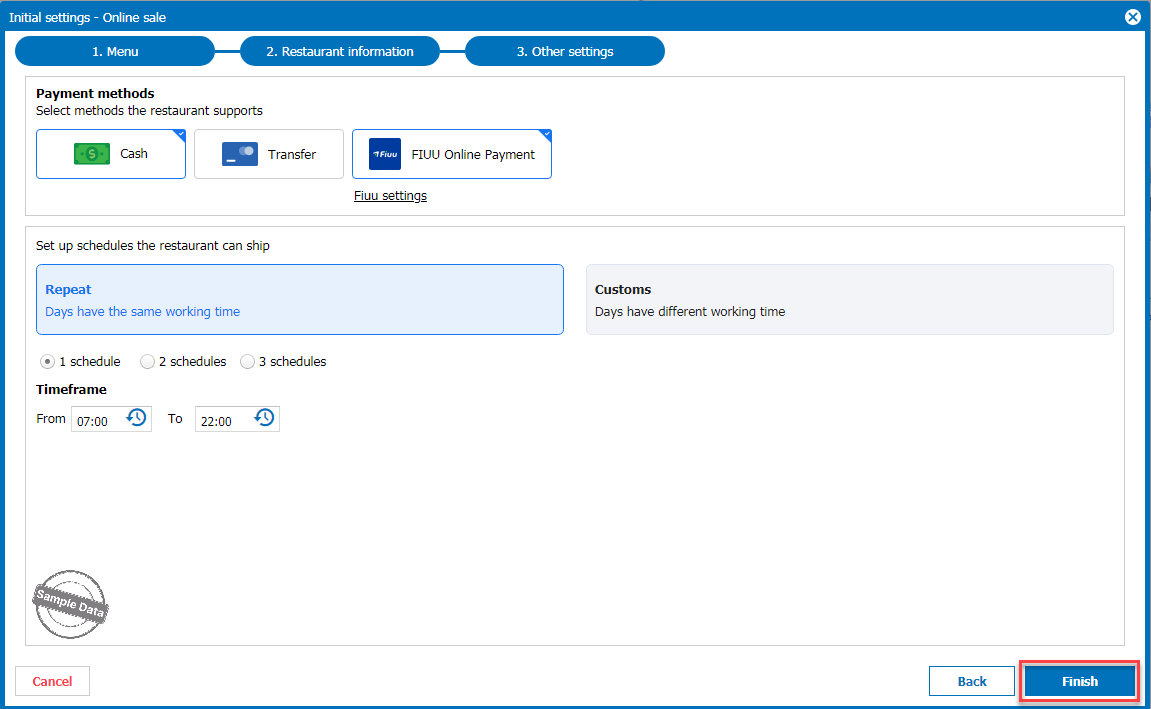
Step 5: Click Finish.
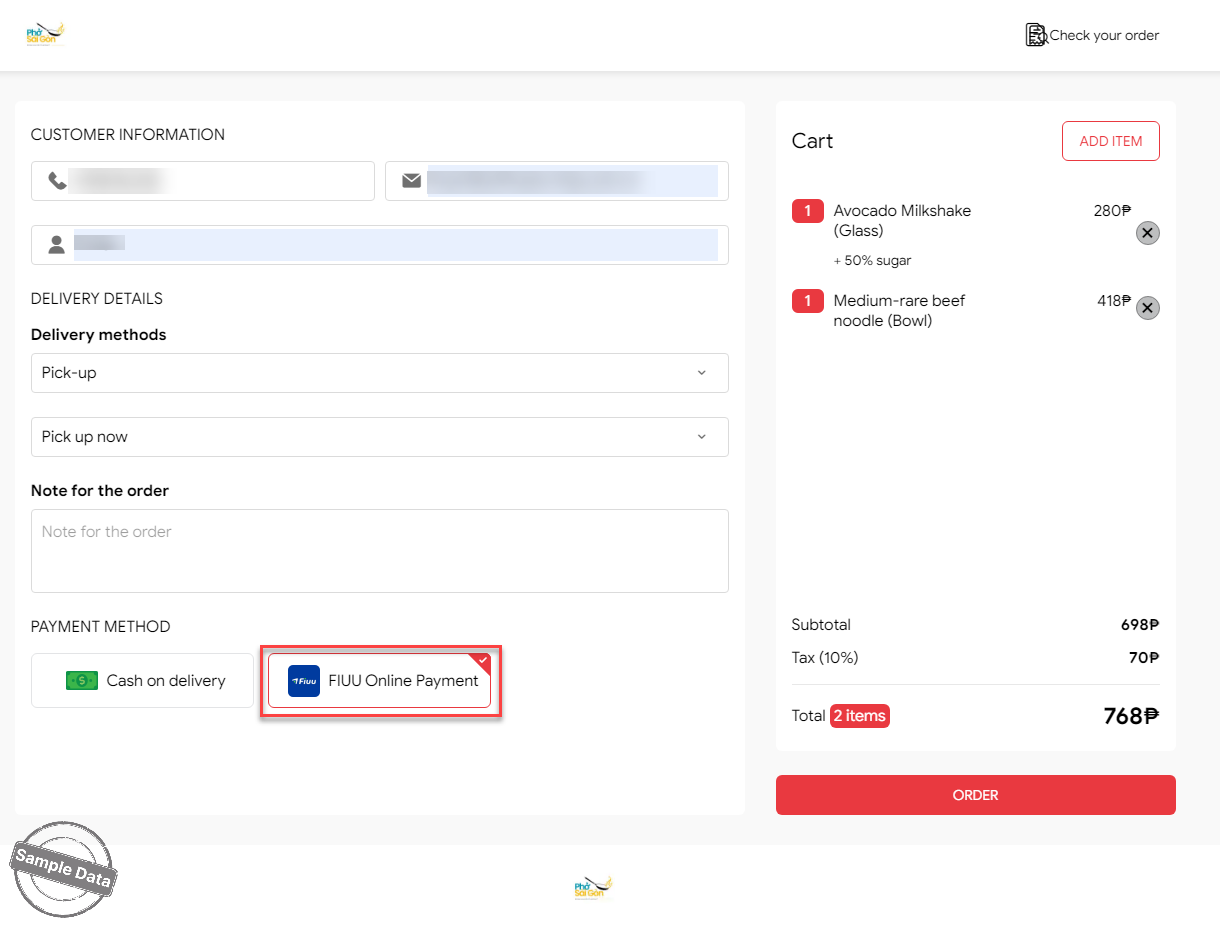
Upon checking out, the customer can select FIUU Online Payment.
Note: When paid online orders are cancelled, the paid amount will be refunded to the exact card number that the customer used for the payment.
Have a nice day!
