
I. Purpose
The manager can set up grouping branches by any factor and then compare the revenue and performance of those branch groups.
II. Instruction steps
1. Set up grouping branches
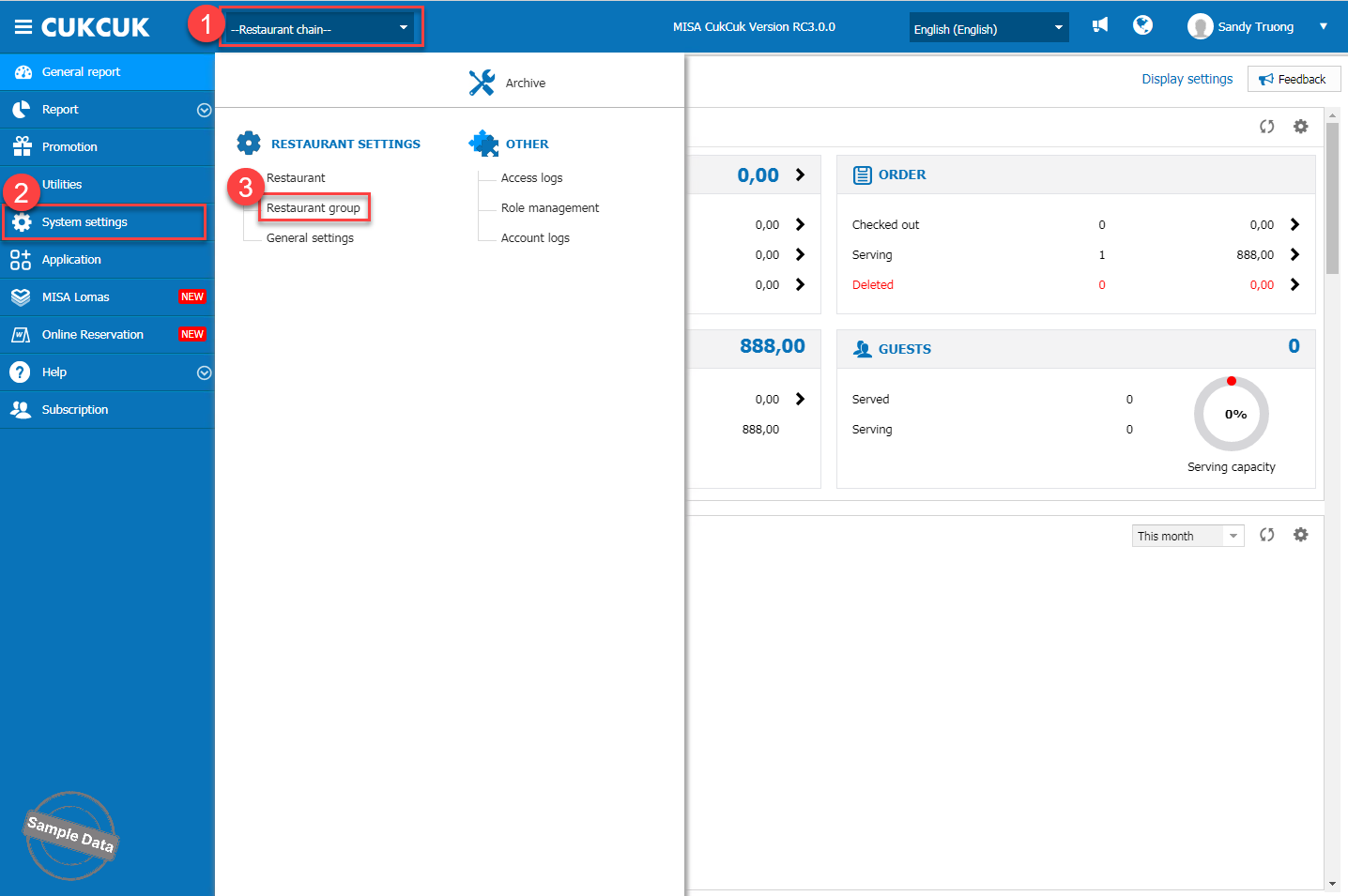
On the management page, at Restaurant chain, go to System settings/Restaurant group.
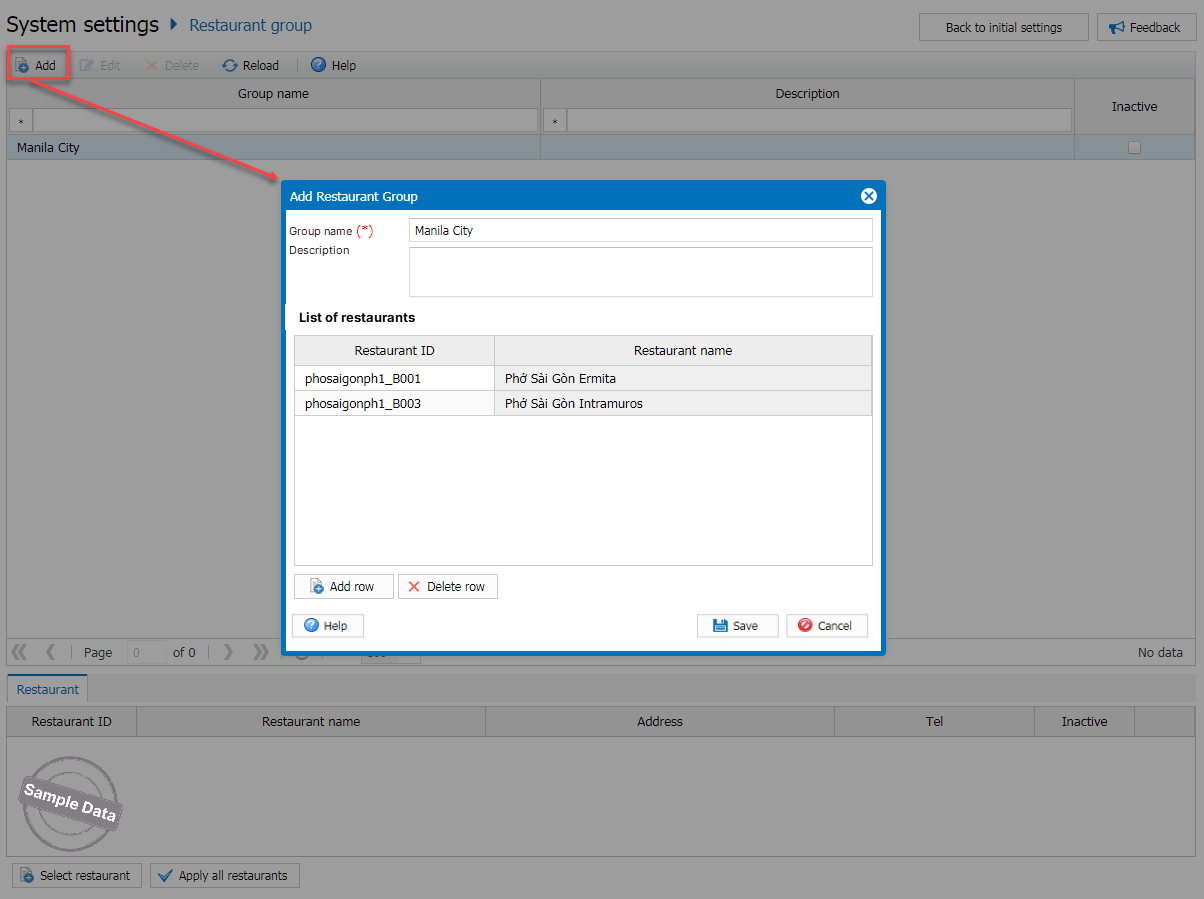
Click Add. Enter group name and add branches. Then, click Save.
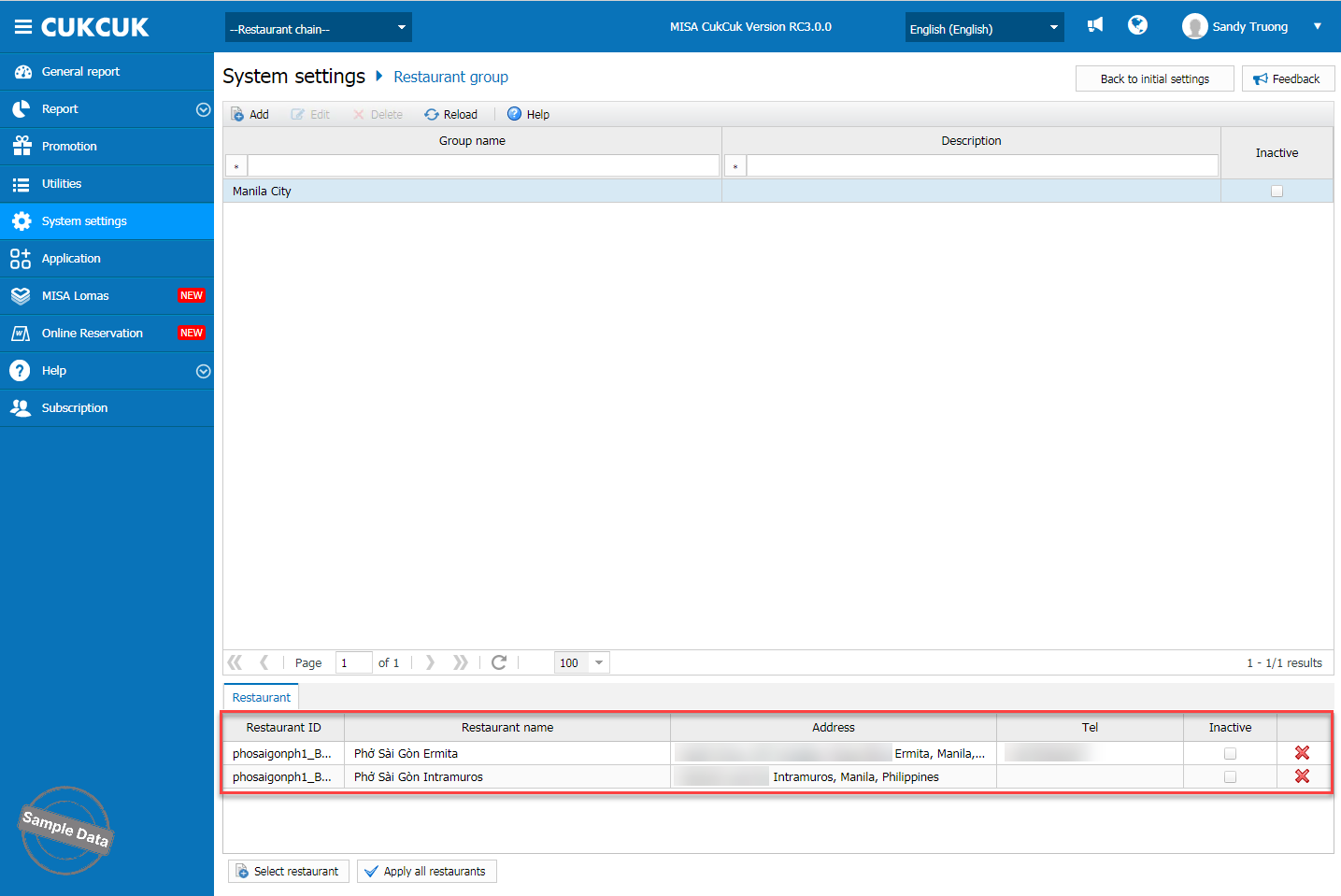
Here is the group.
2. Compare revenue
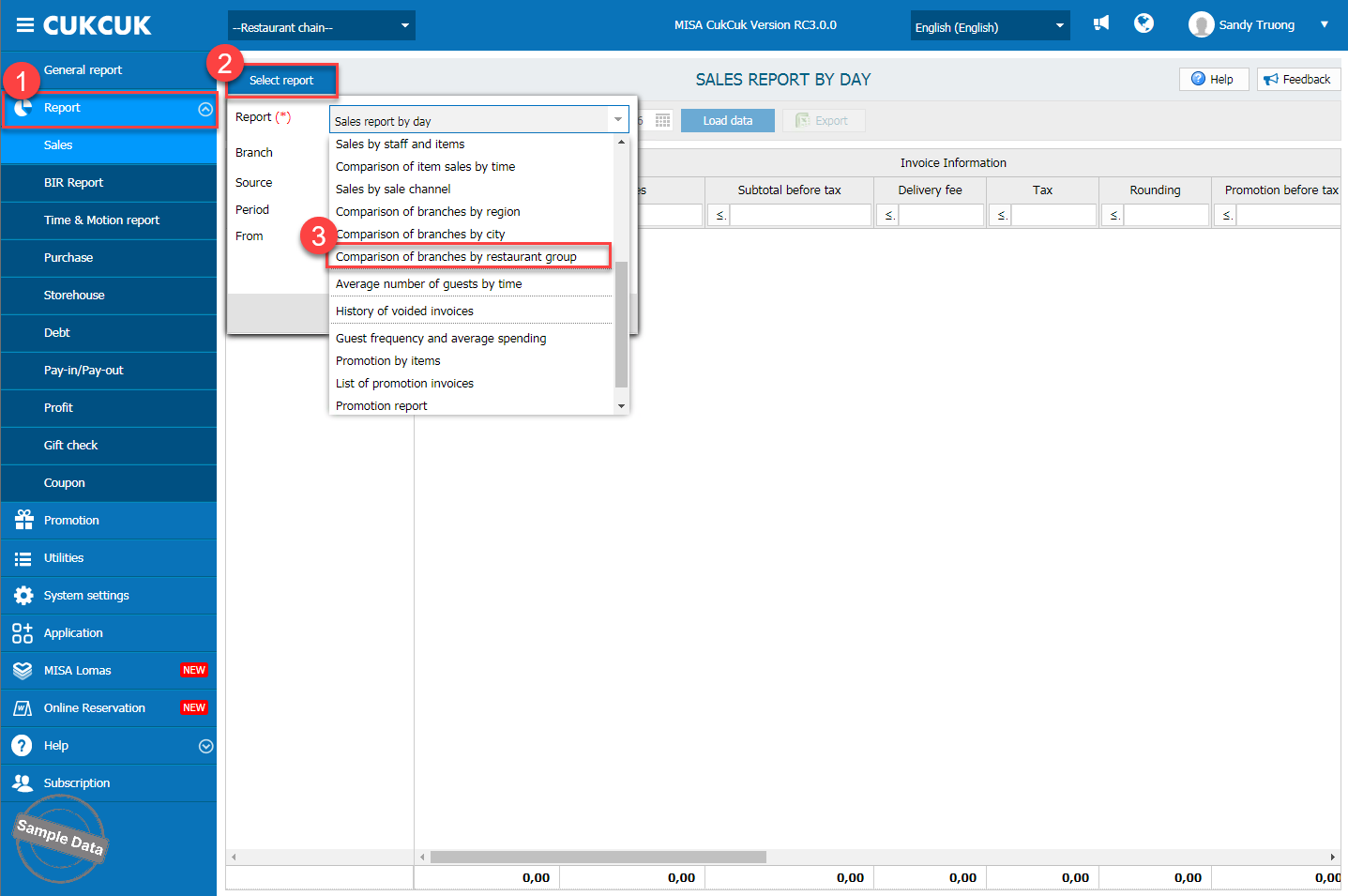
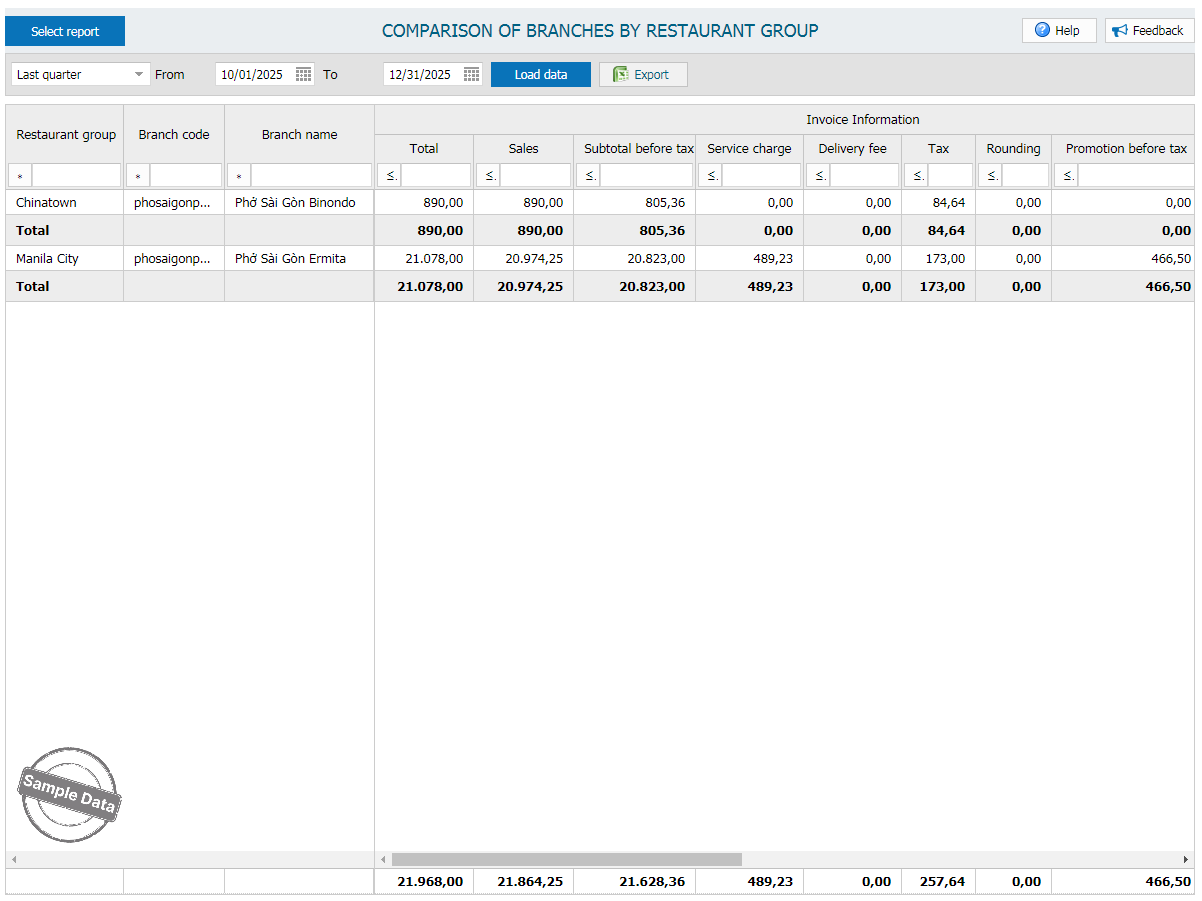
Go to Report/Sales. Click Select report and scroll down to Comparison of branches by restaurant group.
Here is the report.
Have a nice day!
