
I. Purpose
The manager can track the revenue from online ordering orders.
II. Instruction steps
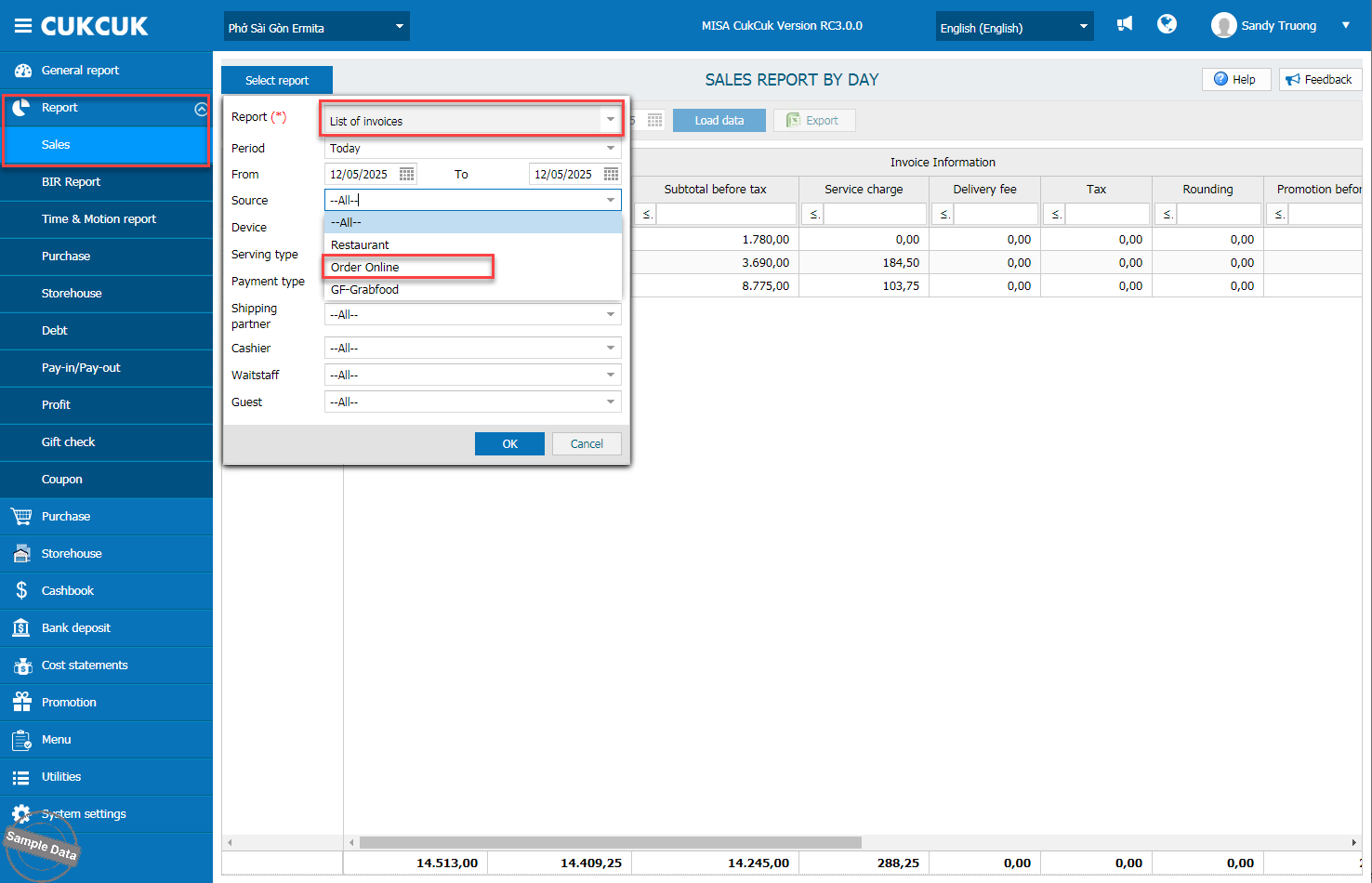
On the management page, go to Report/Sales. Click Select report and choose List of invoices. Set time range. On Source line, select Order Online. Press OK.
Here is a list of invoices from online ordering.
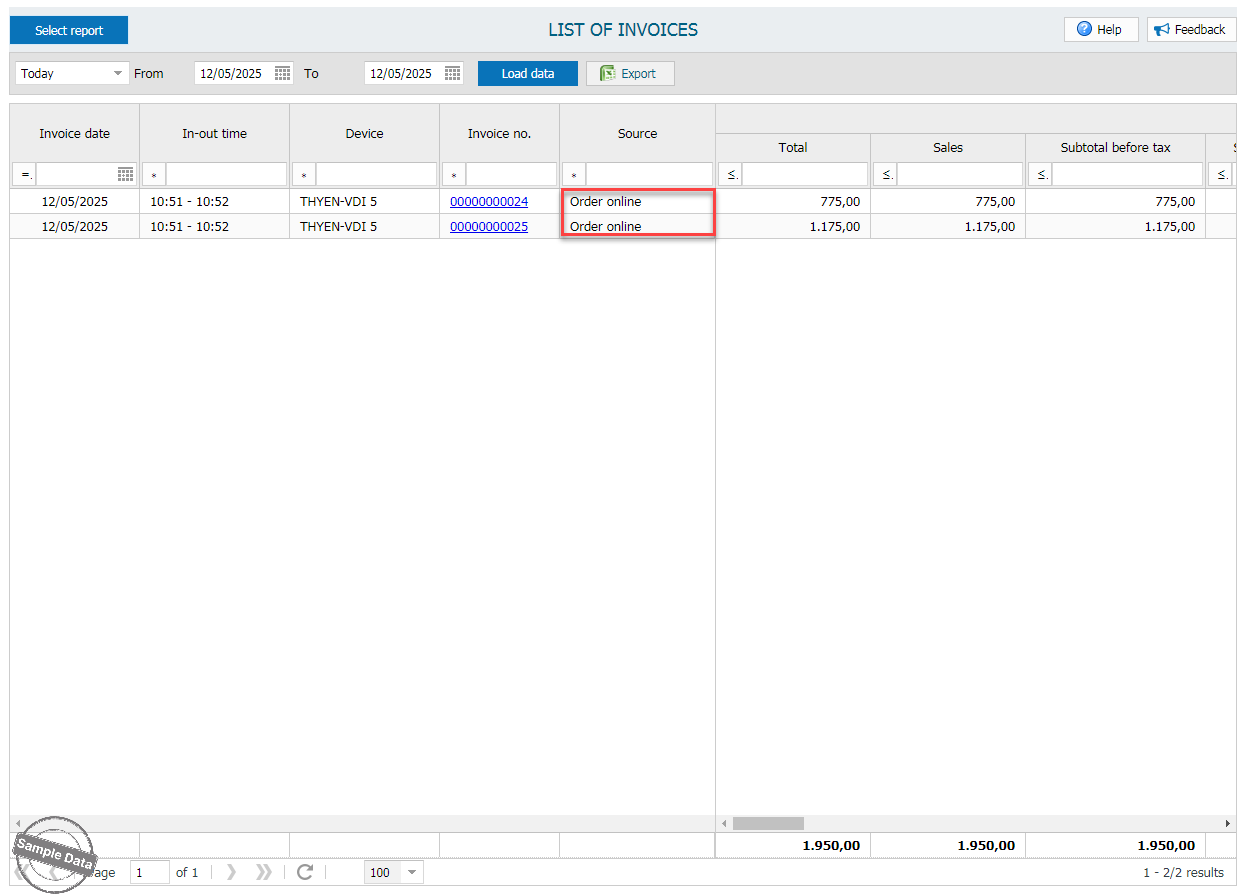
Follow the same steps for Sales report by day and Transaction report.
Have a nice day!
