
I. Purpose
The manager can set up to collect service charge and control when and by whom this charge is edited or removed.
II. Instruction steps
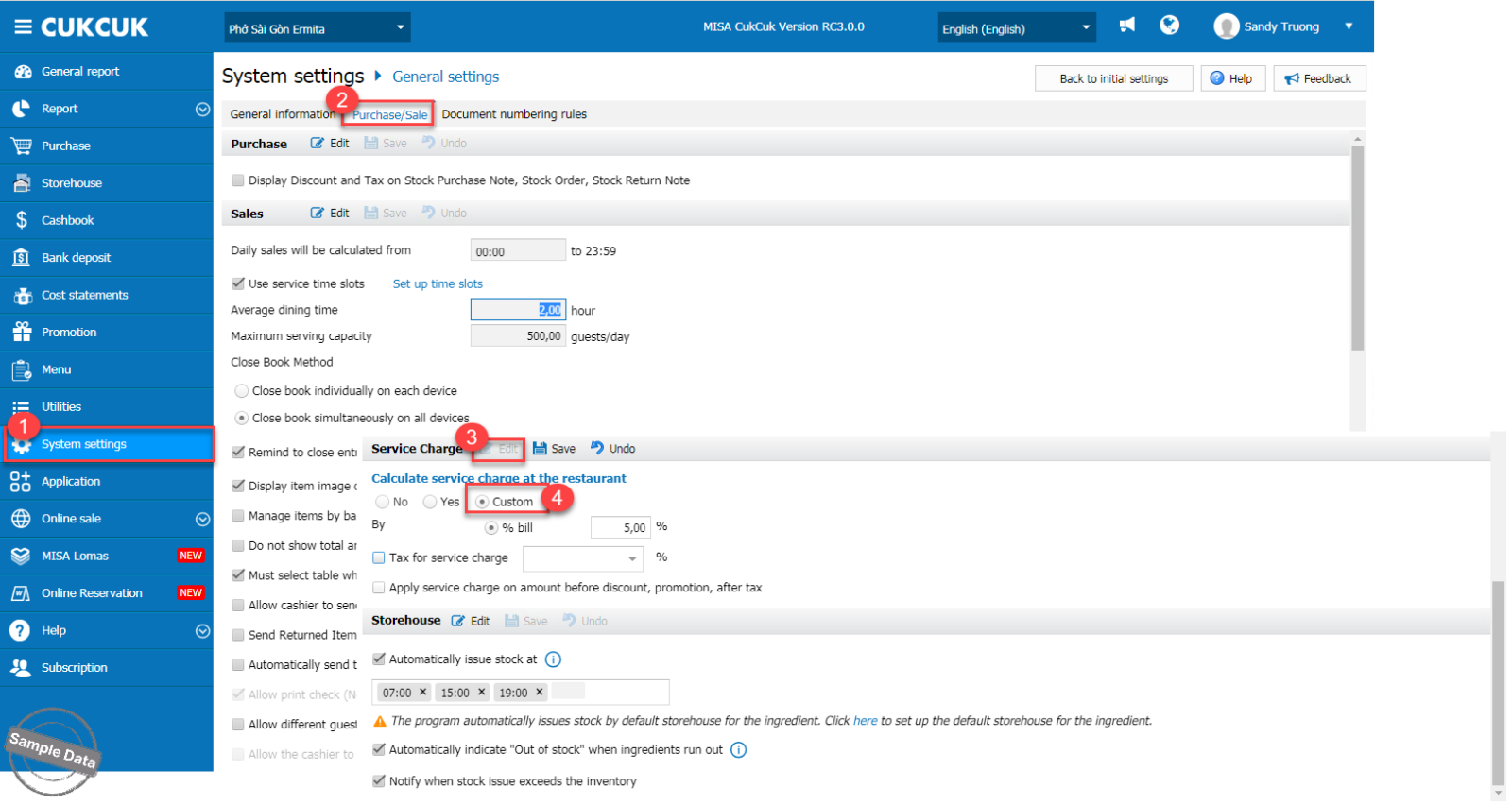
On the management page, go to System settings/General settings. Scroll down to Service charge tab, check Yes if you always want to collect service charge and check Custom if you want to allow to change the amount of service charge or not collect service charge. Then, click Save.
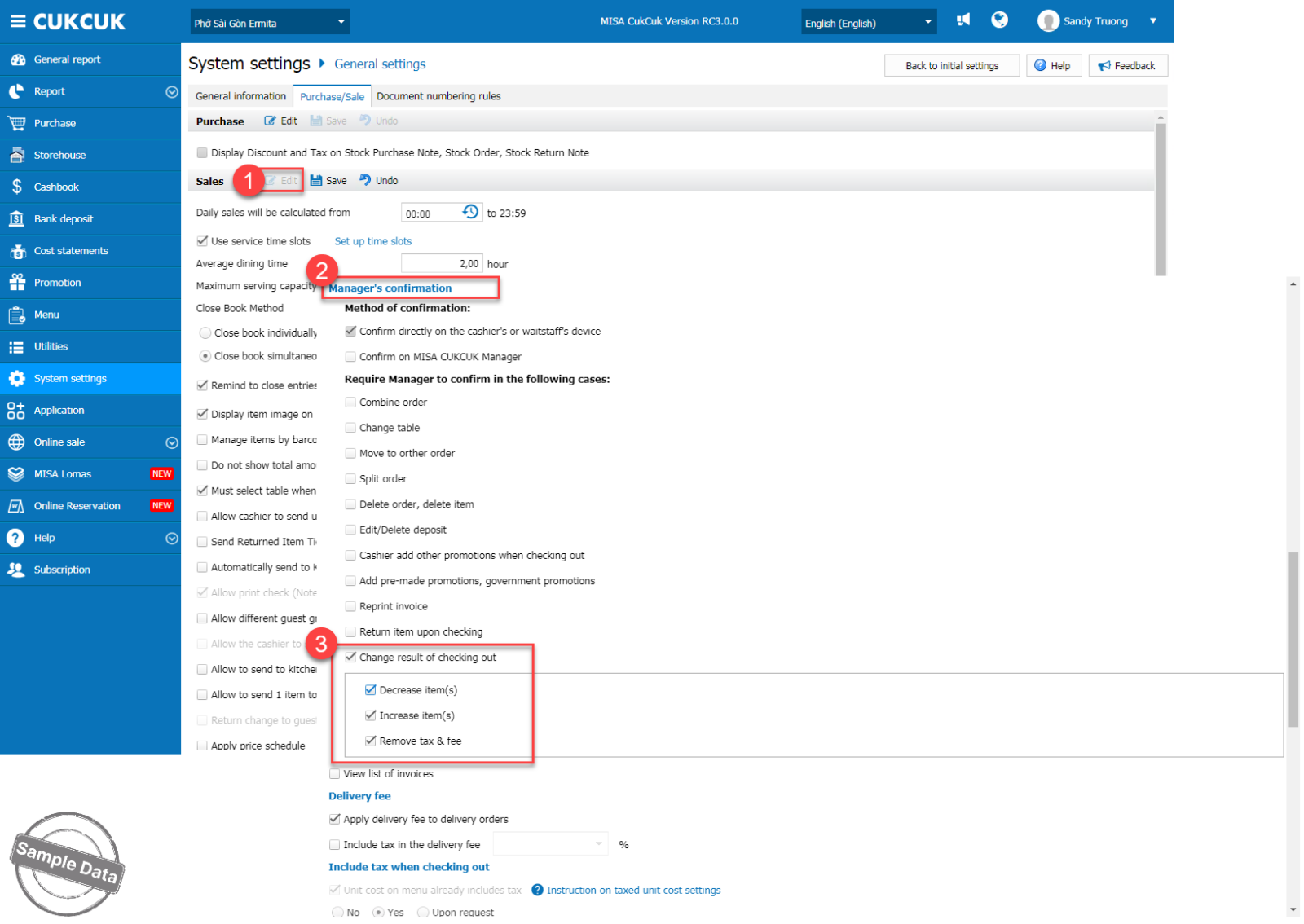
To control when and by whom this charge is edited or removed, on Sales tab, click Edit and scroll down to Manager’s confirmation. Check Change result of checking out and check applicable actions.
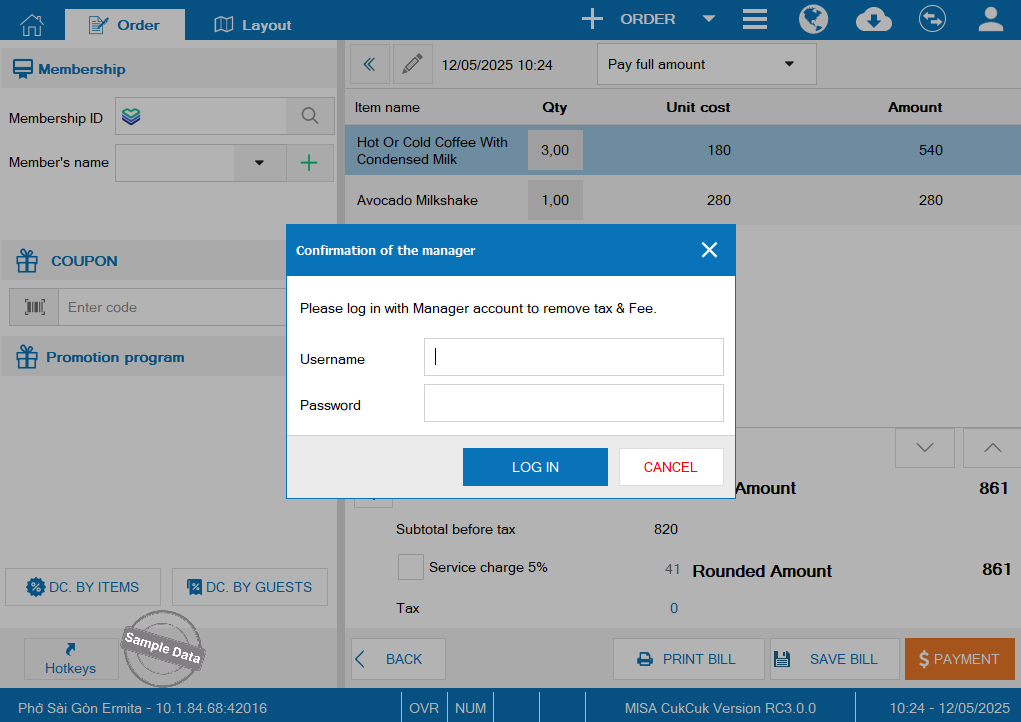
When the cashier chooses not to collect the service charge, the system will display a window requiring manager confirmation.
Have a nice day!
