I. Purpose
Customers can make payment with Apple Pay, Google Pay, etc. through the FIUU gateway.
II. Tutorial Video
You can watch video here: https://youtu.be/sLG_-JtJYiQ
III. Instruction steps
To get payment with FIUU, please follow these steps:
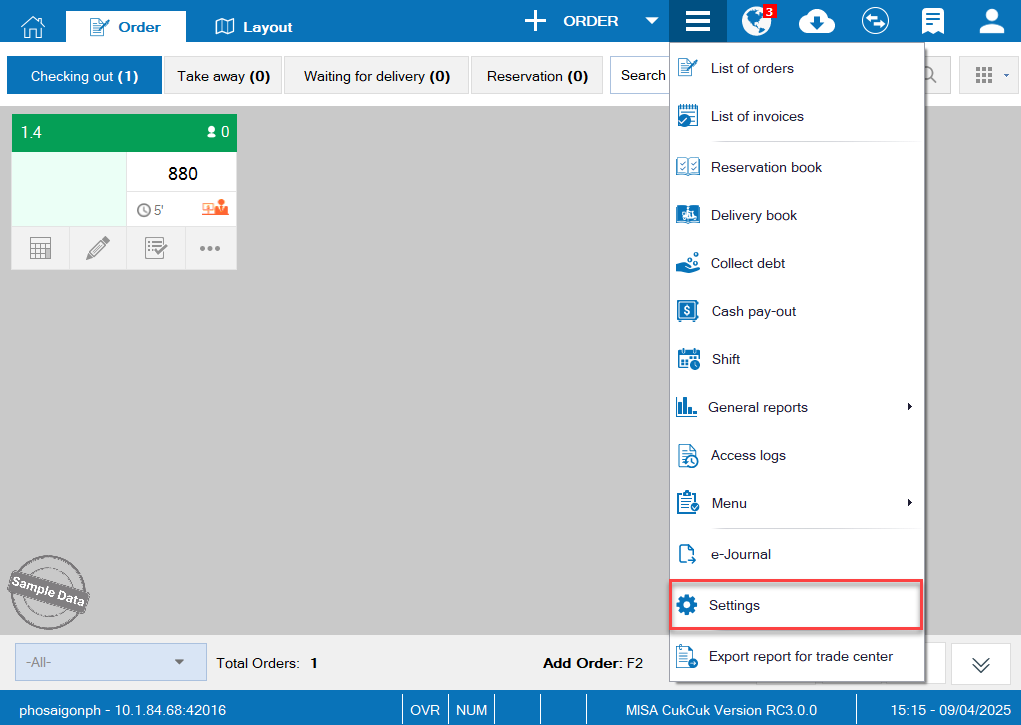
On POS, click this icon  and select Settings.
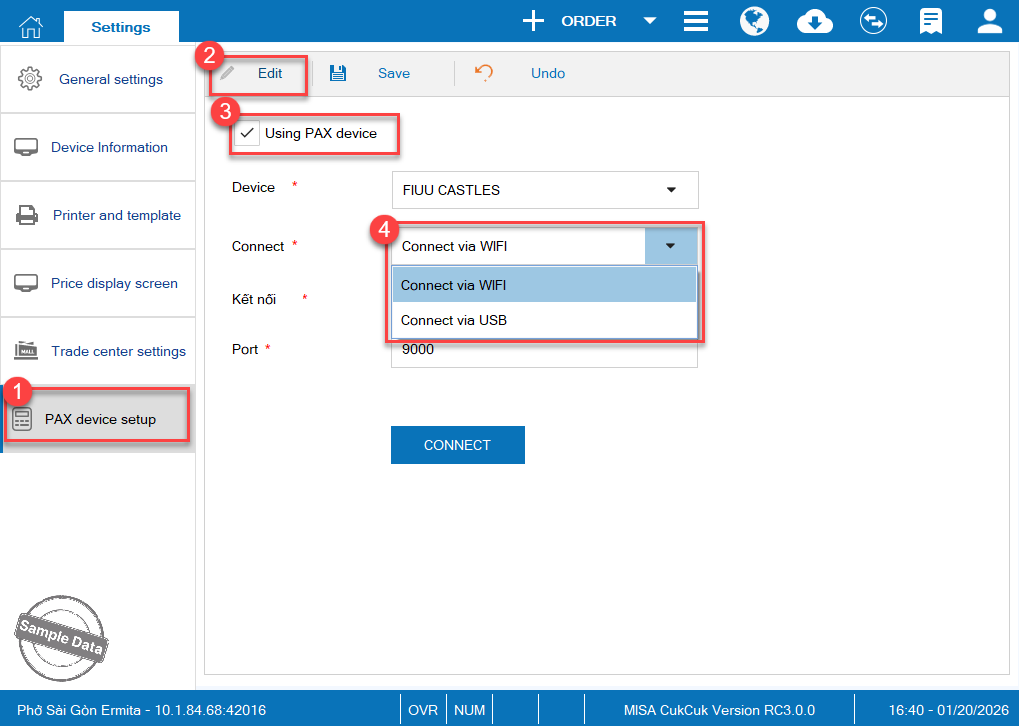
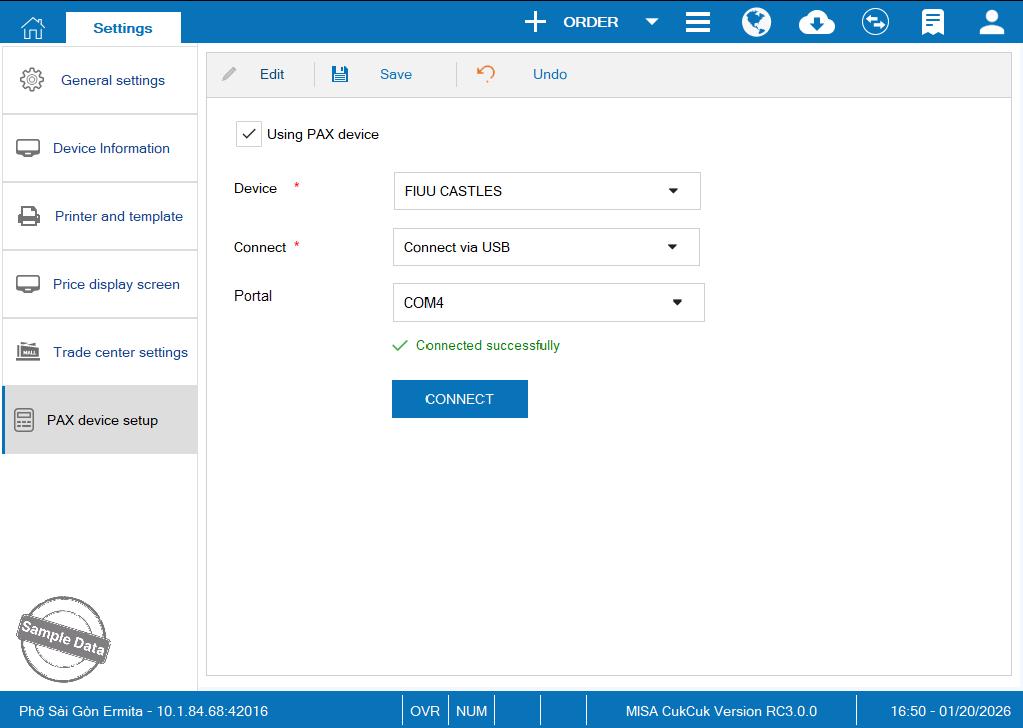
On PAX device setup, click Edit and check Using PAX device. You can connect via Wi-fi or via USB.
If you select to connect via Wi-fi, enter the IP address to which the server is also connected and Port of the device. Then Click Connect.
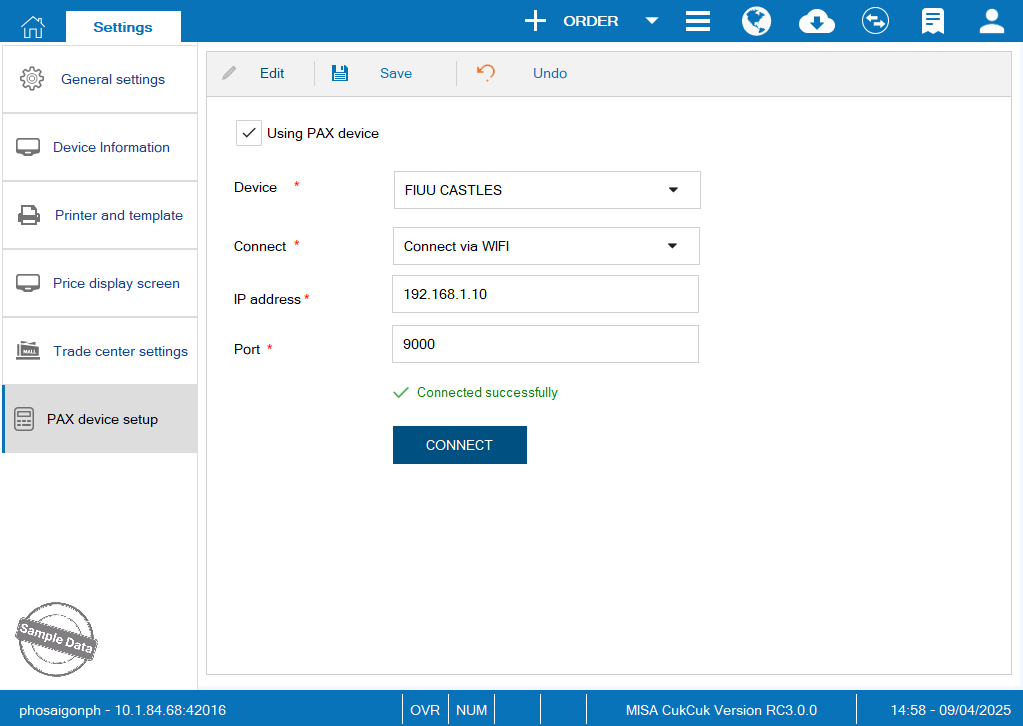
Note: The PAX device must connect to a WiFi network that shares the same IP address as the server.
If you select to connect via USB, select the portal. Then Click Connect.
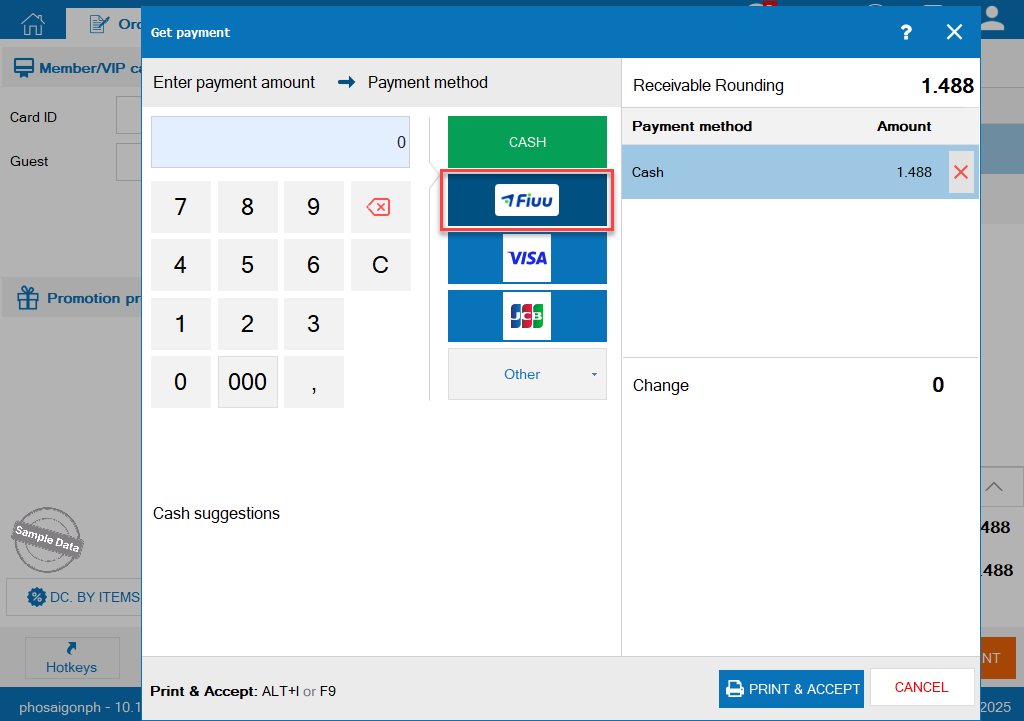
Upon checking out, select FIUU.
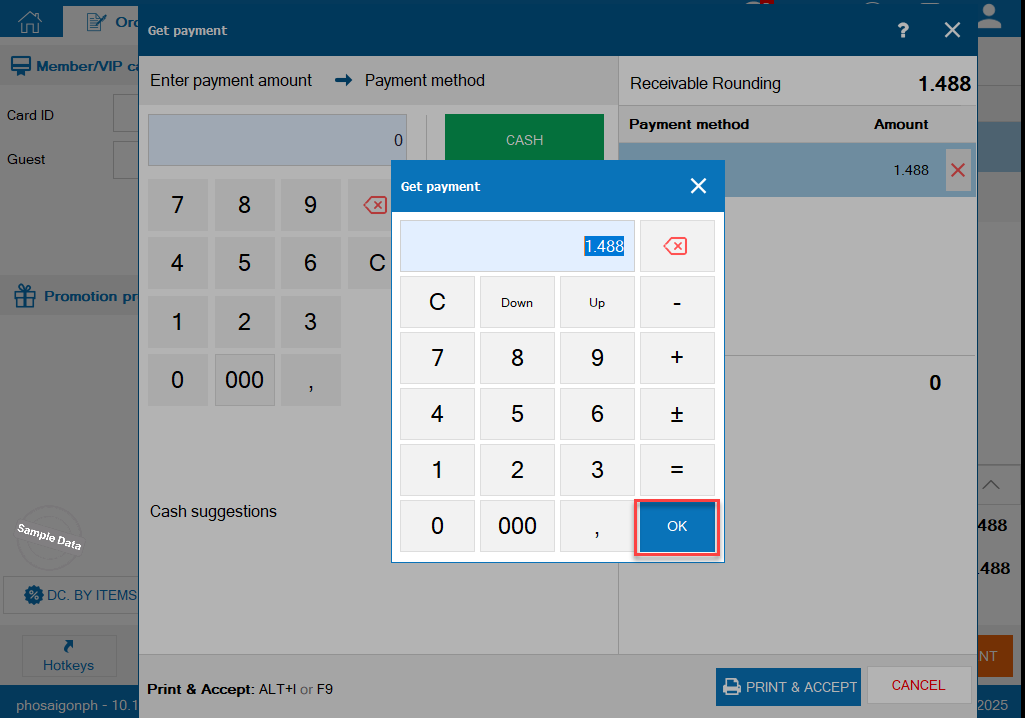
Click OK.
If the order is paid successfully, click Print & Accept to complete the order.
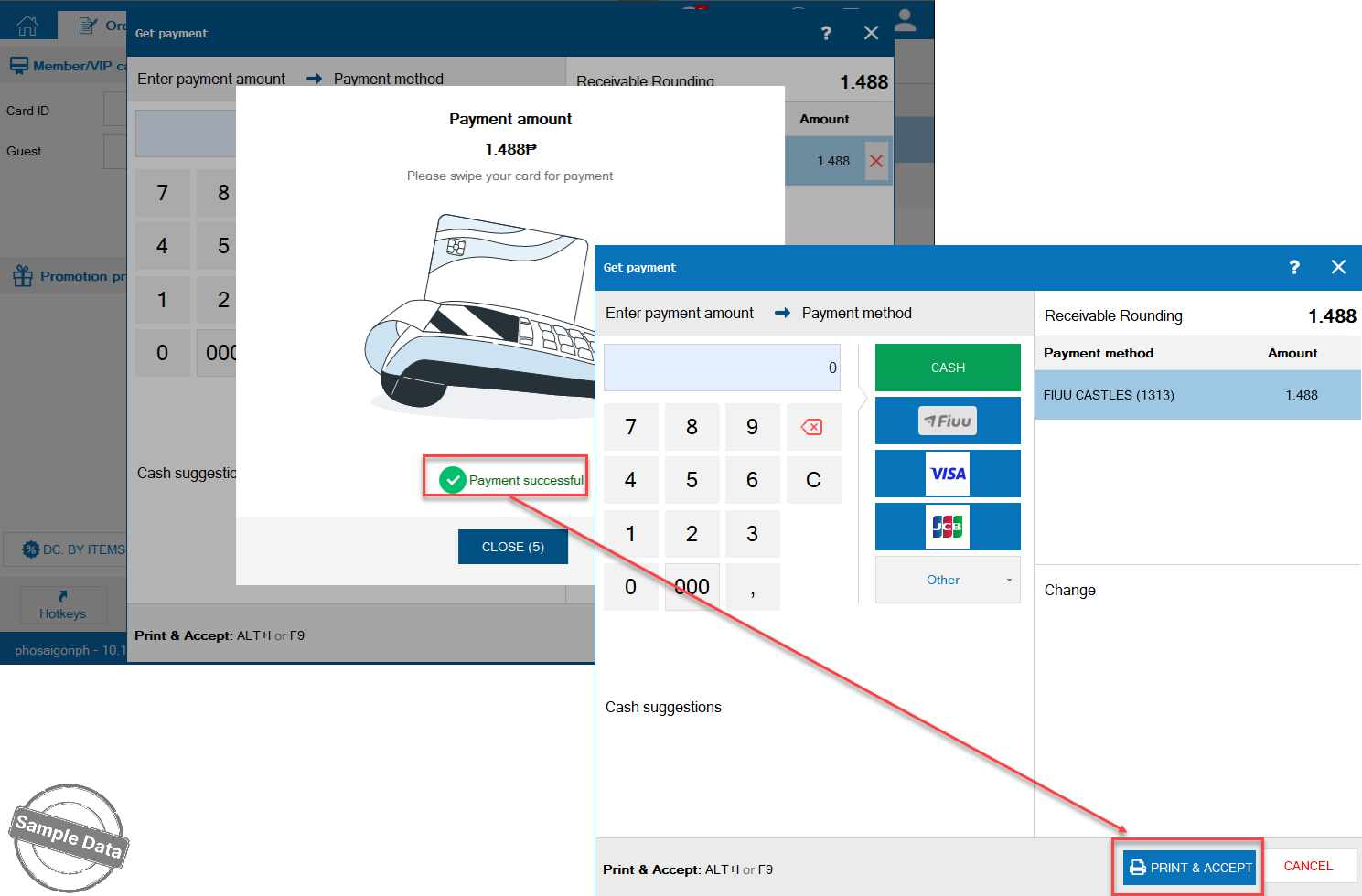
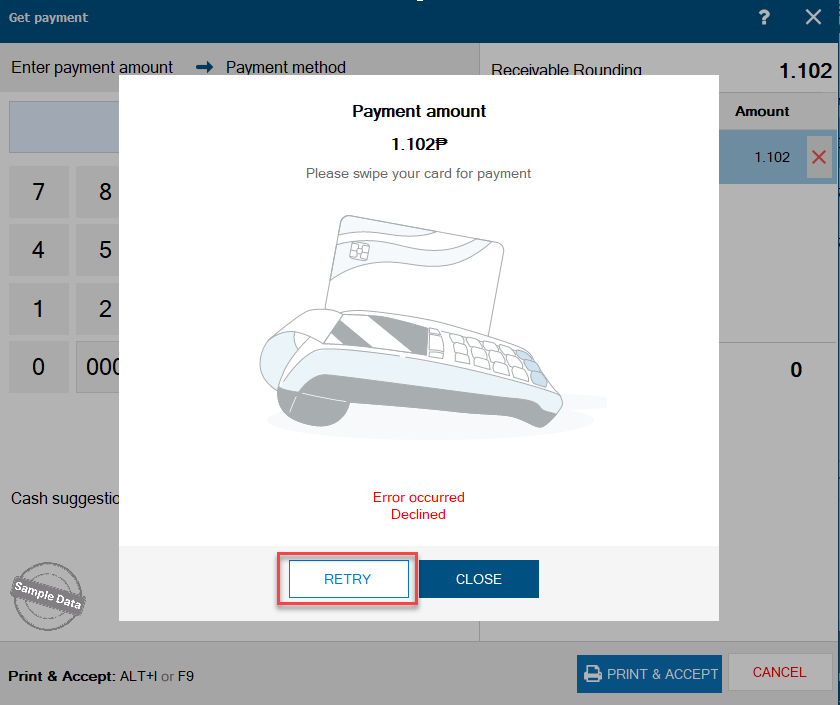
If the order is paid unsuccessfully, click Retry.
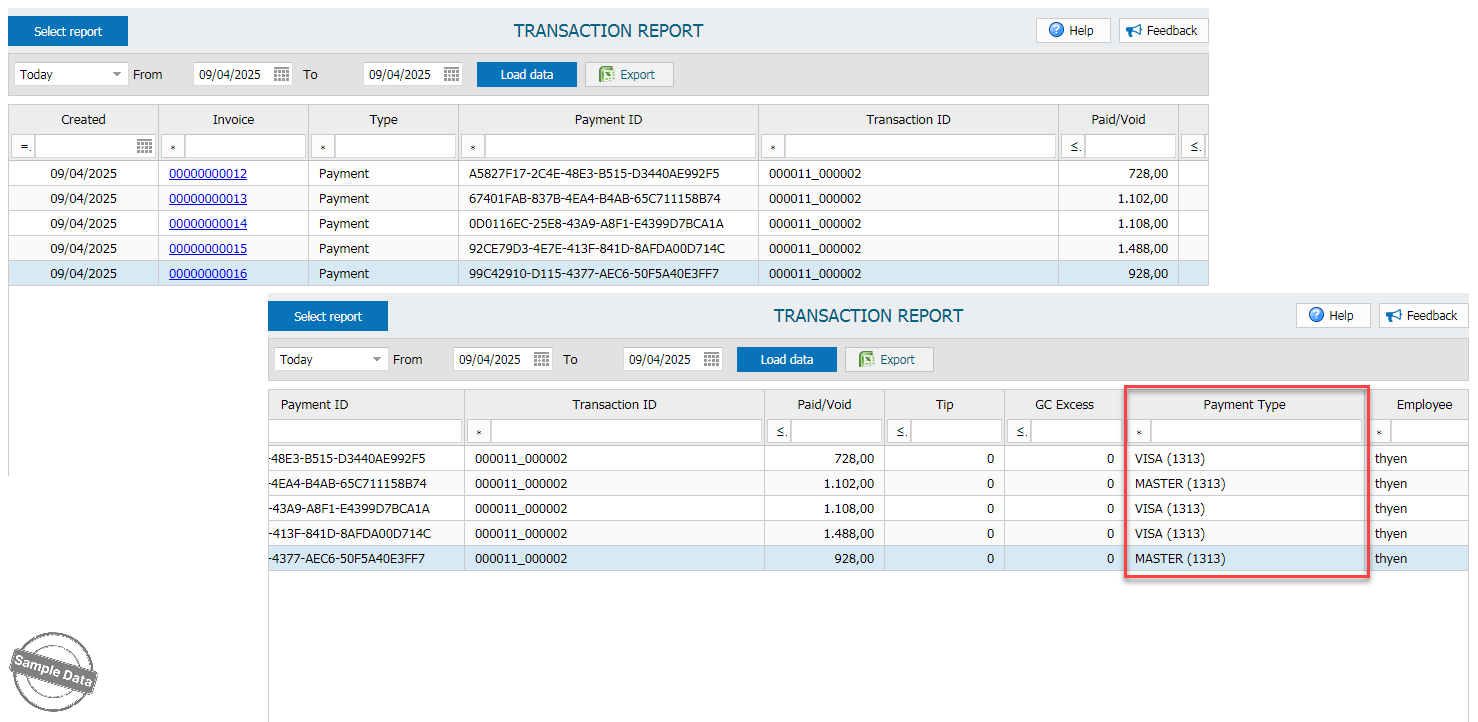
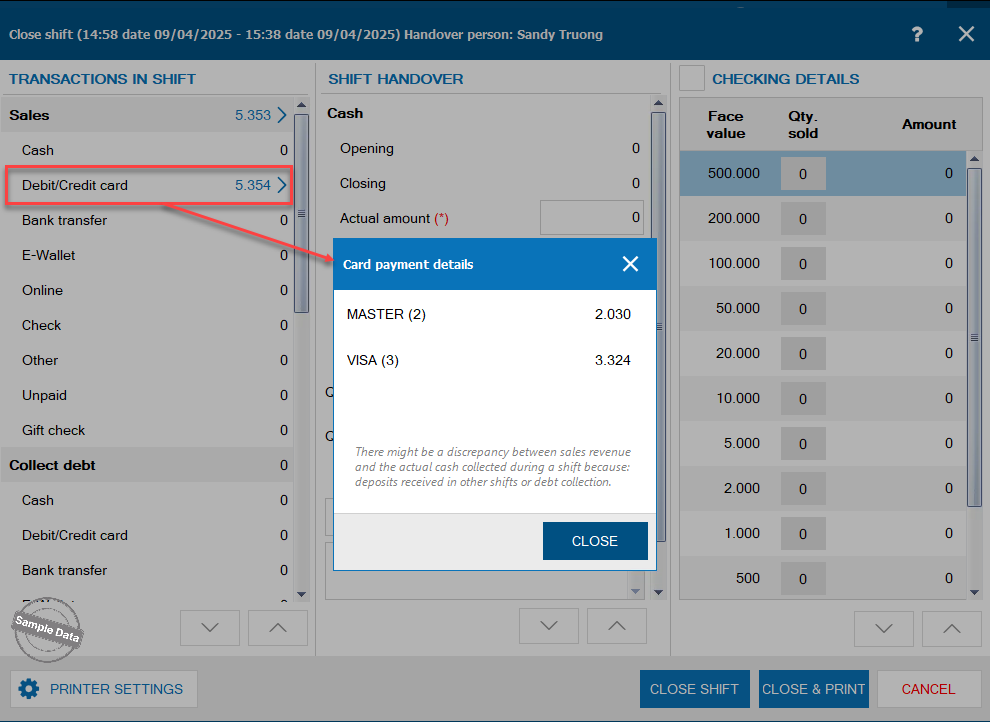
Upon closing shift, click on Debit/Credit card to check details of payments via FIUU.
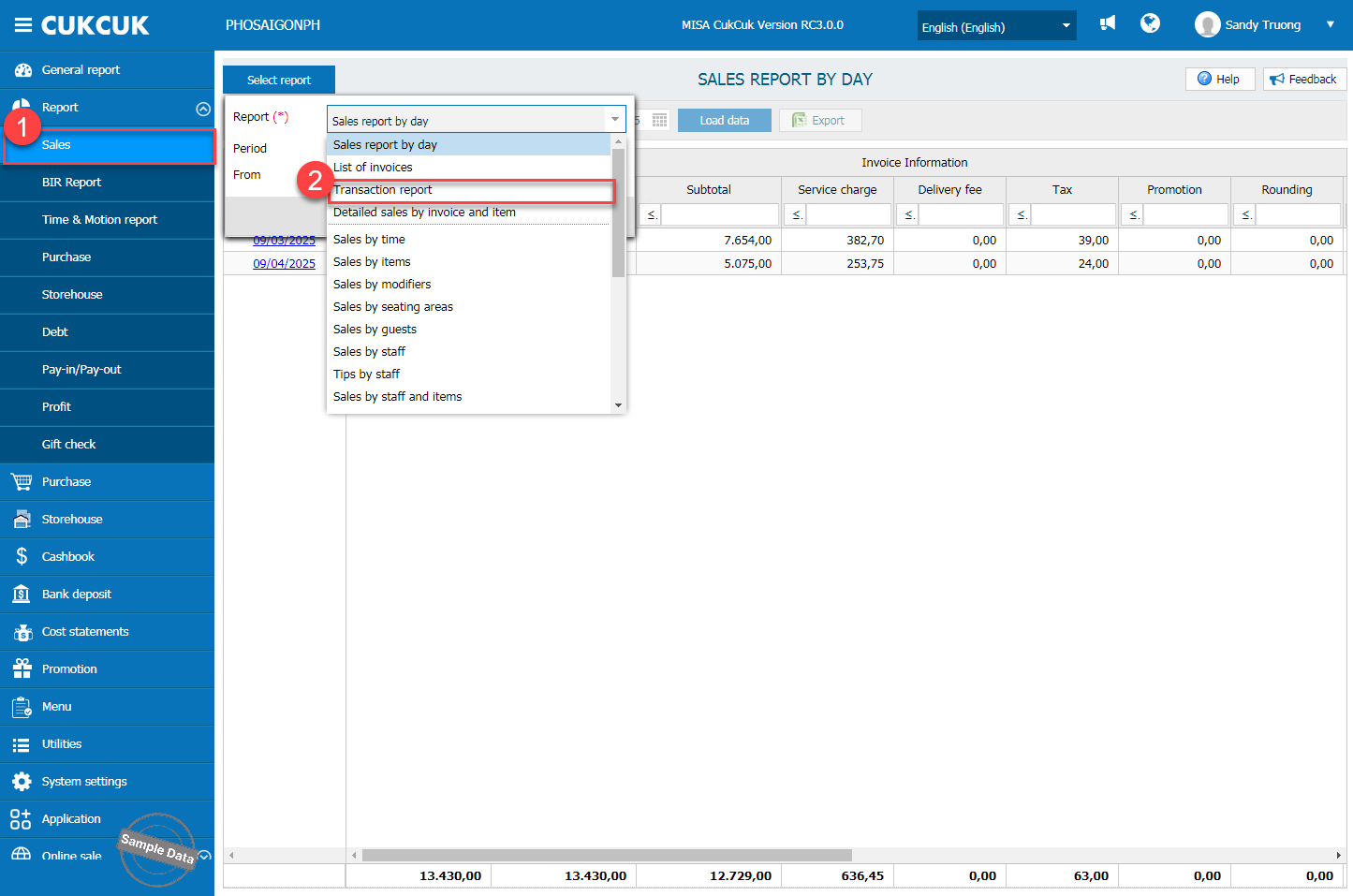
On the management page, go to Report/Sales. Click Select report and select Transaction report.
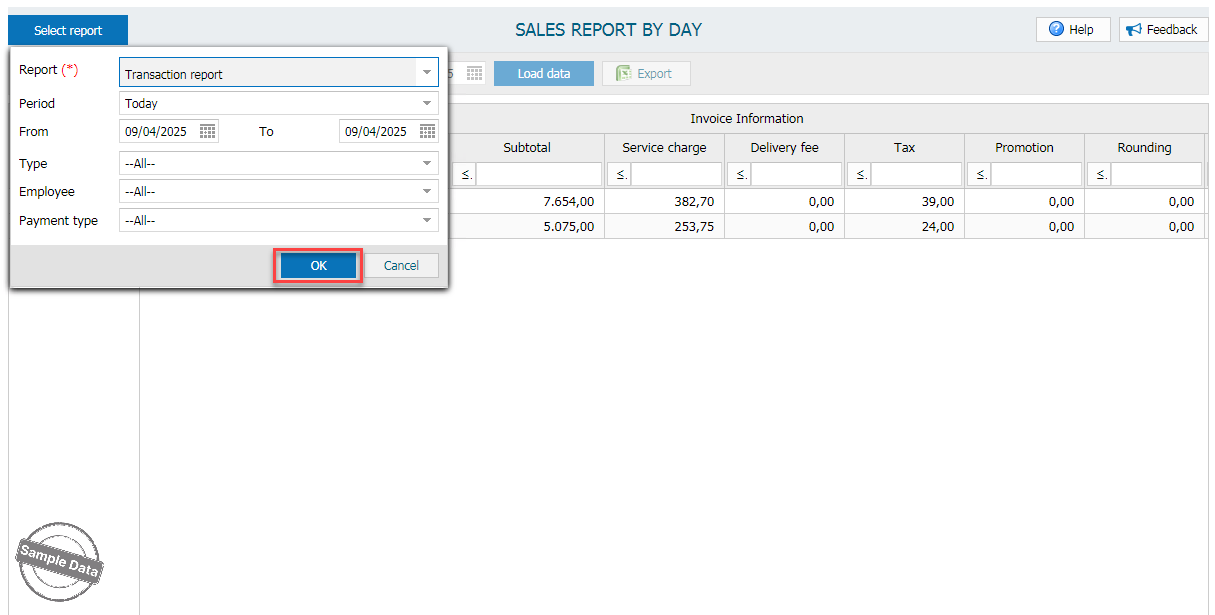
Select time and click OK.
Check details in Payment Type column.