
I. Purpose
The managers can check statistics and sales analysis by each time slot throughout the day (customizable time frames).
II. Instruction steps
1. Set up time slots
On the management page, go to System settings/General settings. On Purchase/Sale tab, click Edit on Sales part and check Use service time slot.
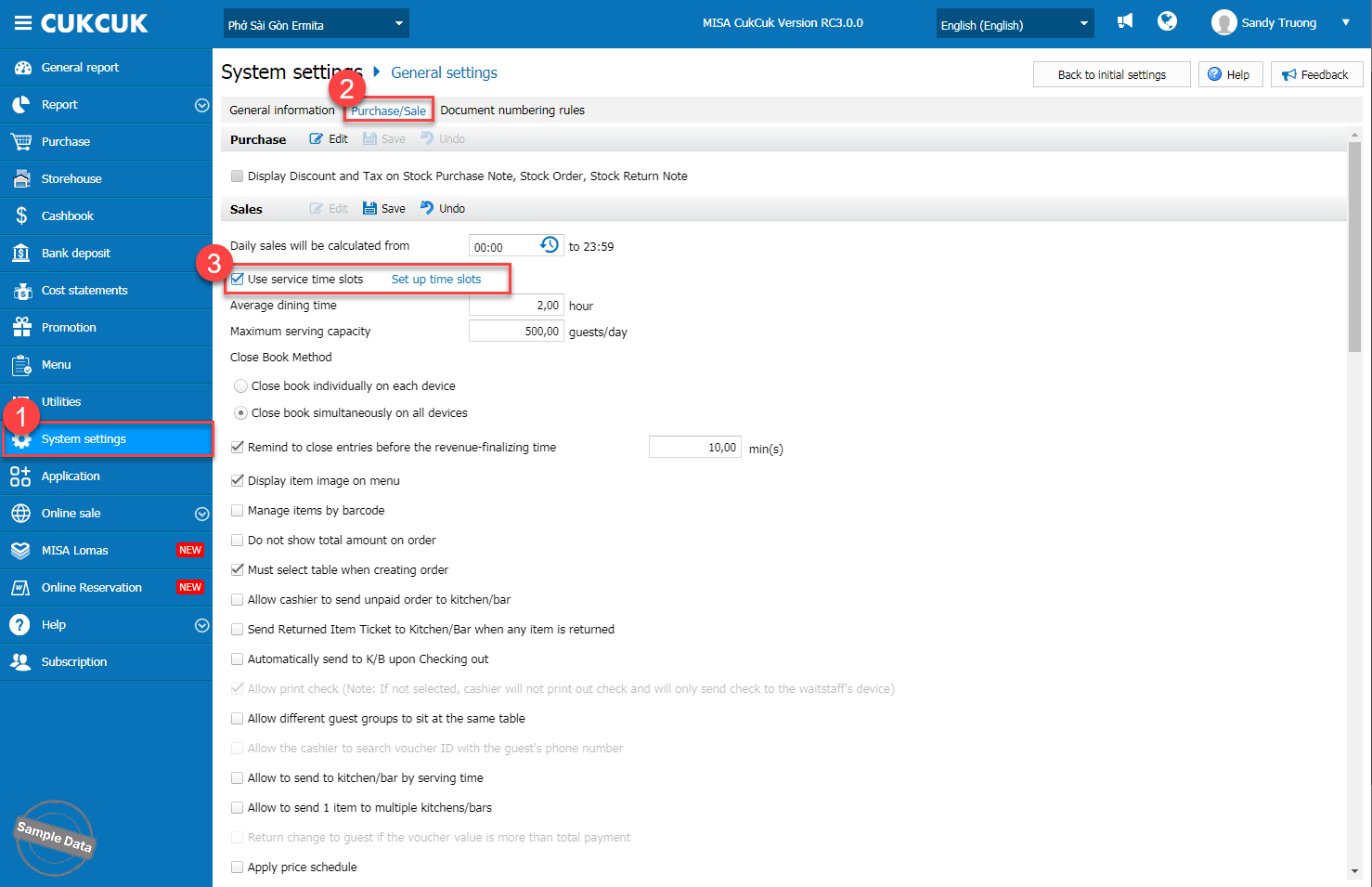
After clicking Set up time slots, set up time slots at the restaurant. And then click OK.
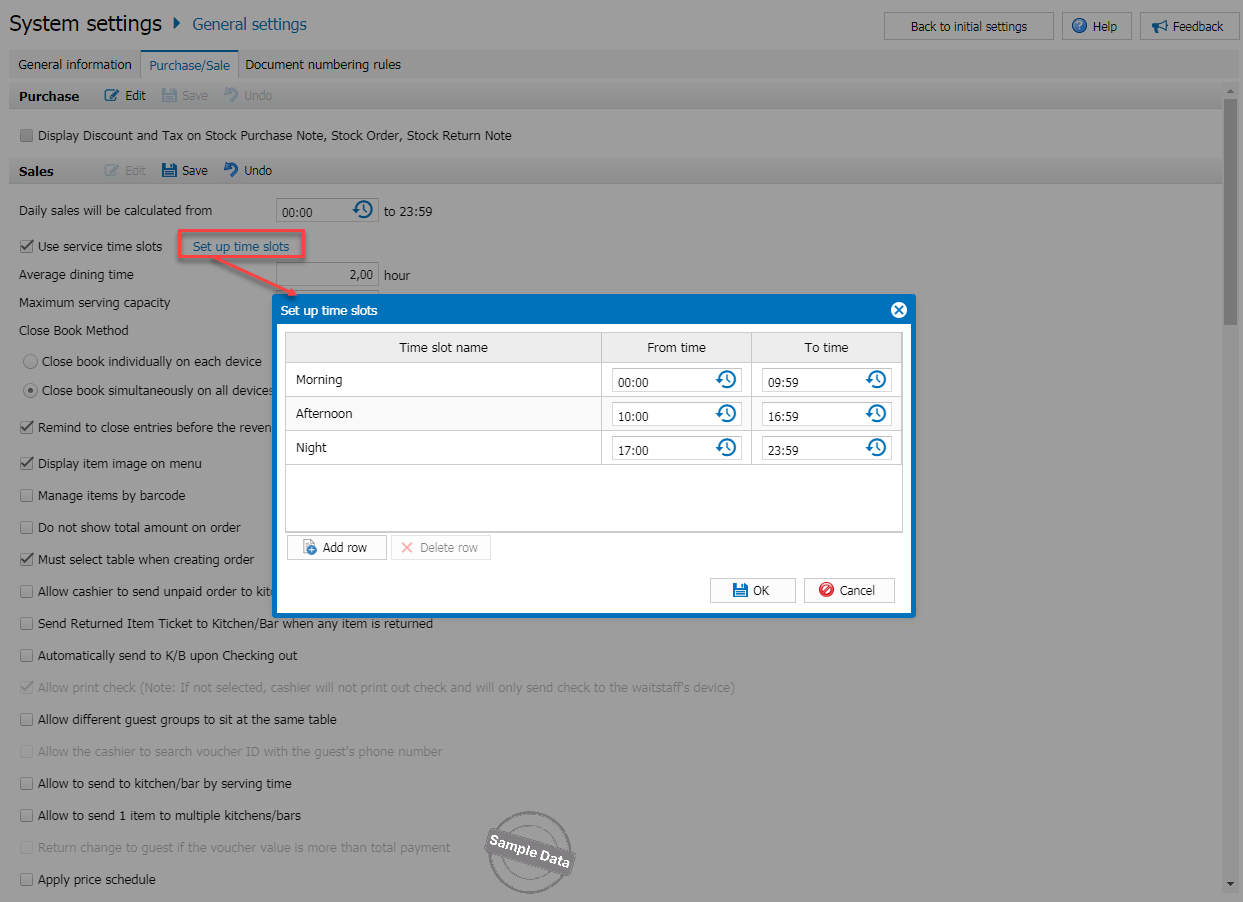
Note: Daypart summarizes all invoices generated within the designated time range. Daypart must cover a full 24 hours. Daypart allows for interday setup.
2. Check Daypart by day report
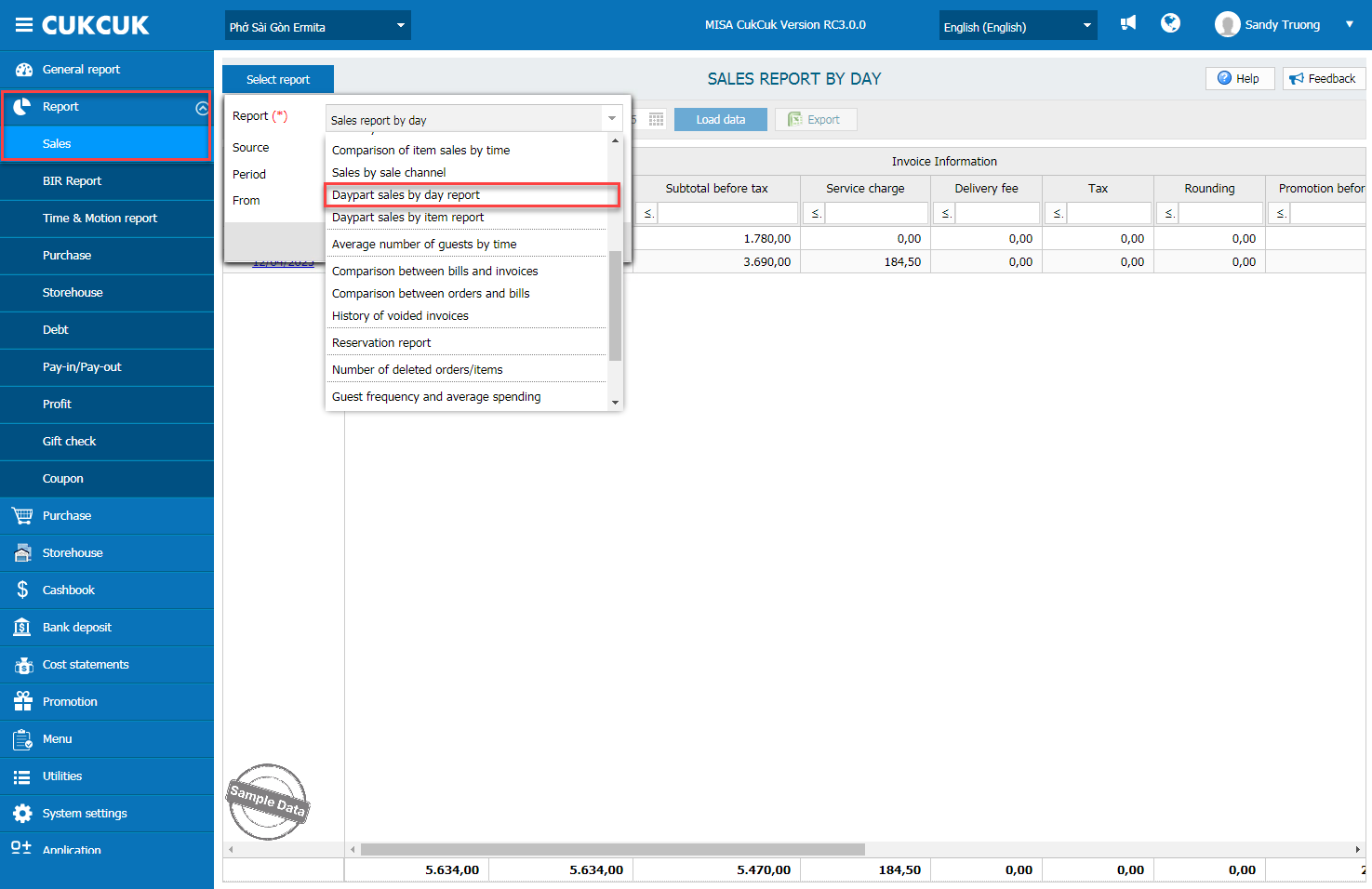
Go to Report/Sales. Click Select report and Daypart sales by day report.
Select time range and click OK.
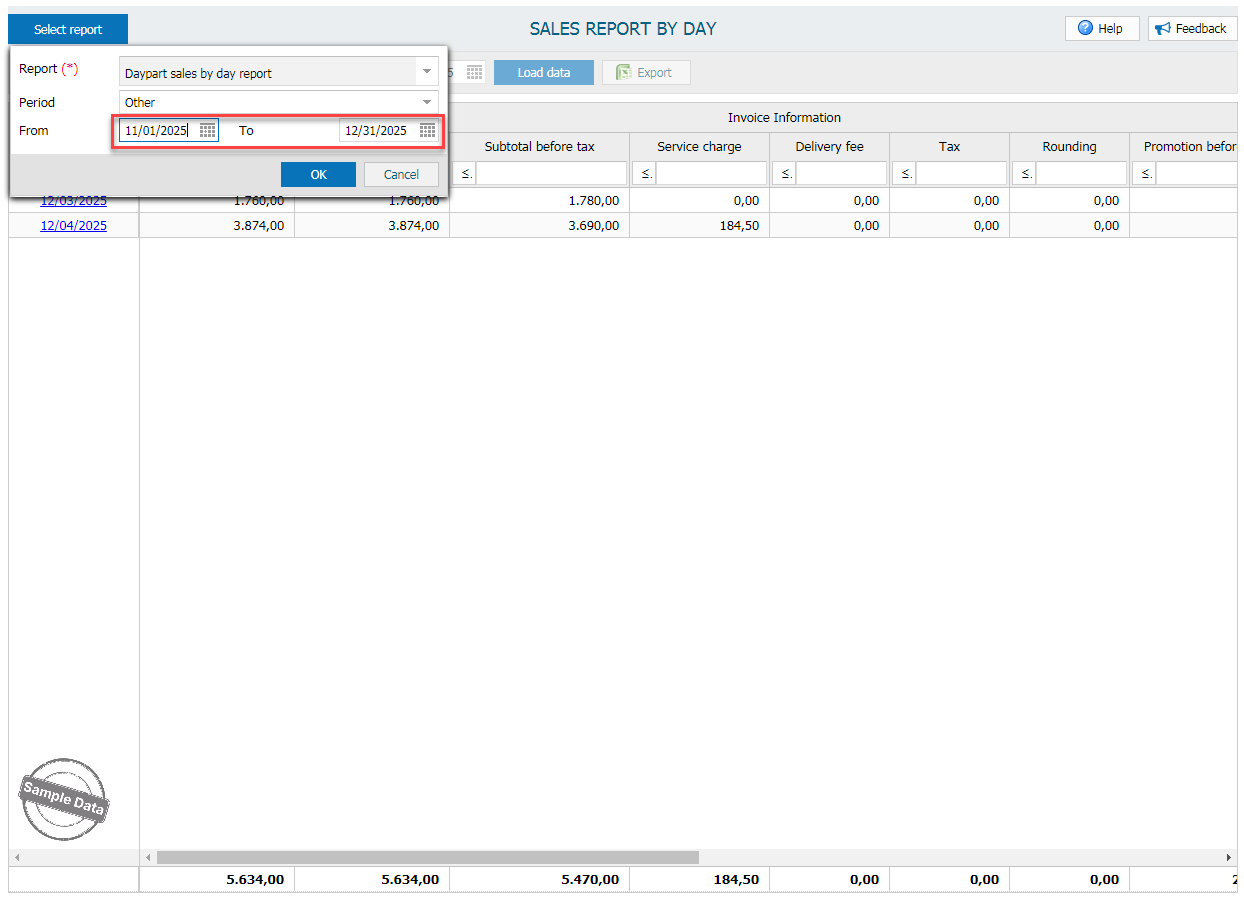
Here is the report.
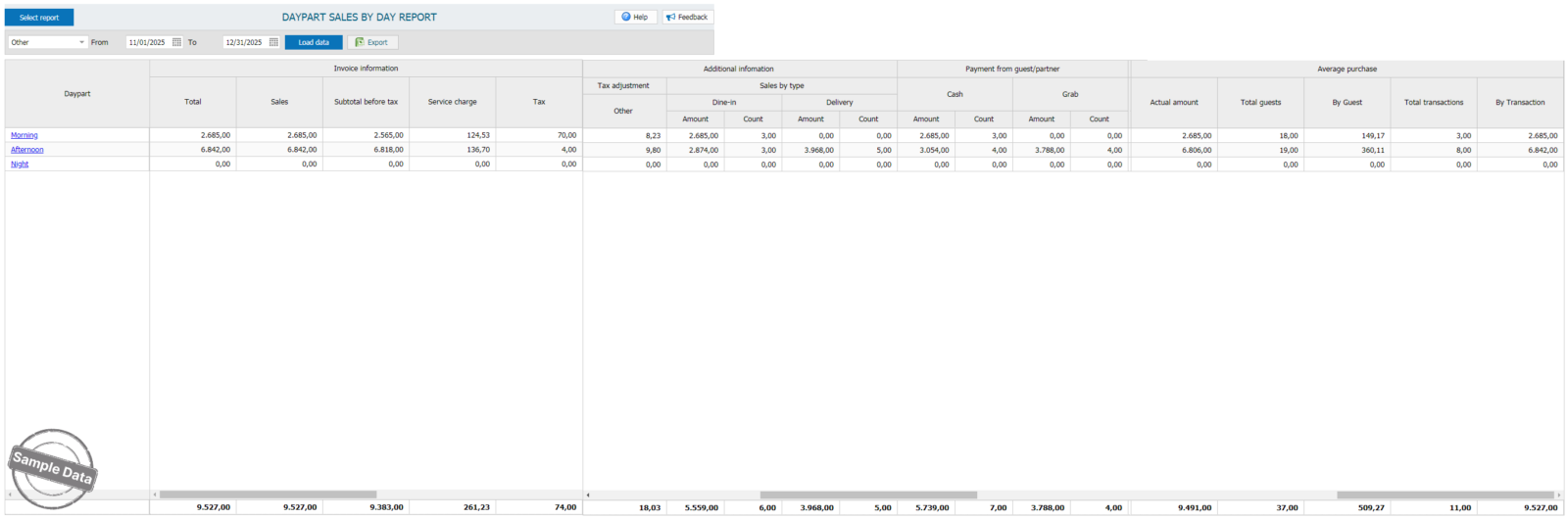
2. Check Daypart by item report
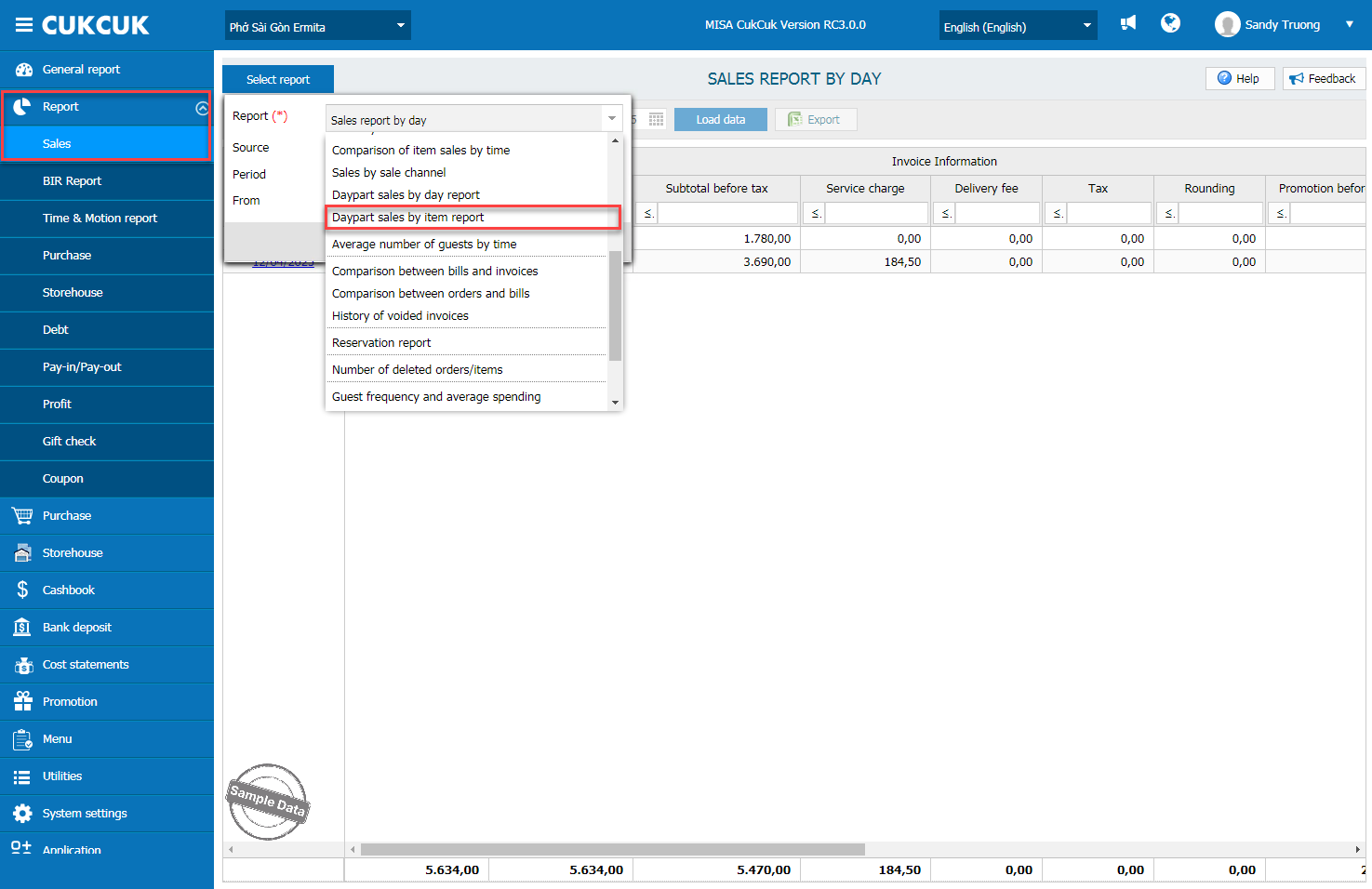
Go to Report/Sales. Click Select report and Daypart sales by item report.
a. By item type
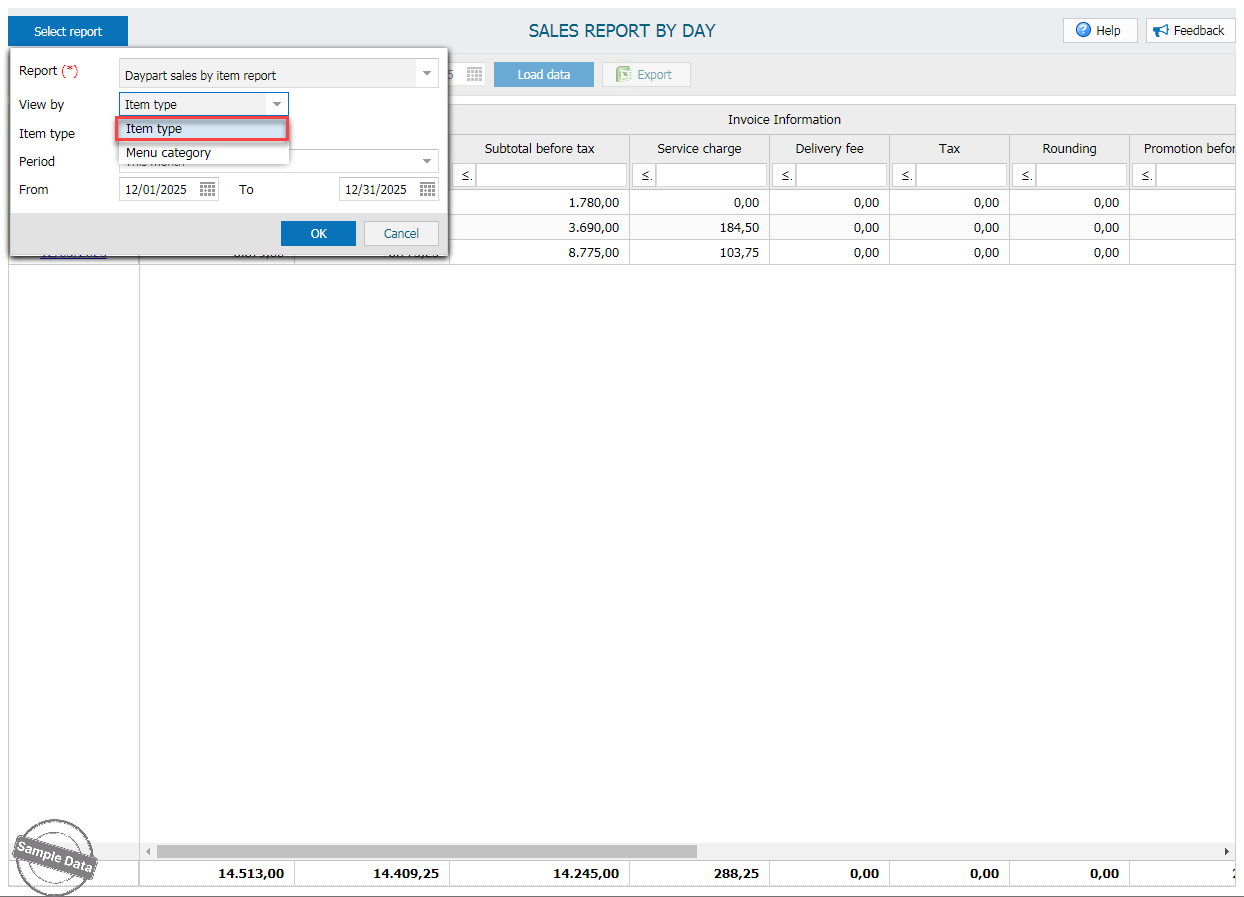
Select Item type
Set time range. Then, click OK.
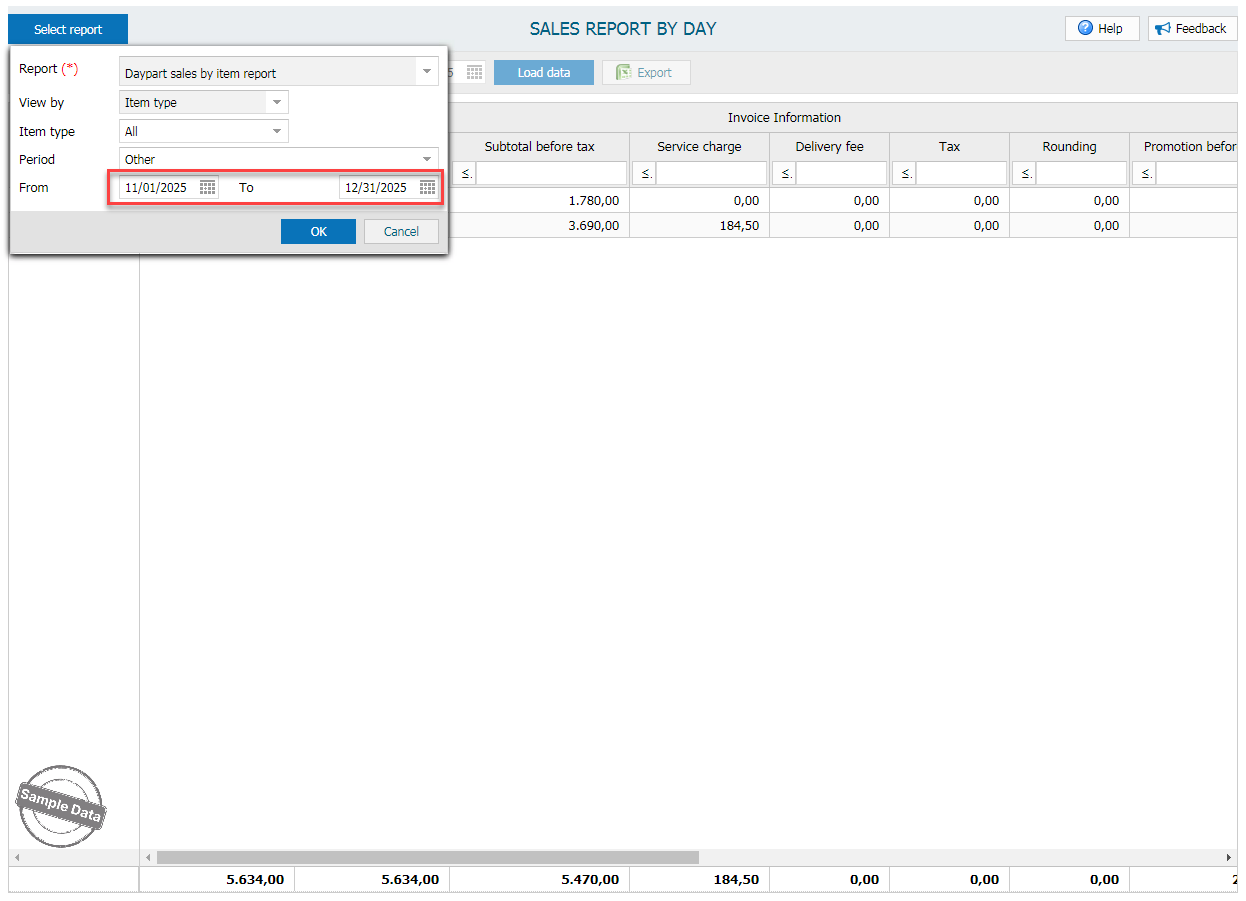
Here is the report.
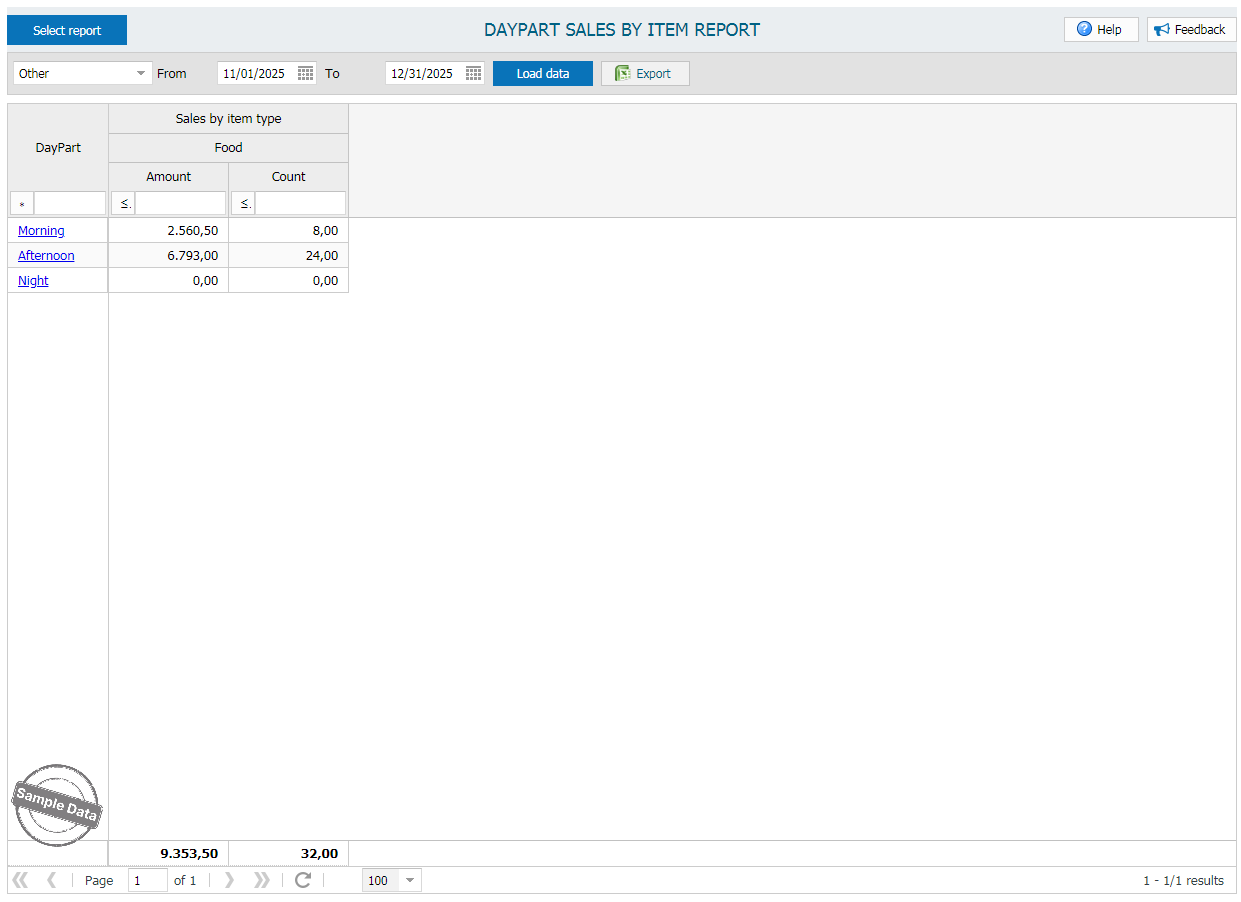
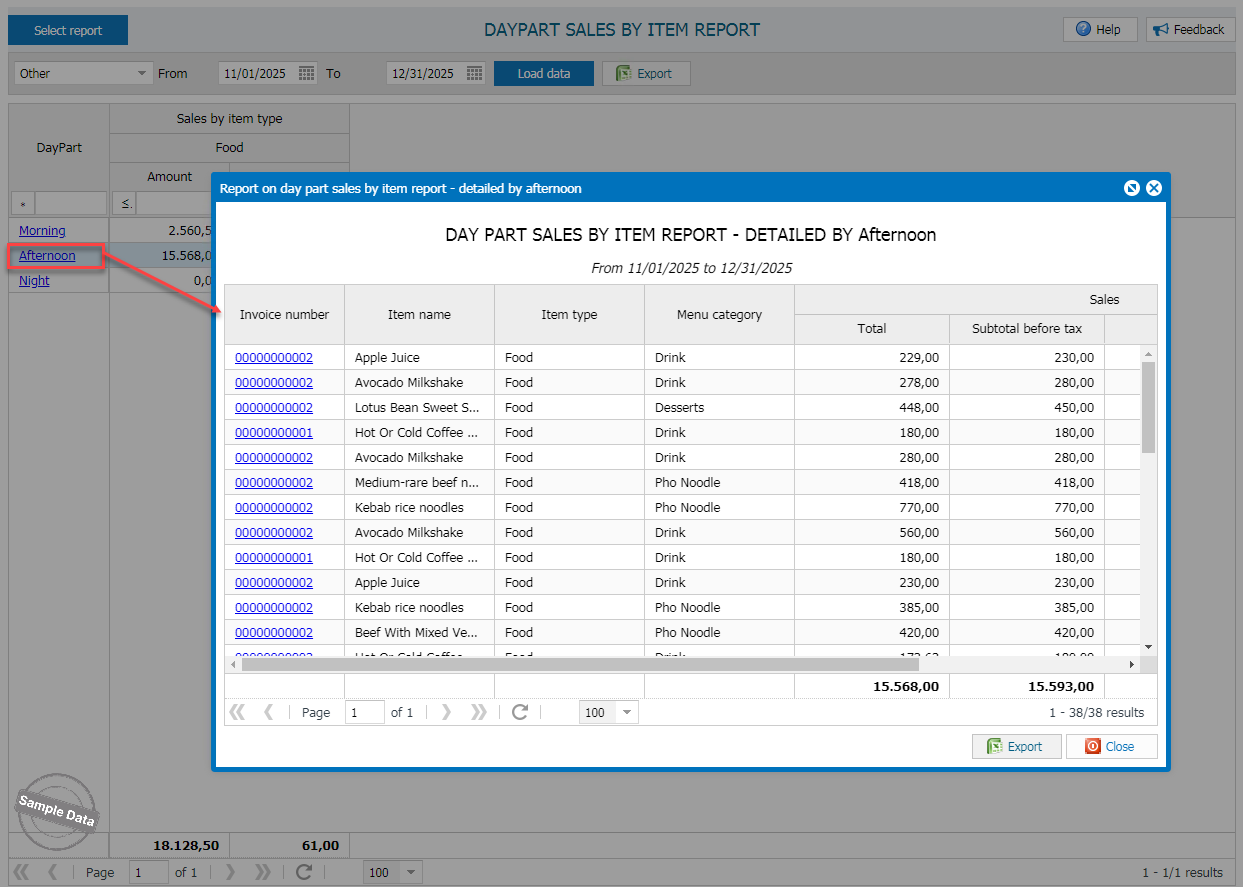
Click on the time and check items in detail.
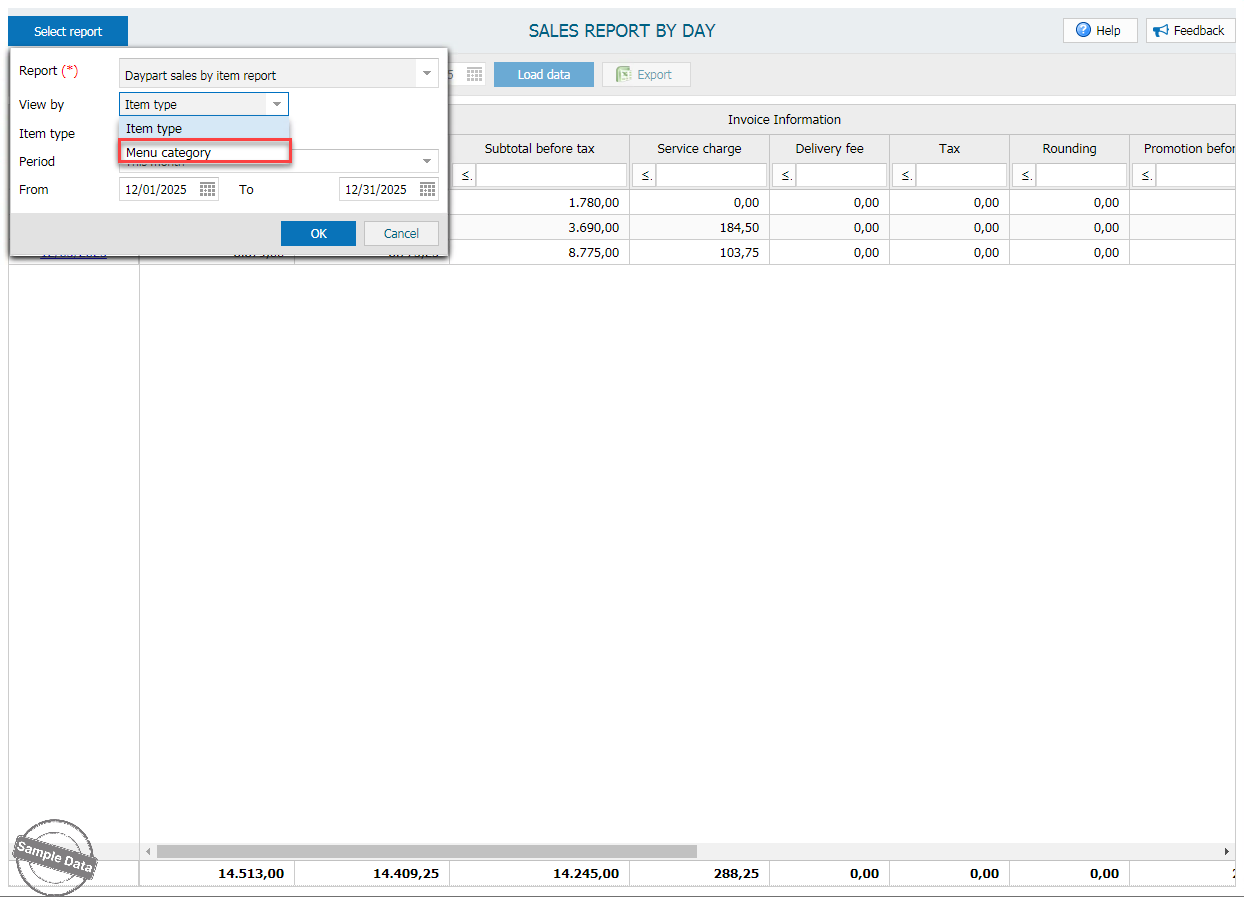
b. By menu category
Select Menu category.
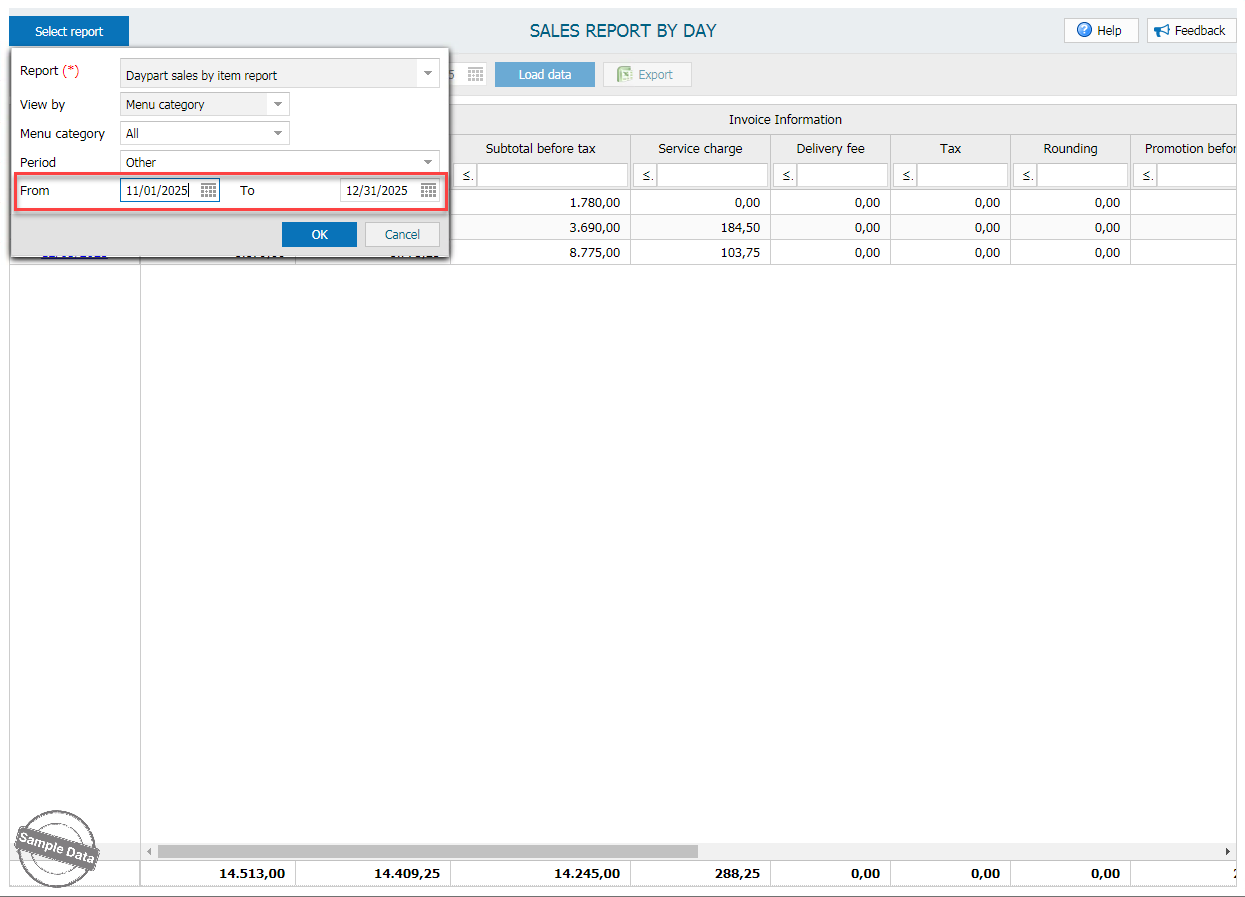
Set time range. Then, click OK.
Here is the report.
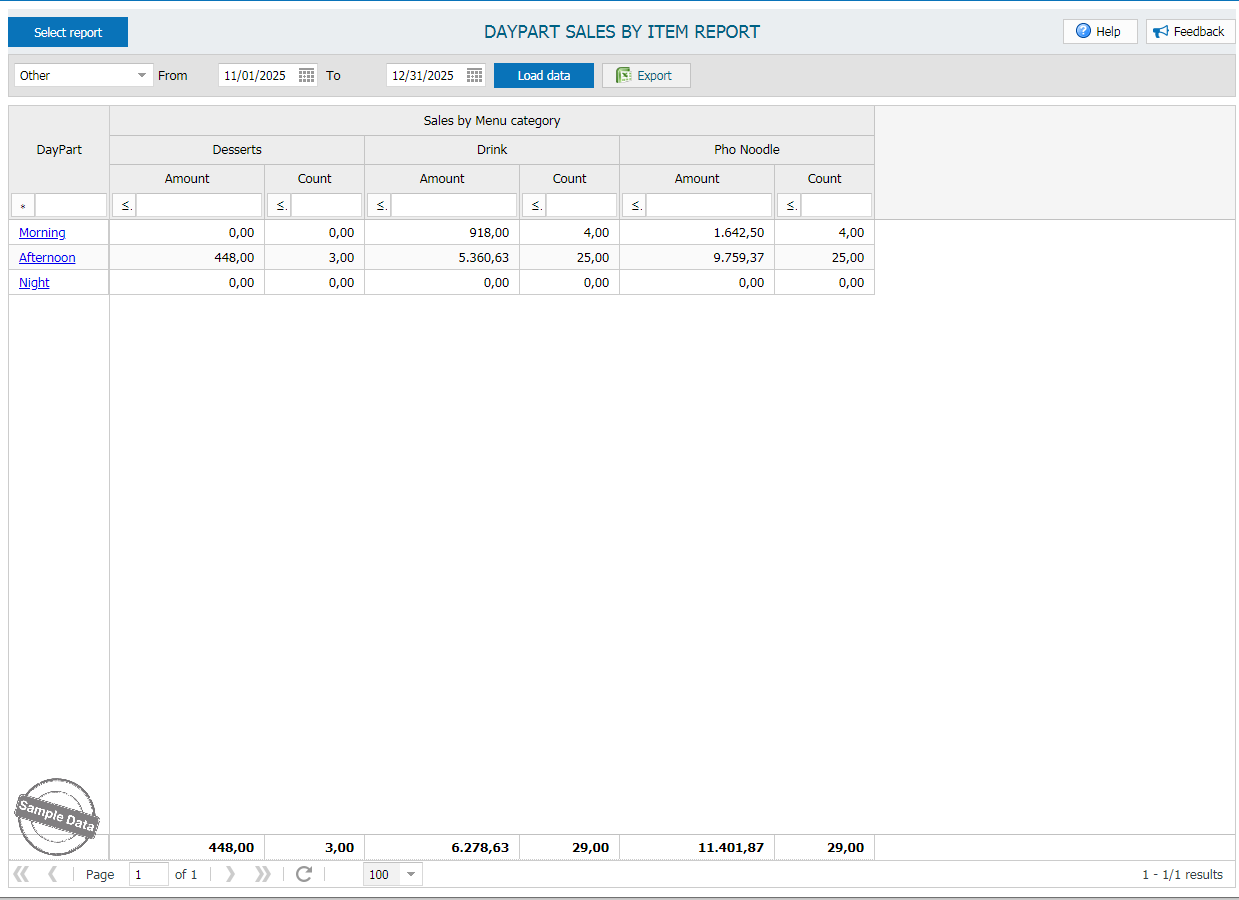
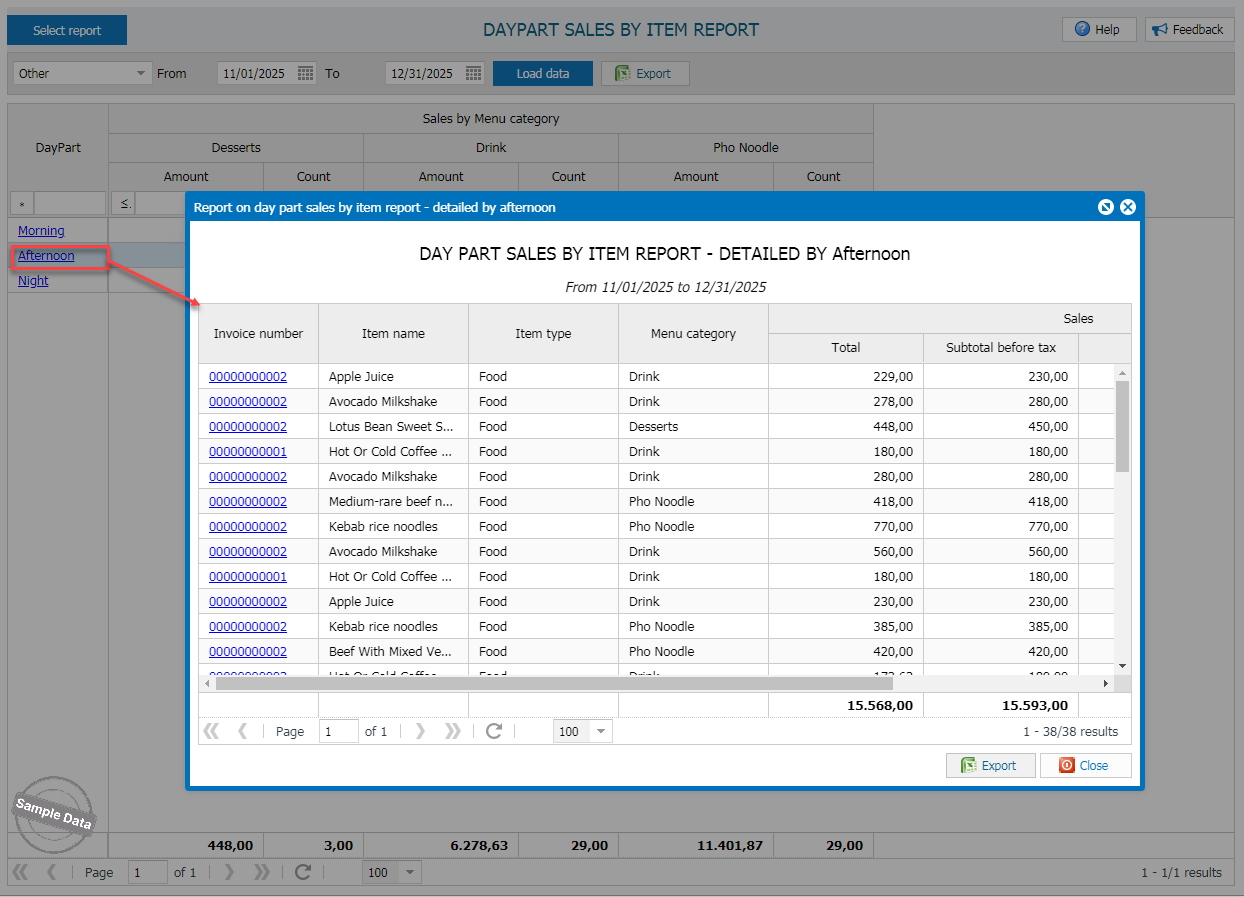
Click on the time and check items in detail.
Have a nice day!
