MISA CUKCUK
  • Introducing CUKCUK
  • Features by market
  • Feature topics
    • 1. Sale
    • 2. Online order page settings
    • 3. Purchase
    • 4. Storehouse management
    • 5. Cashbook management
    • 6. Bank deposit management
    • 7. Staff management
    • 8. Timekeeping management
    • 9. Track business status
    • 10. Server management
    • 11. Connect to accounting software
    • 12. Reset restaurant data
    • 13. Change to a chain
    • 14. Other settings
  • New features
  • Support channel
    • Instructions via YouTube channel
    • Email
    • Hotline
  1. Main site
  2. 2. Feature topics
  3. Tablet/Smartphone apps
  4. User guide for application
  5. CUKCUK – For sale operation
  6. On Phone
  7. How to send order to kitchen/bar to process ?
  1. Main site
  2. 5. Frequently Asked Questions
  3. Other frequently asked questions
  4. How to send order to kitchen/bar to process ?
Searching...

How to send order to kitchen/bar to process ?

In the restaurants that use this software for kitchen/bar, after taking order, you can send order information to kitchen/bar by following method:

  • Send while taking order. select SEND TO K/B
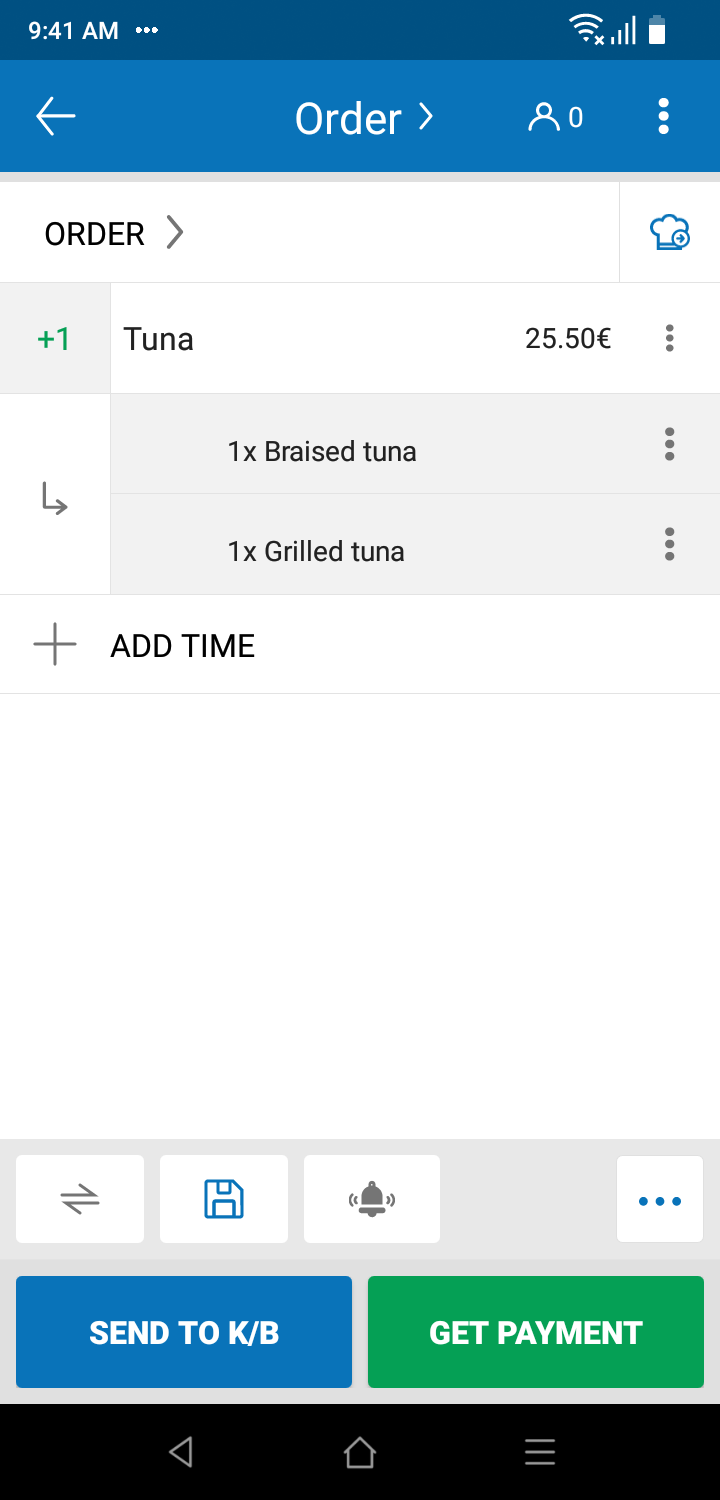
  • Send from list of orders.

  • Send from list of Layout
View: 99
Updated on 27/11/2023

Was this article helpful?

Yes No

Related Articles

  • How to add item to order when guest requests for more items?
  • In pubs, each table has been placed some commonly-ordered food/drink items (ex: peanut, cucumber…), how to quickly recognize these items to order?
  • How does waitstaff/cashier send weighing requests to weighing staff by CUKCUK – Sale Phone?
  • How to set up to show or hide functions Send kitchen, Save or Save&Add on Order Details screen?
  • If the cashier wants to get payment and send order to Kitchen/bar at the same time, how to set up?
  • [Cambodia] The restaurant allow guests to check out by 2 currencies, how does the cashier inform converted amount to guests when getting payment?

Leave a Comment Cancel

Trending topics

  • CUKCUK overview
  • Restaurant feature Guides
  • Sale
  • User guide for application
  • Which device should be selected for which department?

CONTACT US

Email: [email protected] | Website: www.cukcuk.com | Hotline: +49 030 89568366

Find us Online
  • cukcuk icon
Copyright © 2015 - 2026 MISA JSC |Term of service