
The restaurant allow guests to check out by 2 currencies, the cashier want to inform converted amount to guests when getting payment, please follow these steps:
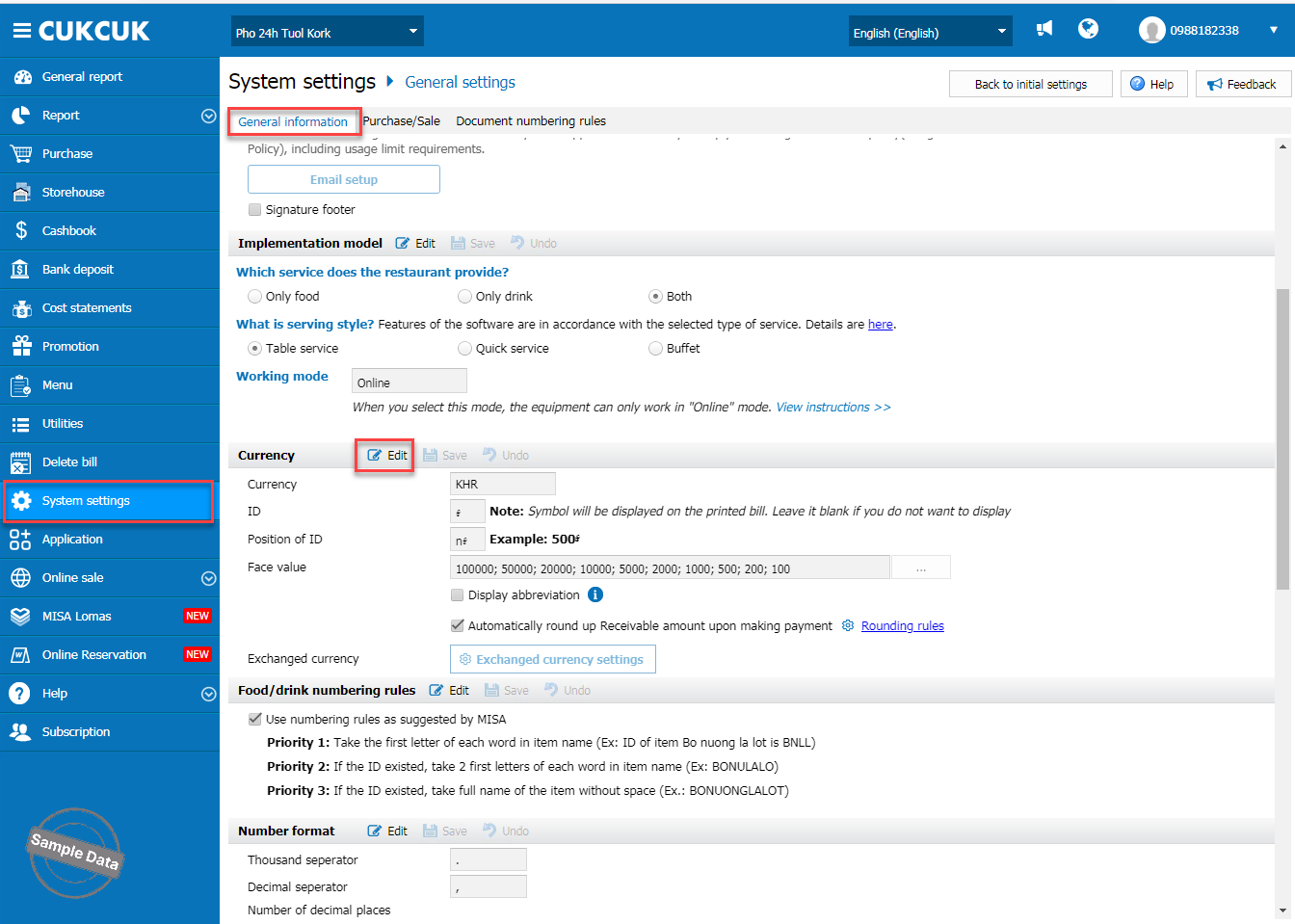
On the management page, go to System settings/General settings. On General information, scroll down to Currency and click Edit. Select Exchanged currency settings.
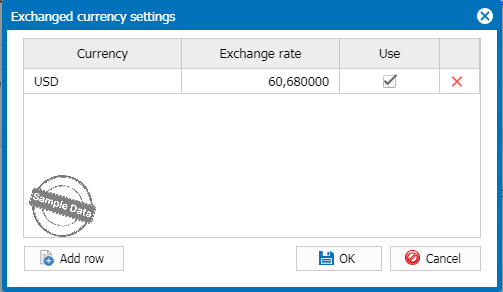
Select a currency and enter exchange rate. Then, click OK to apply.
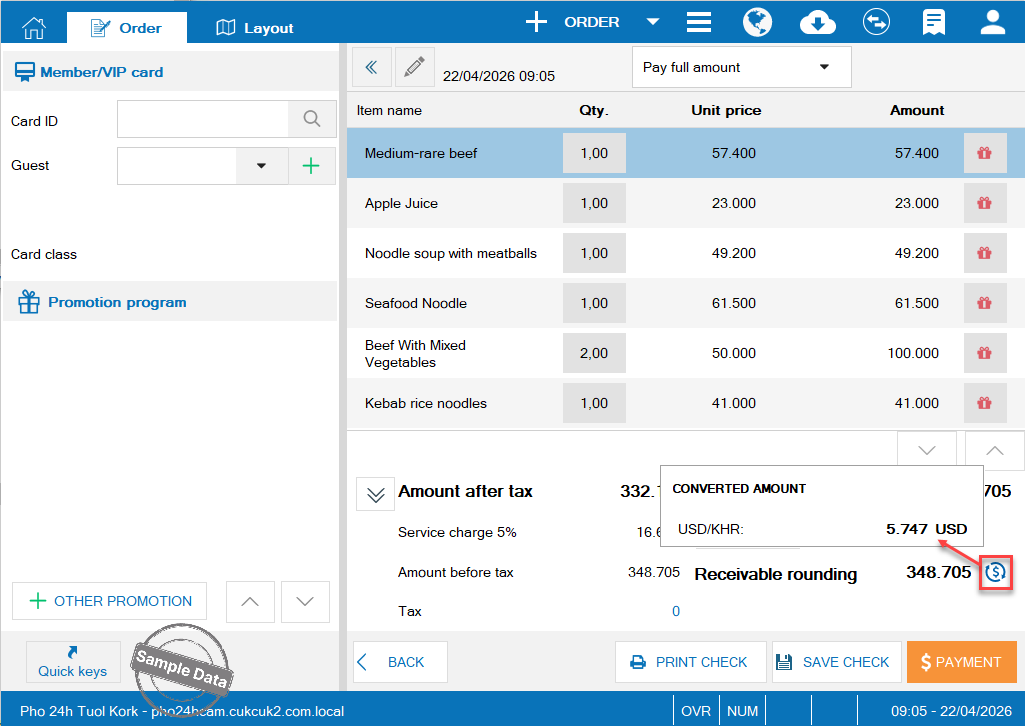
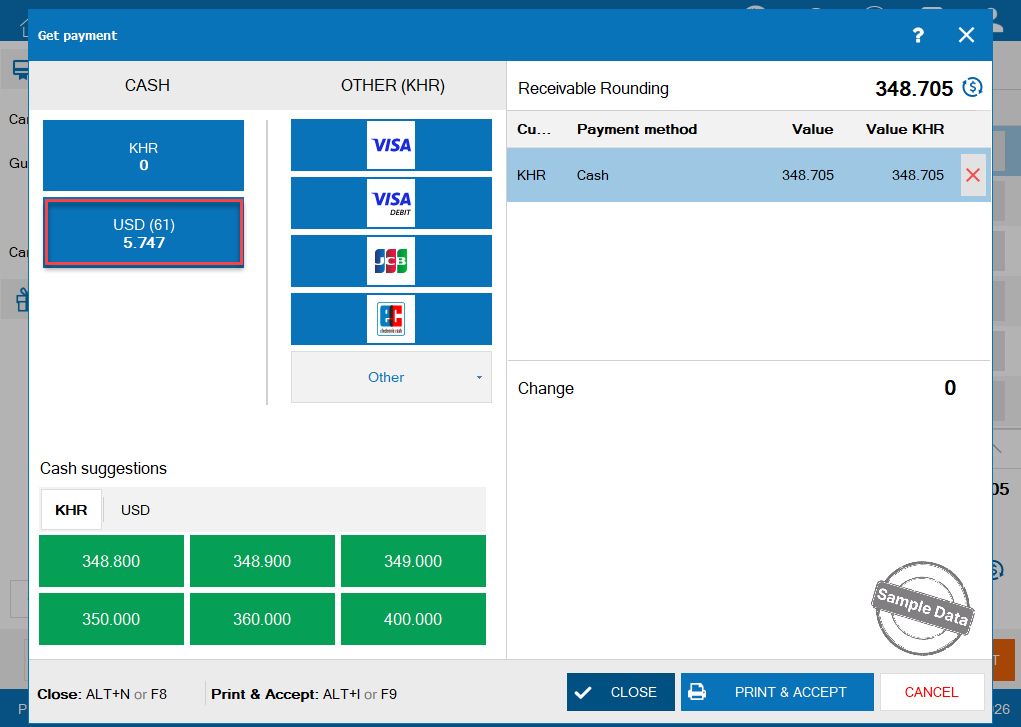
When getting payment, the converted amount will be shown on check out screen
Have a nice day!
