
I. Purpose
The manager can create and add flexible combo to the online ordering page. Then, the customers can take order of flexible combo on the online ordering page.
II. Instruction steps
1. Create flexible combo
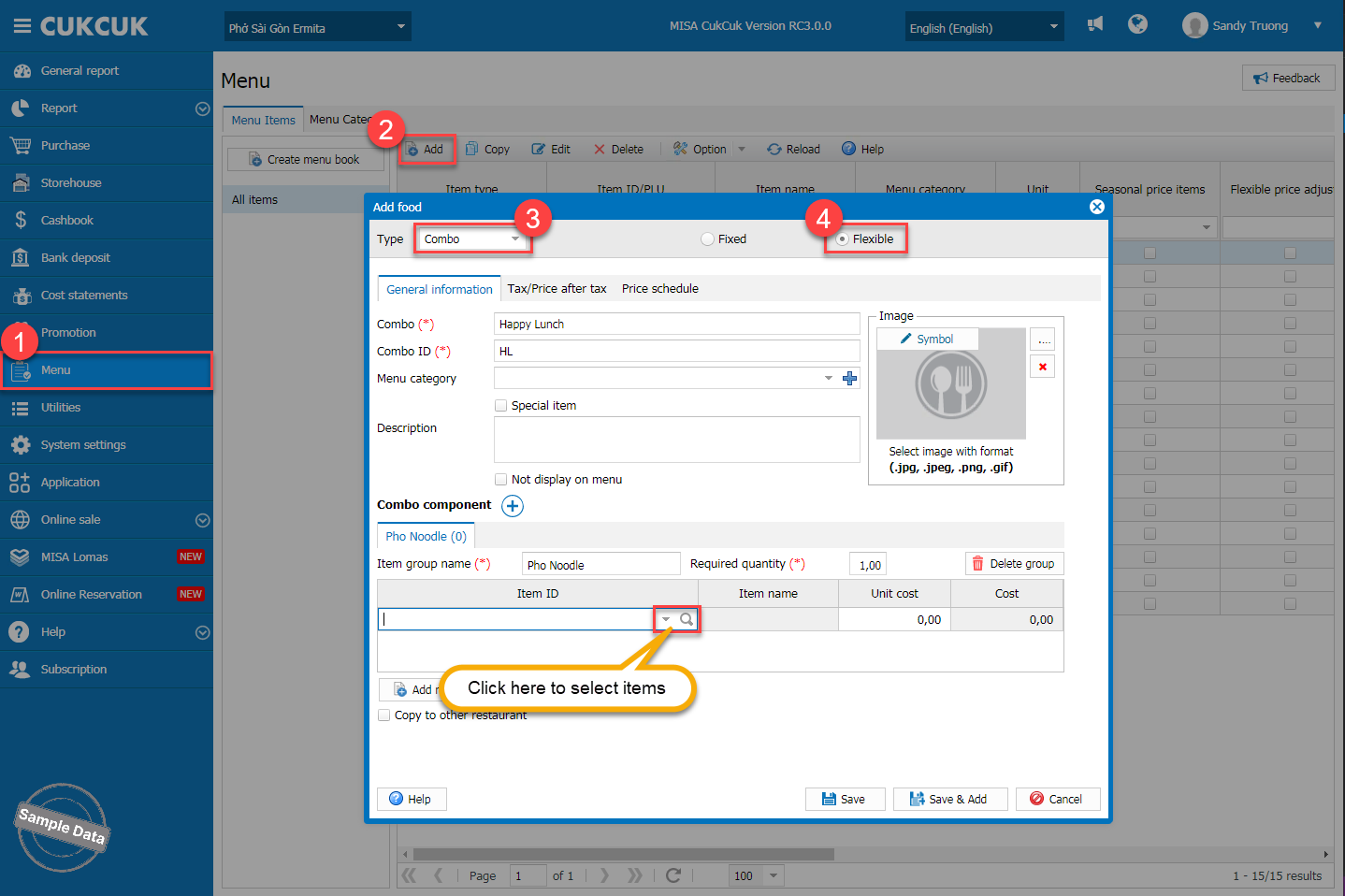
On the management page, go to Menu. Click Add, select type as Combo and Flexible. Enter combo information. Set the required quantity for each combo component. Click search icon to add items.
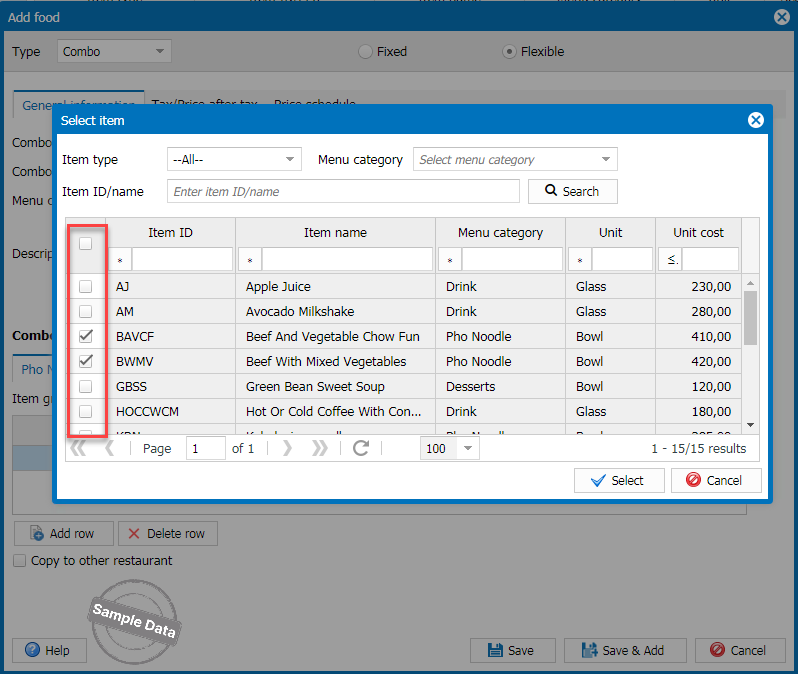
Check the applicable item(s) and click Select.
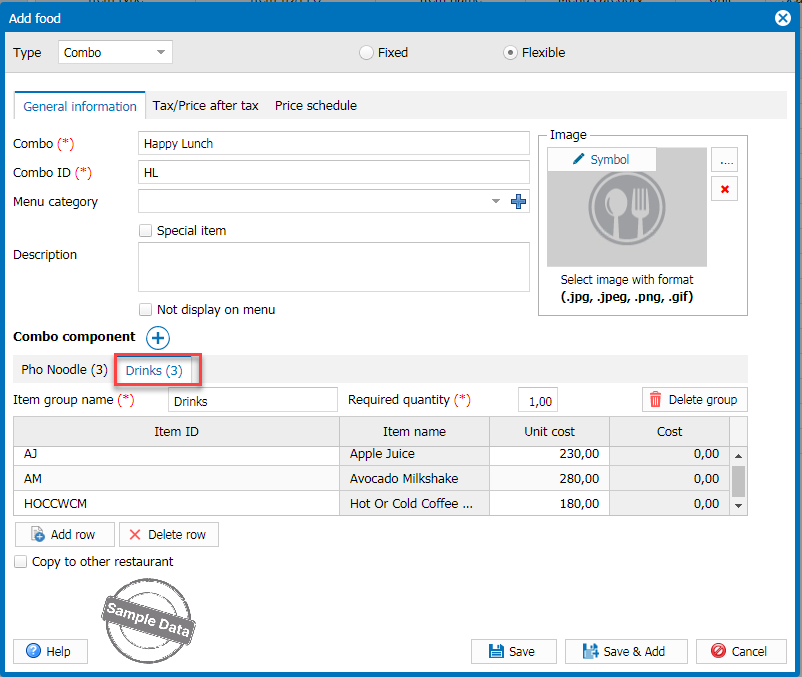
Click this icon  to add component. Fill in information of the next component.
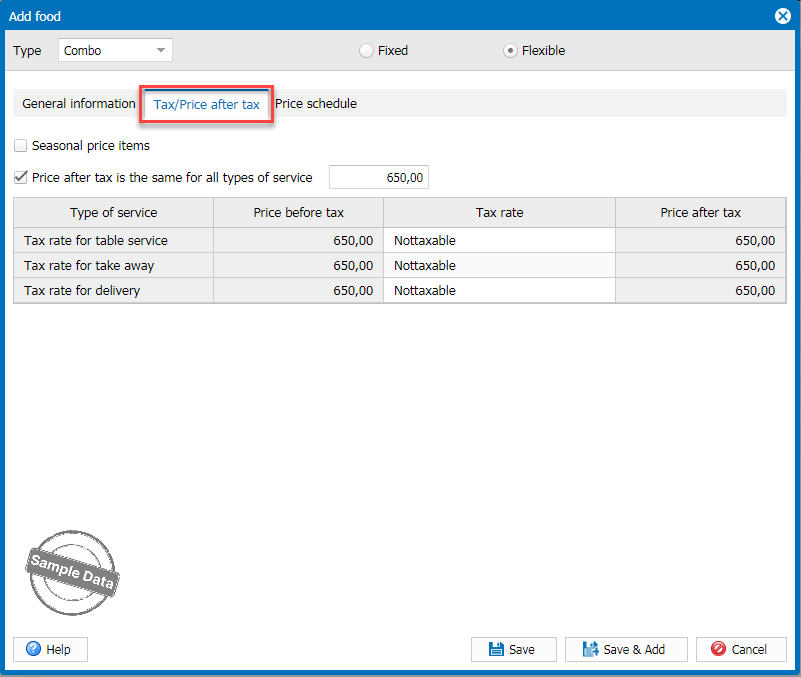
Go to Tax/Price after tax to add price of the combo.
2. Add flexible combo to the online ordering page
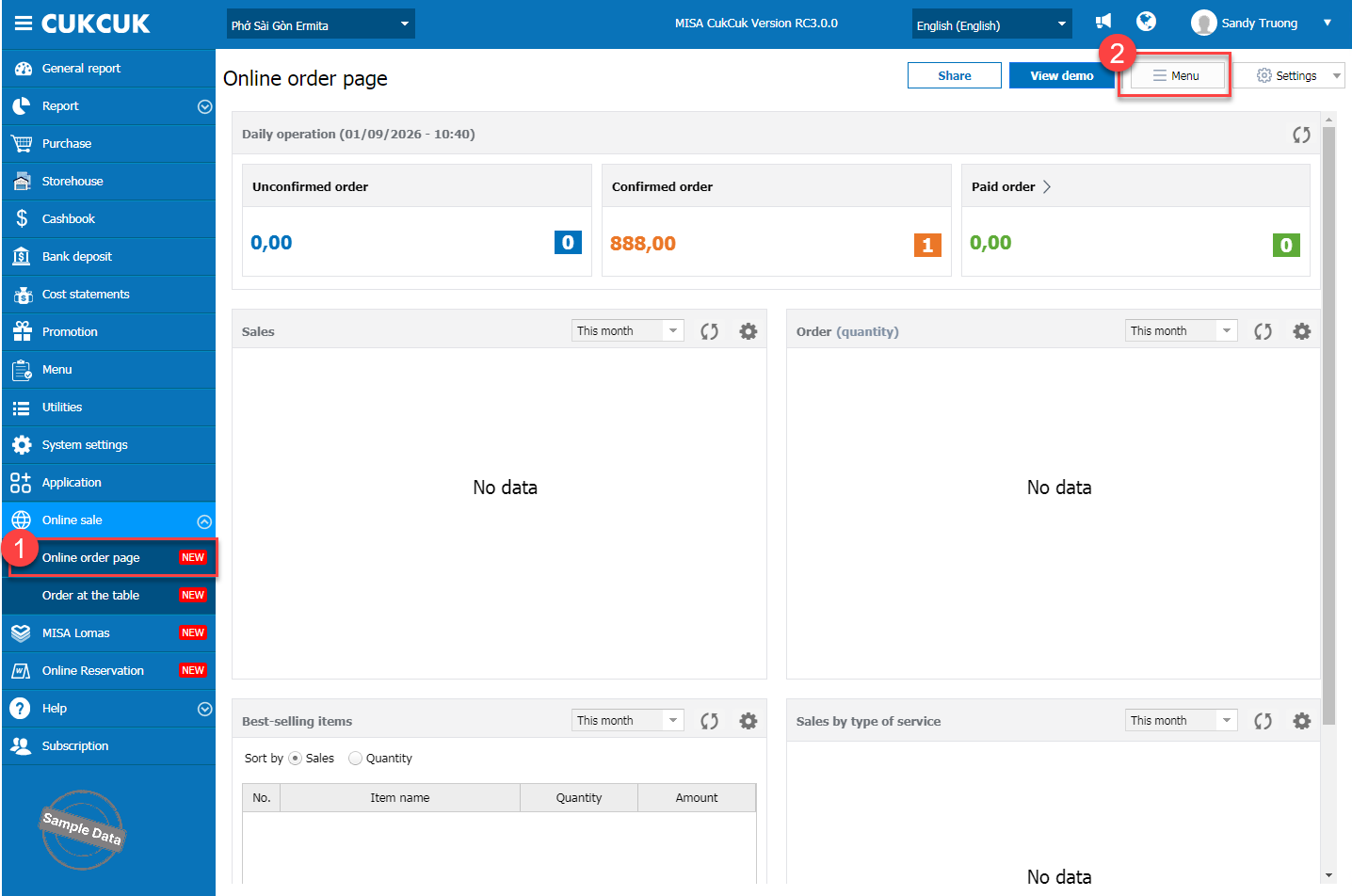
Go to Online sale/Online order page. Click Menu.
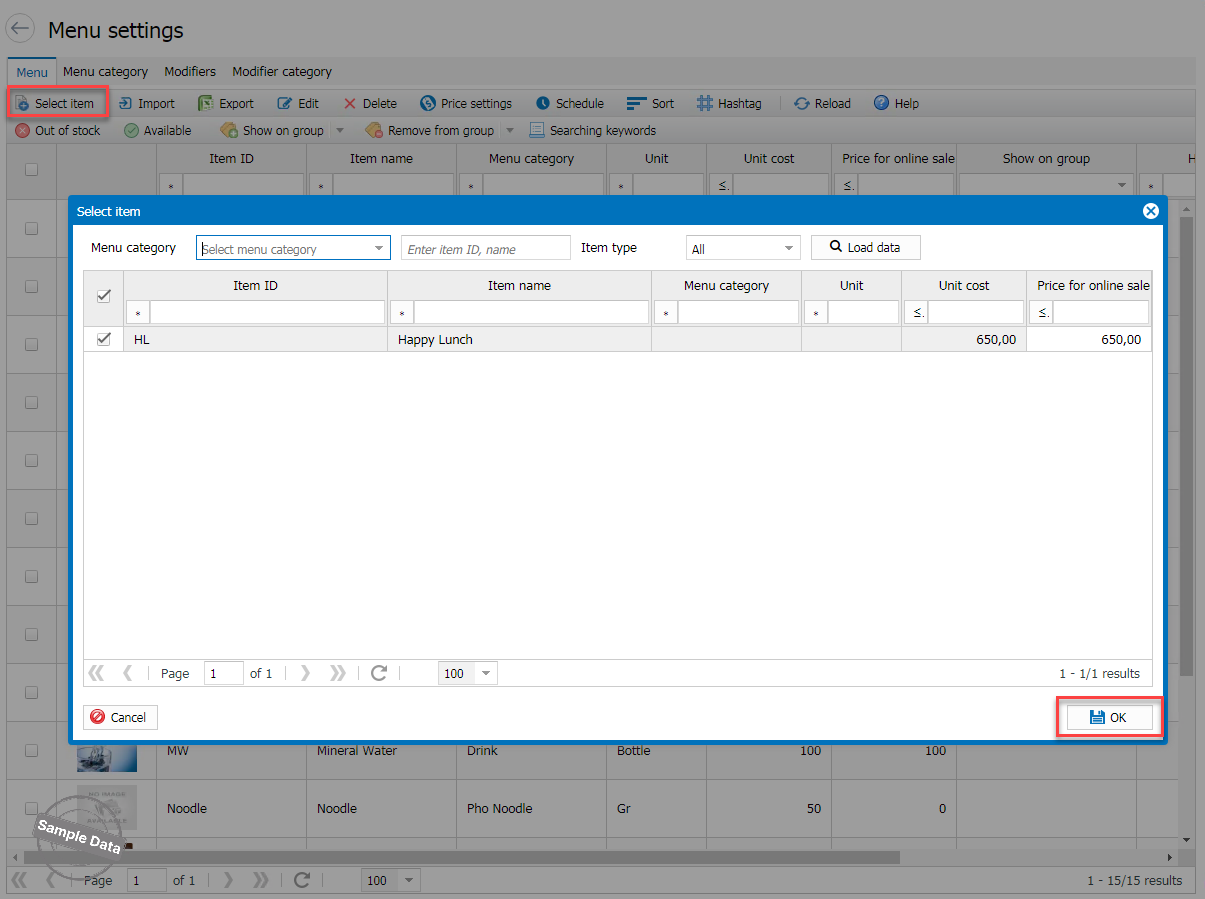
Click Select item, check the combo and then tap OK.
3. Take order of flexible combo
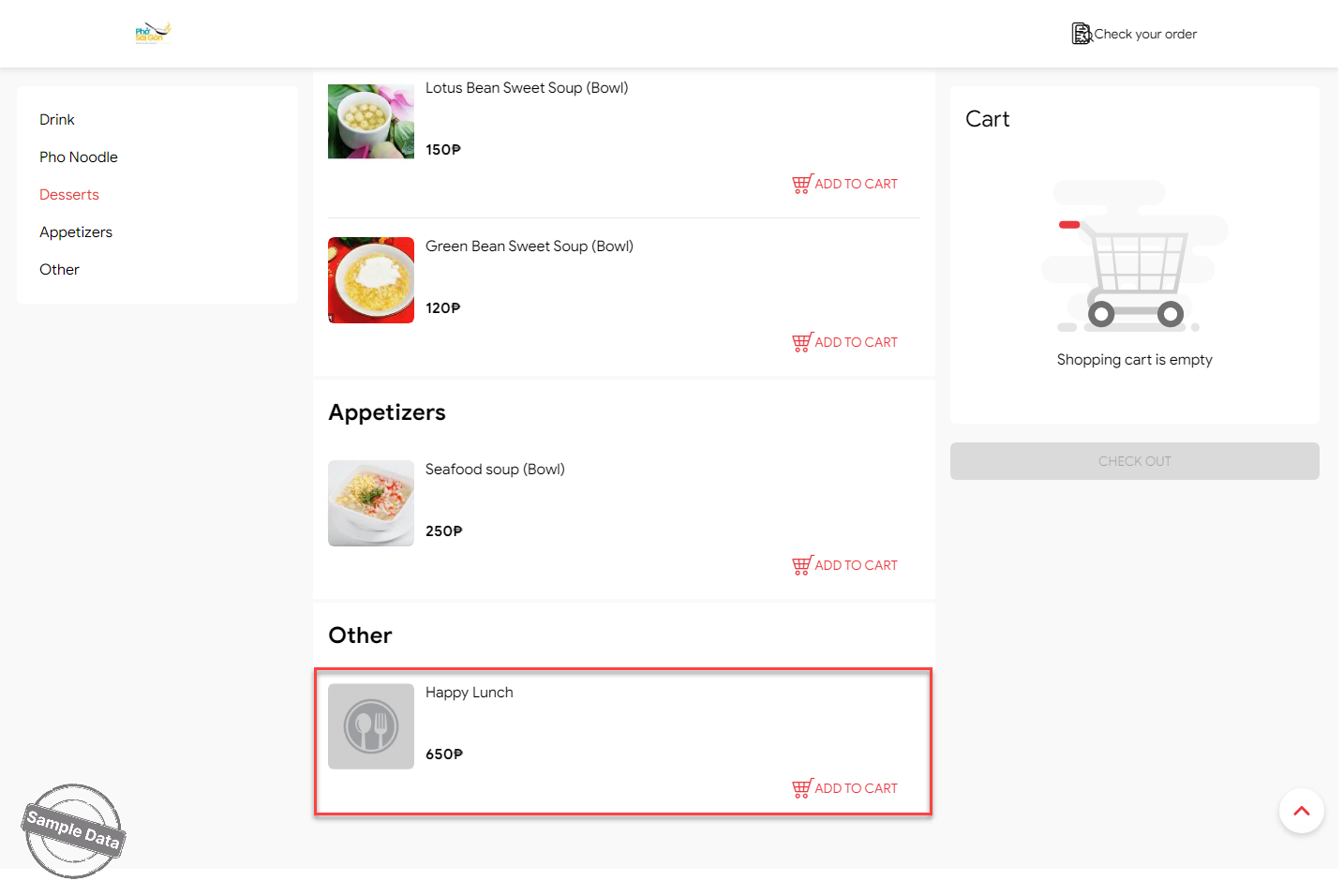
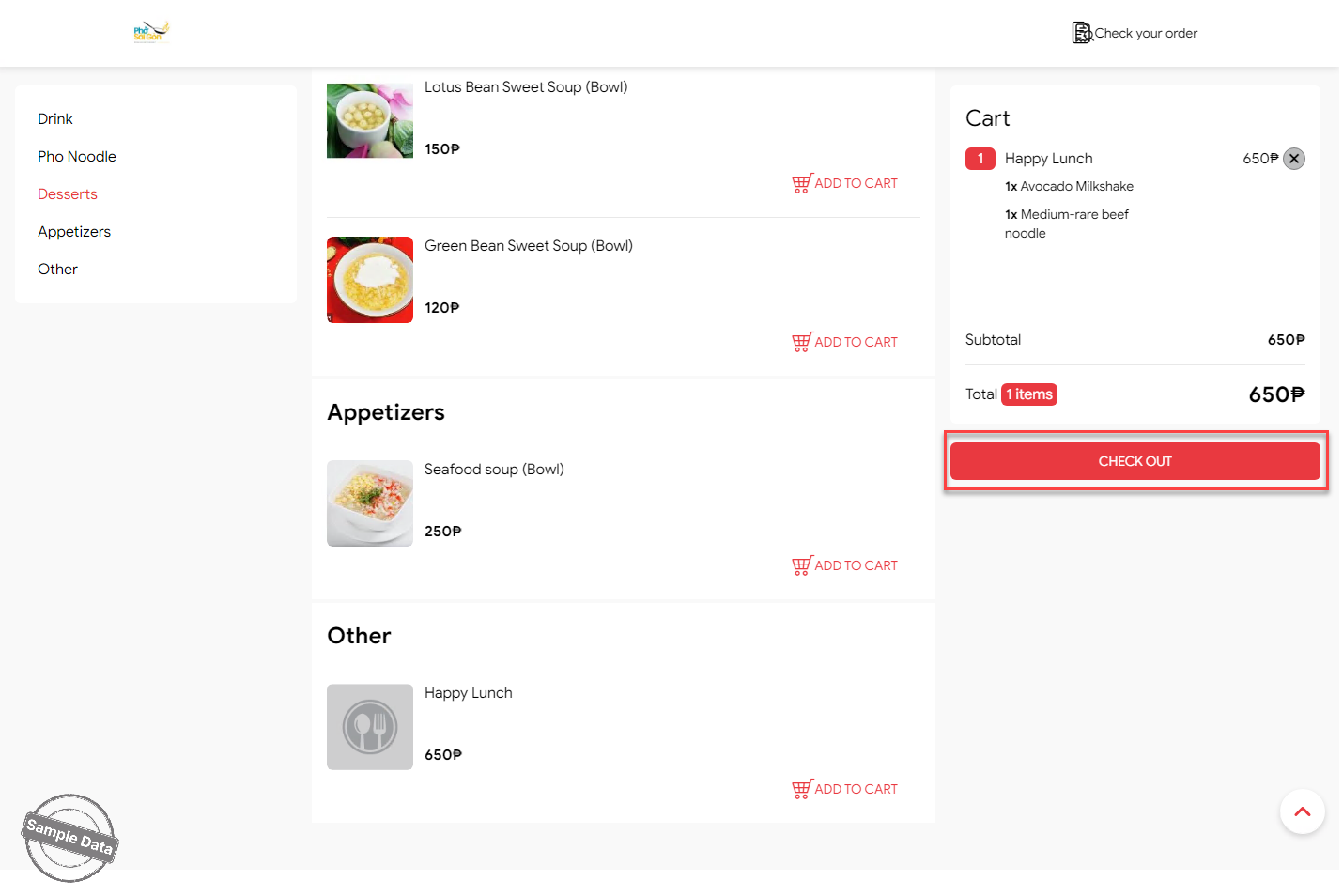
On the online ordering page, scroll down to the combo and click Add to cart.
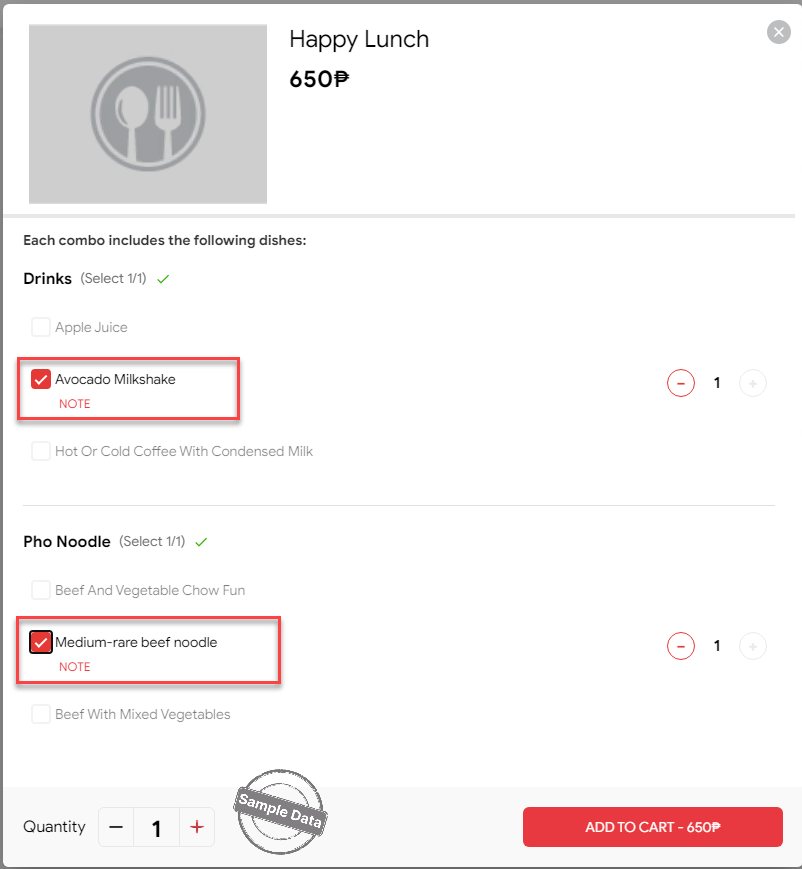
Select item and click Add to cart.
Click Check out and pay.
Have a nice day!
