
I. Purpose
The manager can add retail items on the dashboard and the staff can sell them on PC/POS.
II. Instruction steps
1. Add retail items
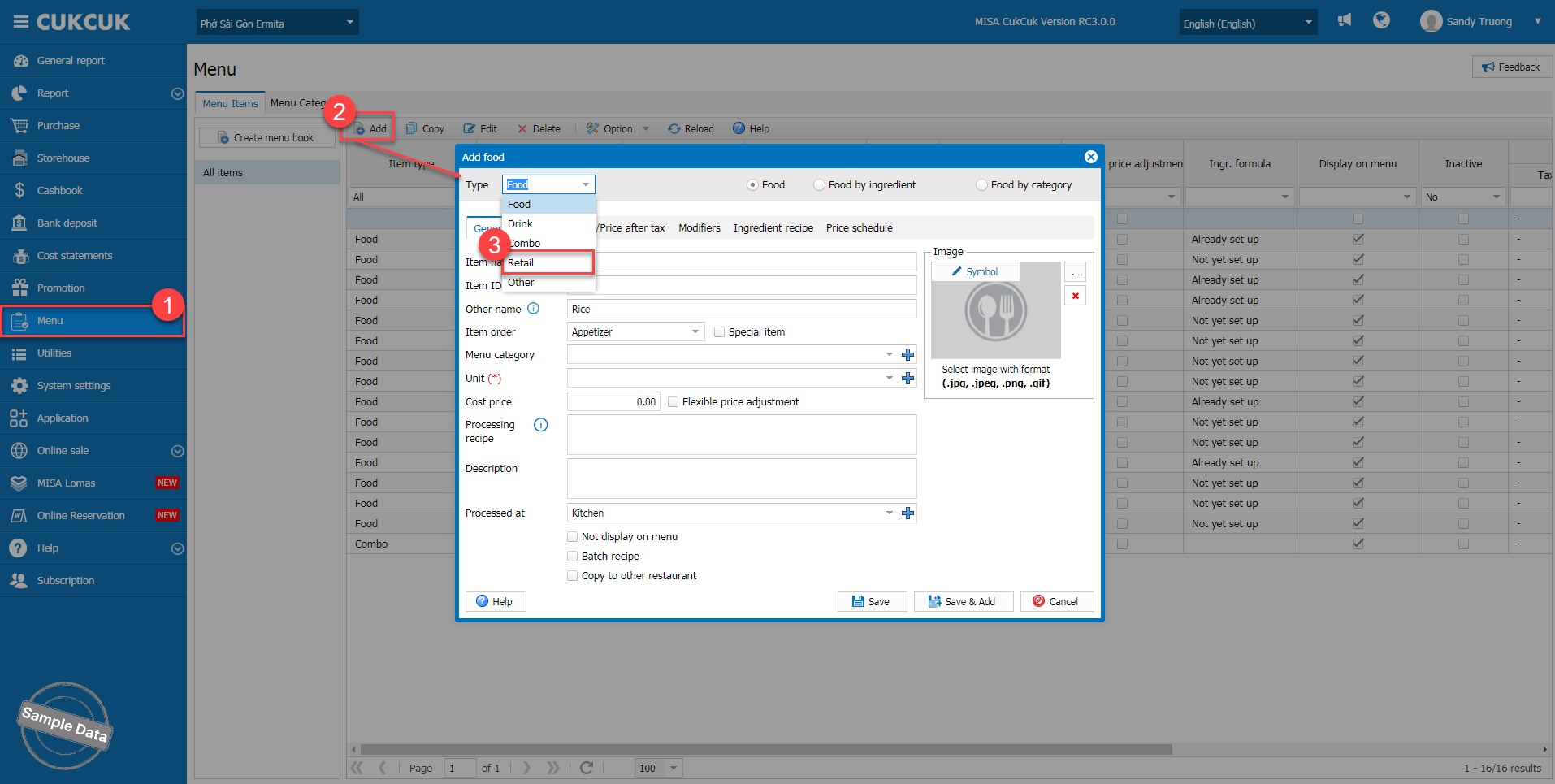
On the management page, go to Menu. Click Add and select the type Retail.
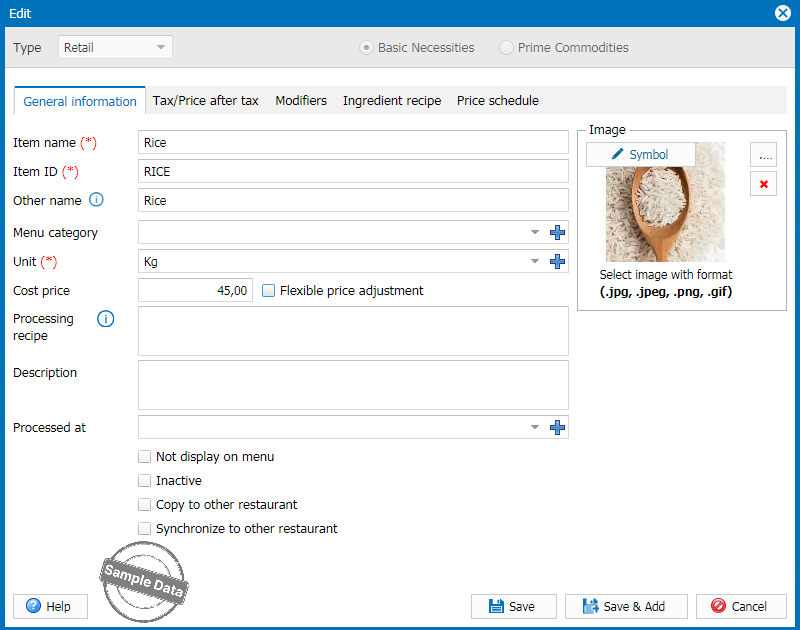
Fill in item information and click Save.
2. Sell retail items
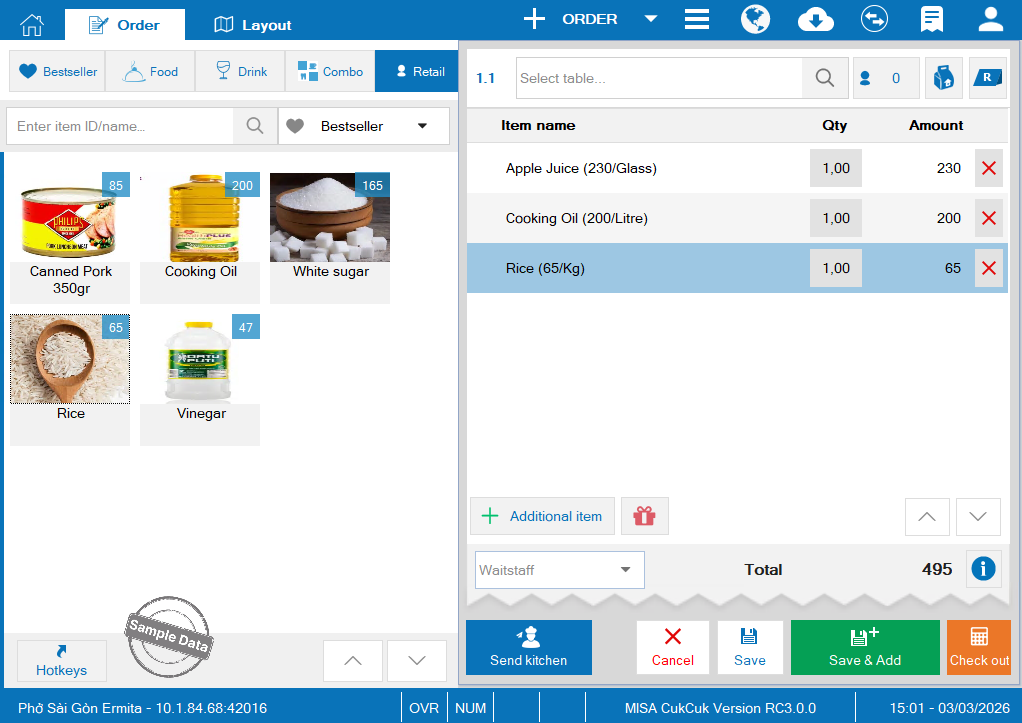
On POS, select retail items and click Check out.
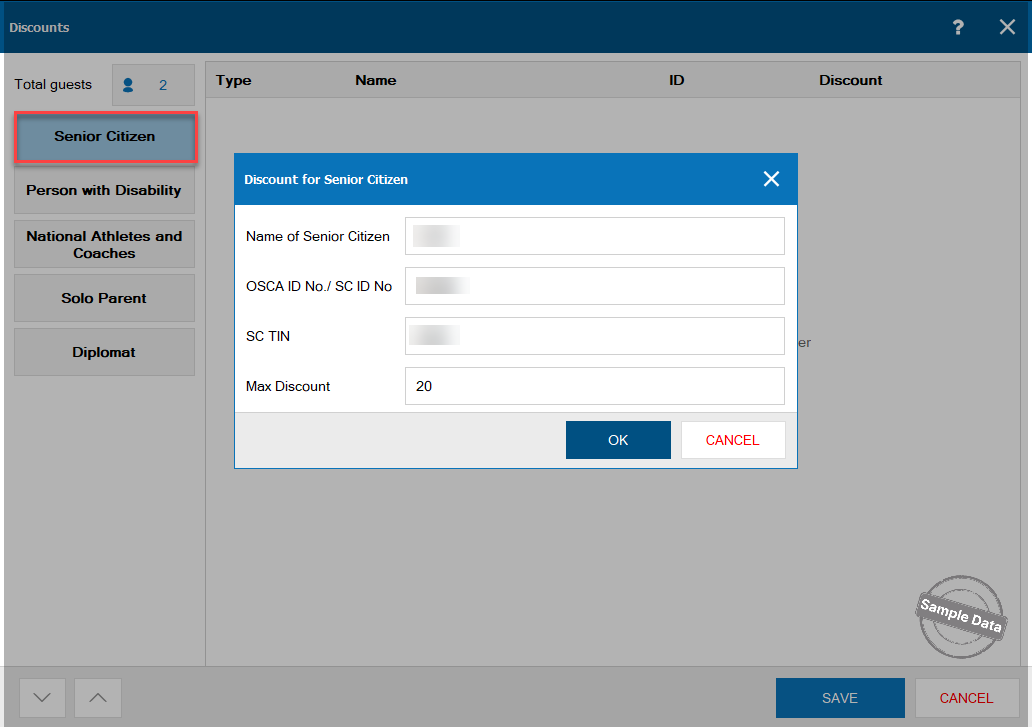
If a special guest buys these items, click % DC. by guests.
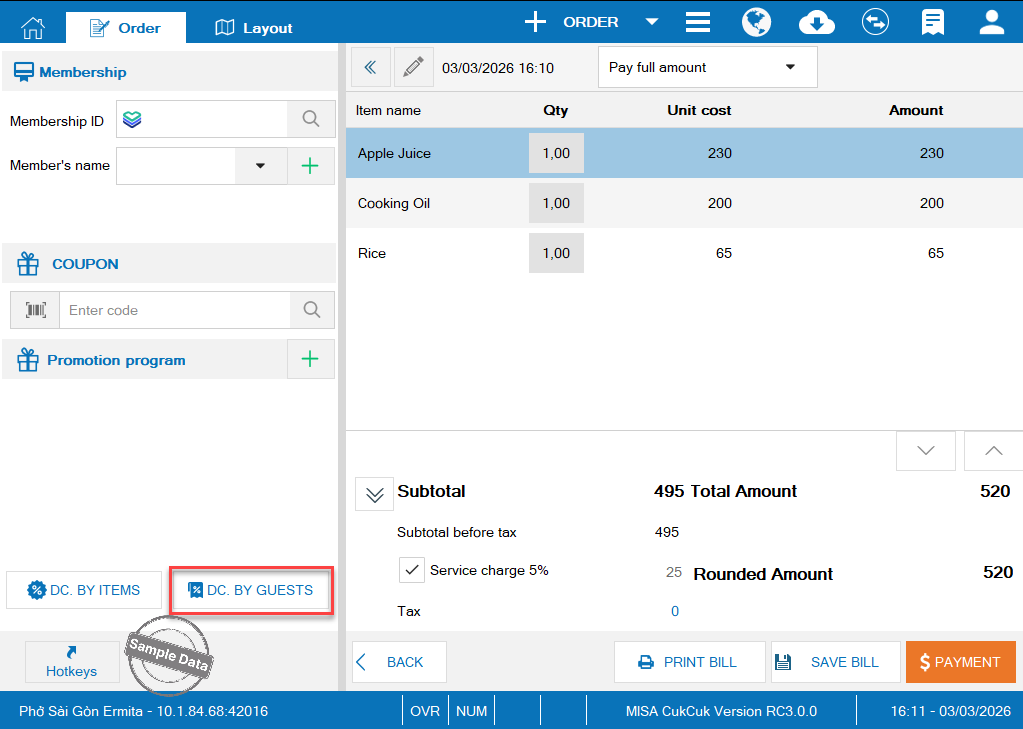
Select a type of special guests, enter the guest’s information and max discount. Then, click OK.
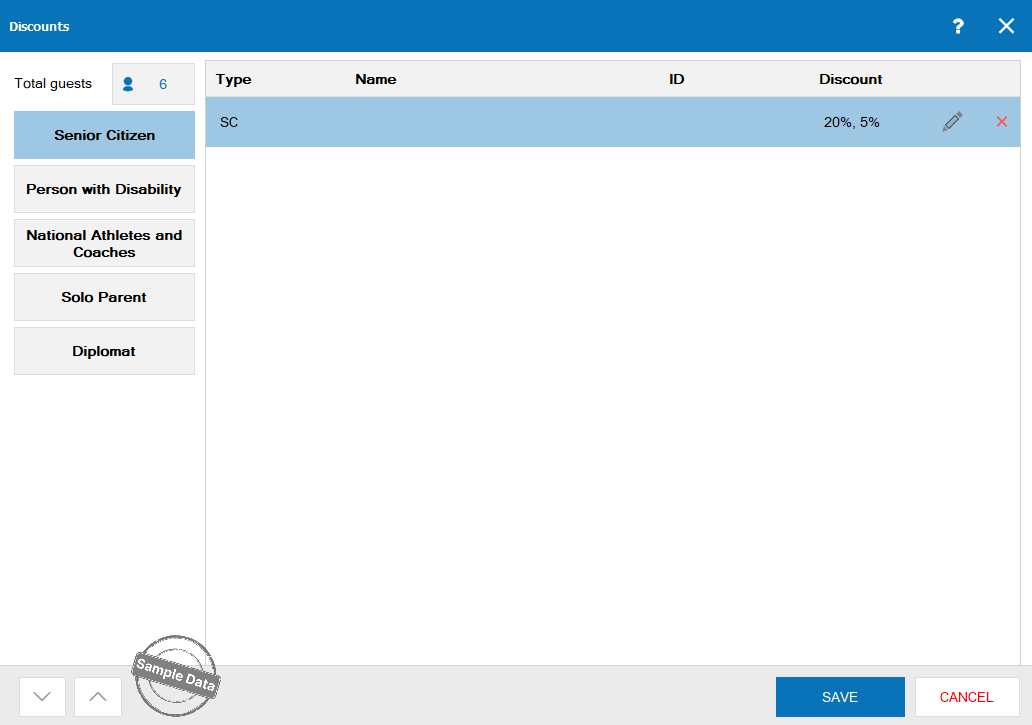
Then click Save.
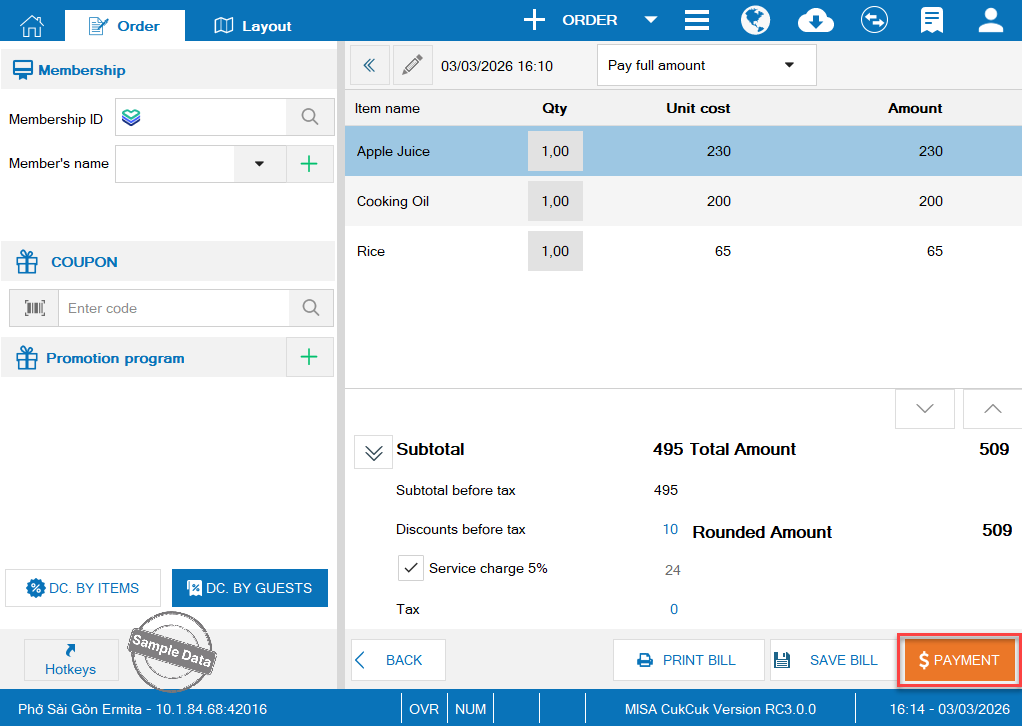
Click Payment.
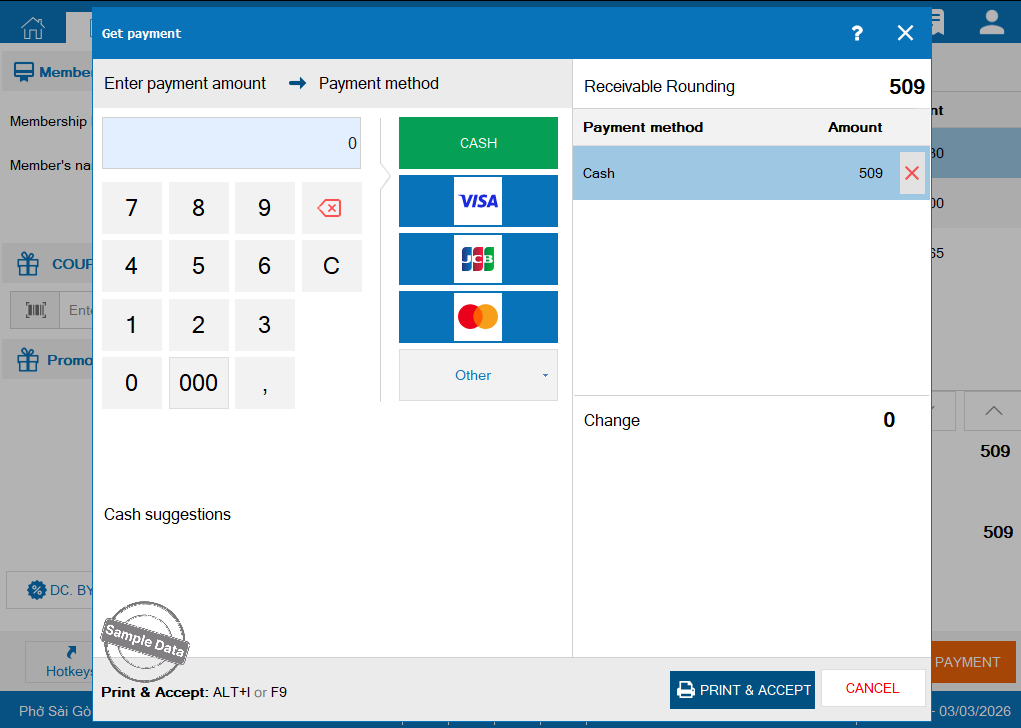
Click Print & Accept to complete the order.
Have a nice day!
