
I. Purpose
Restaurant owners/managers of chains in the Philippines with multiple branches distributed in regions such as South Luzon, Central Luzon, NCR, etc., can check revenue at both the regional and entire chain levels.
II. Instruction steps
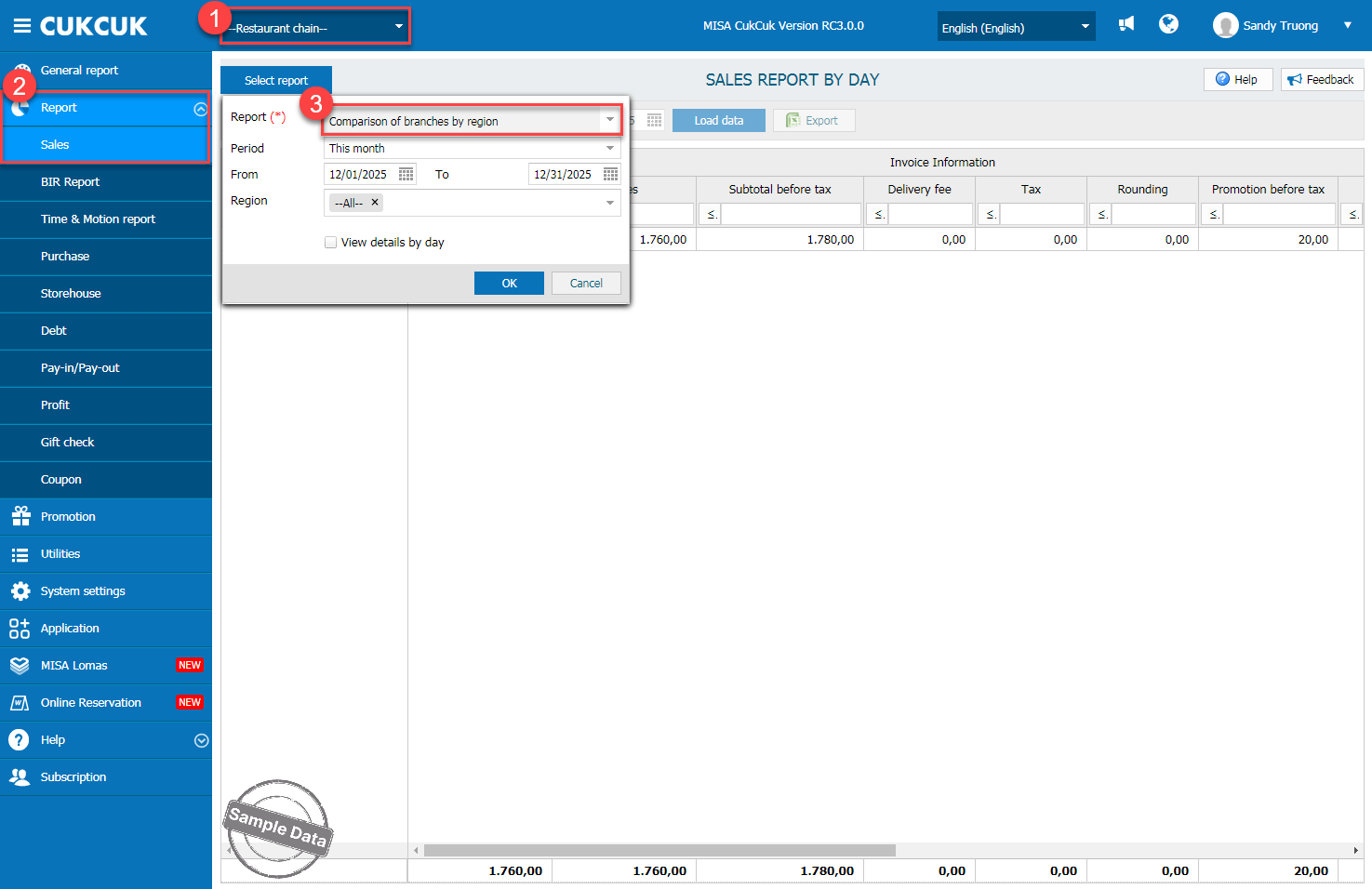
On the management page, go to Restaurant chain. On Report/Sales, click Select report and select Comparison of branches by region.
On Region, select a region or multiple regions and time range to check report.
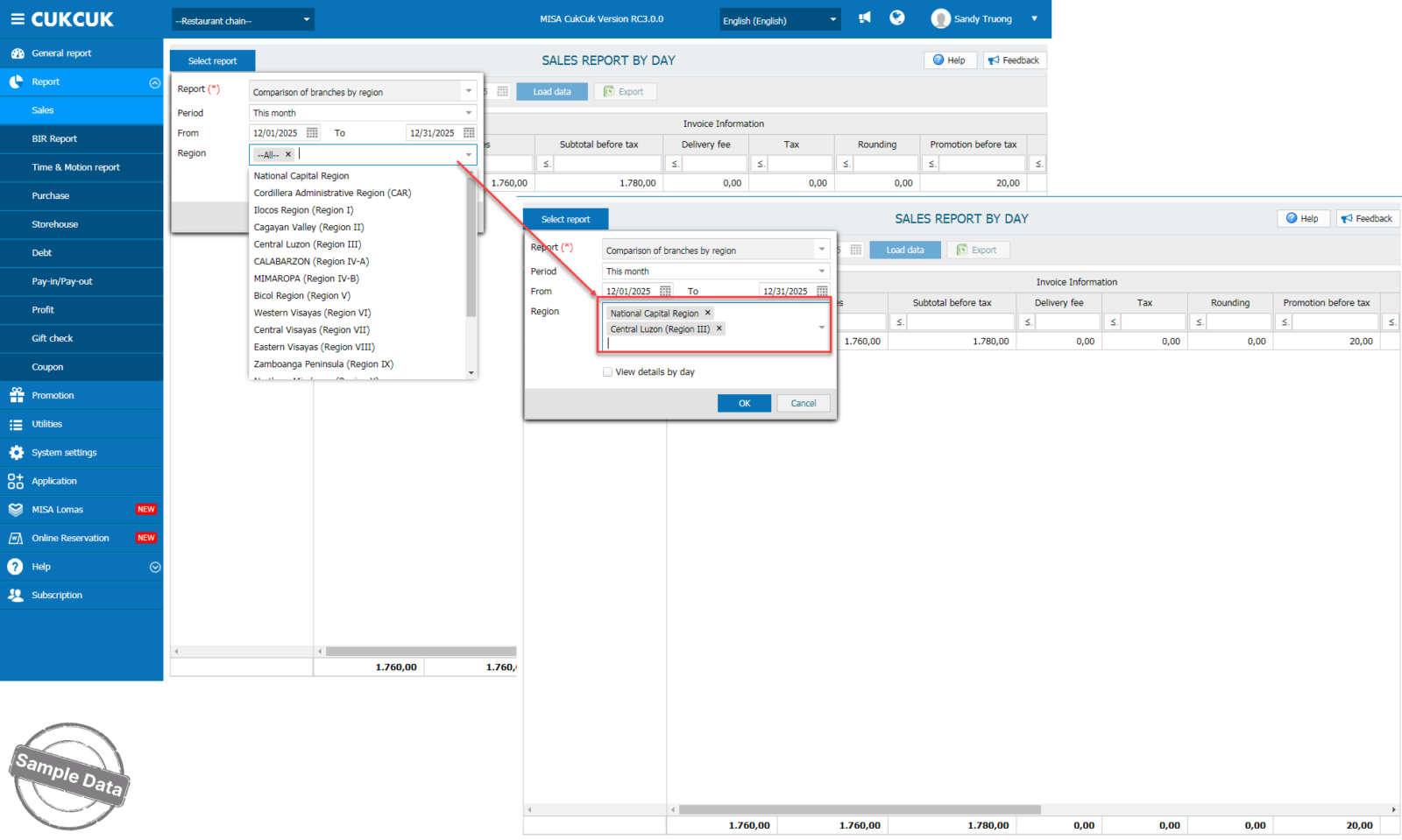
Here the manager can check detailed revenue of each branch and easily compare.

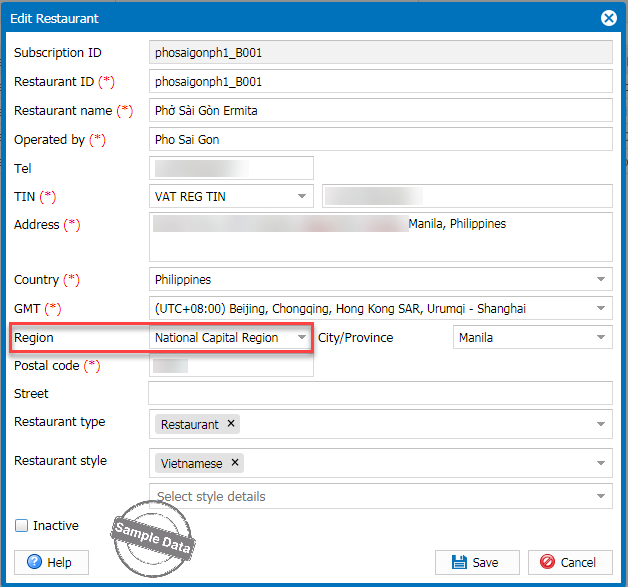
Note: It is necessary to correctly set the administrative geographic location of the branches before you can view the reports (in the restaurant information setup section).
Have a nice day!
