
I. Purpose
Restaurant managers/owners can measure and improve service quality by continuously collecting feedback and assessing customer satisfaction after each transaction.
II. Instruction steps
1. Set up information on feedback form
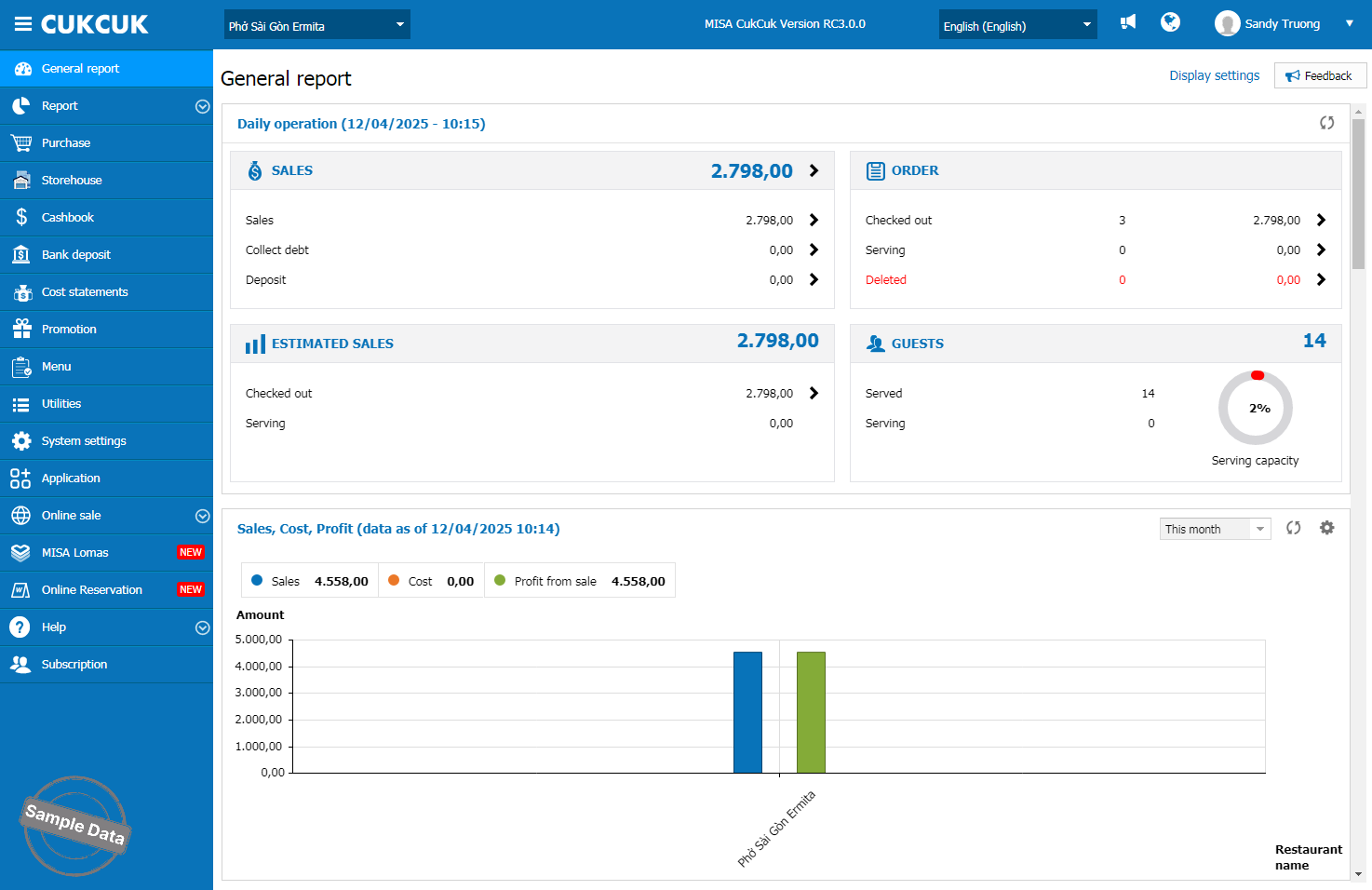
On the management page, go to MISA Lomas.
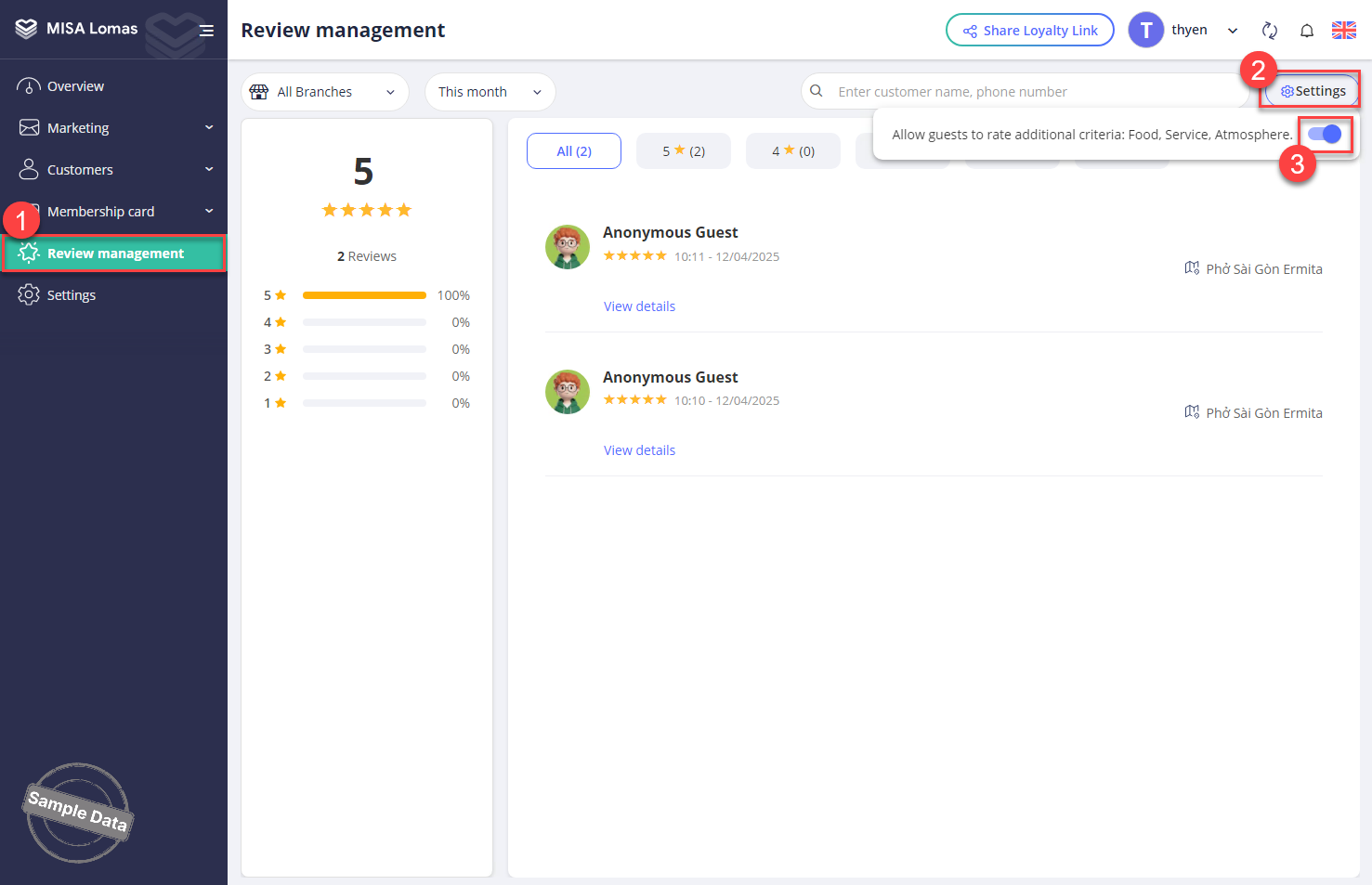
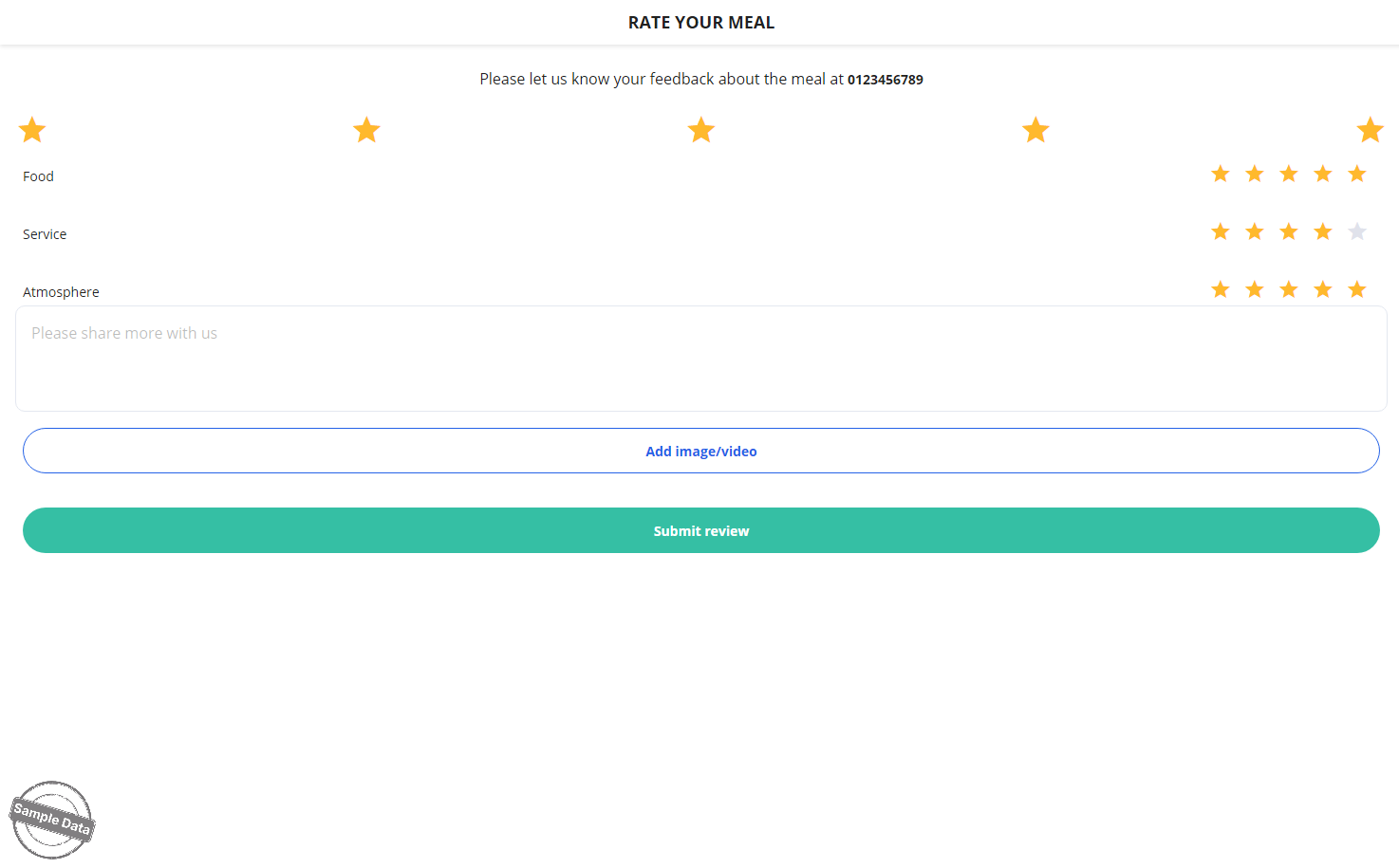
Select Review management. Click Settings. If this feature “Allow guests to rate additional criteria: Food, Service, Atmosphere” is enabled, customers will rate Food, Service, and Atmosphere in detail. If it is not enabled, customers will only give an overall rating of the meal.
2. Set up printing of QR rating
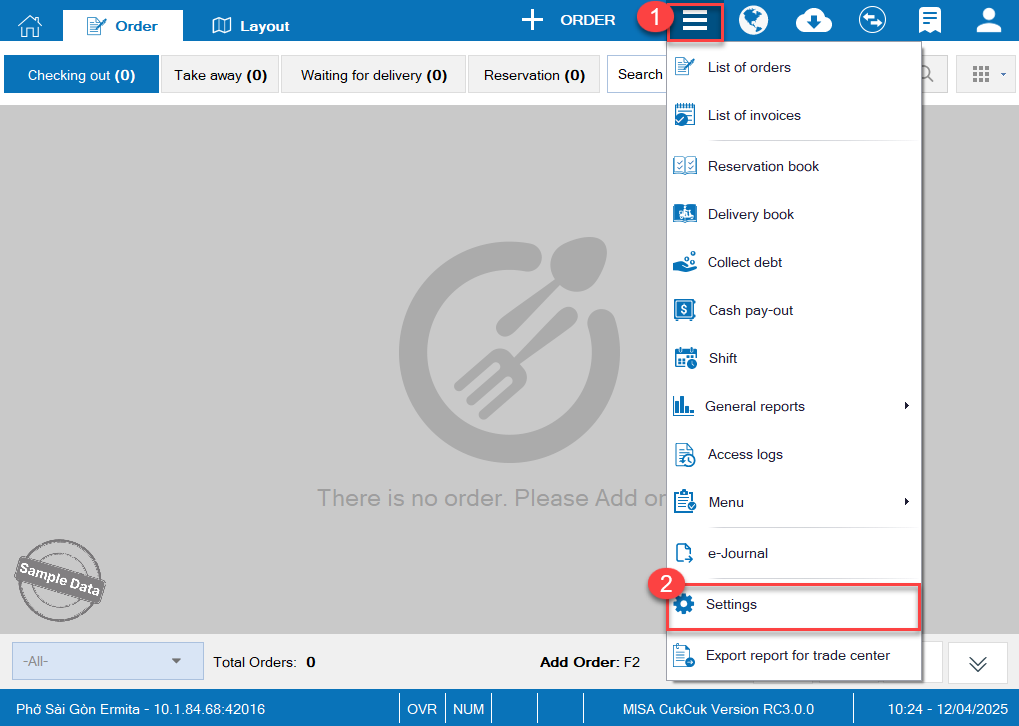
On POS, click this icon  and select Settings.
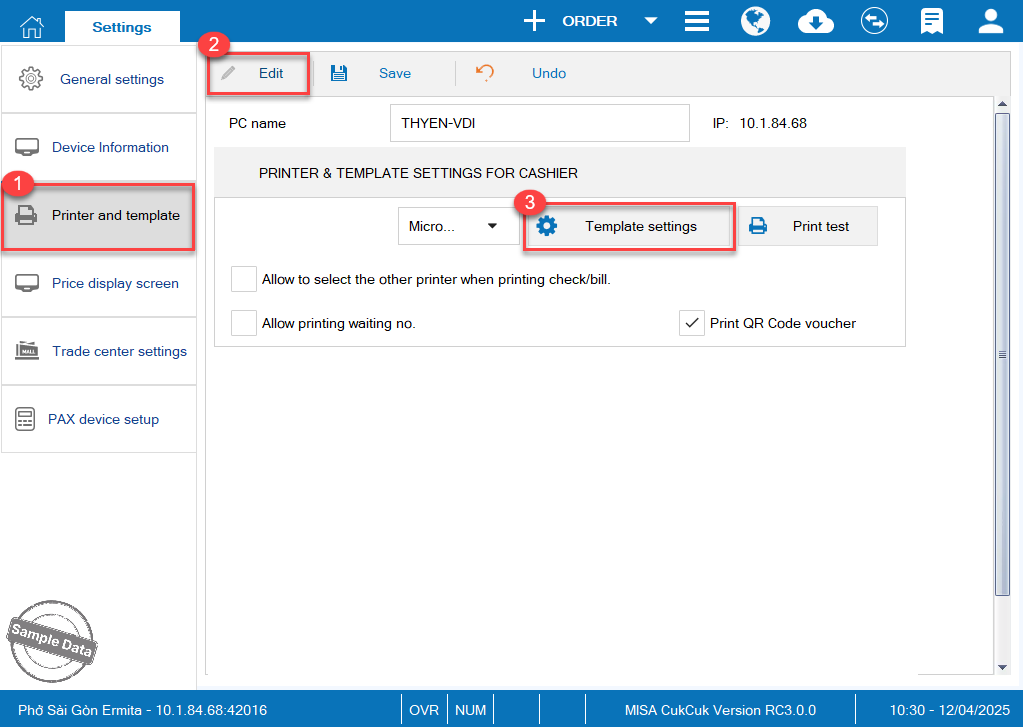
On Printer and template tab, click Edit and select Template settings.
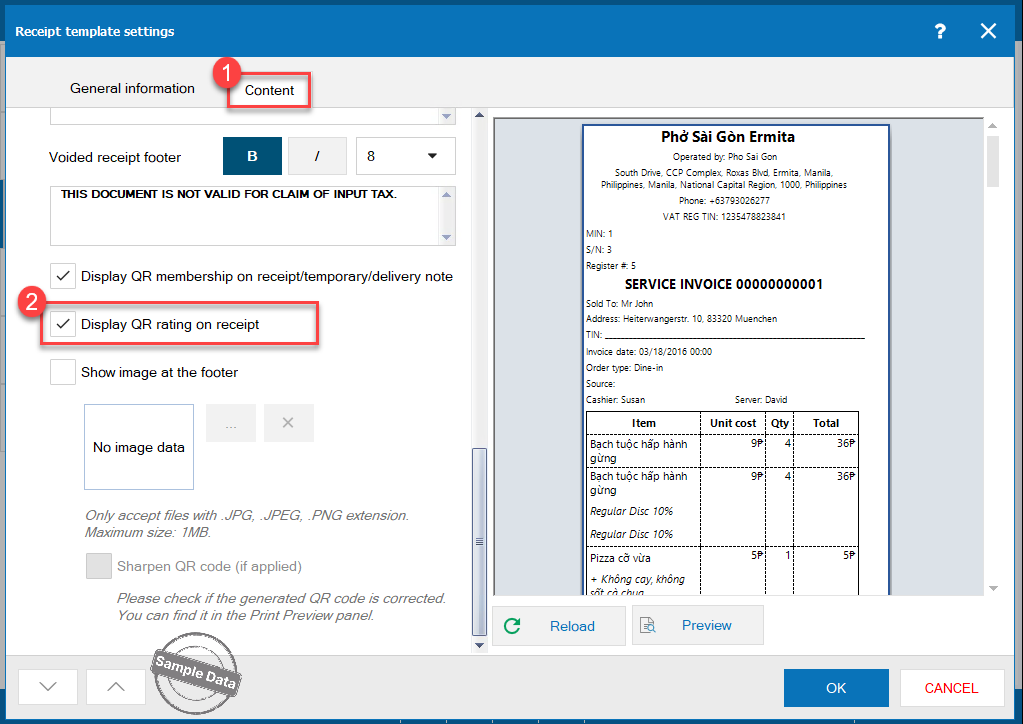
On Content tab, scroll down and check Display QR rating on receipt. Click OK.
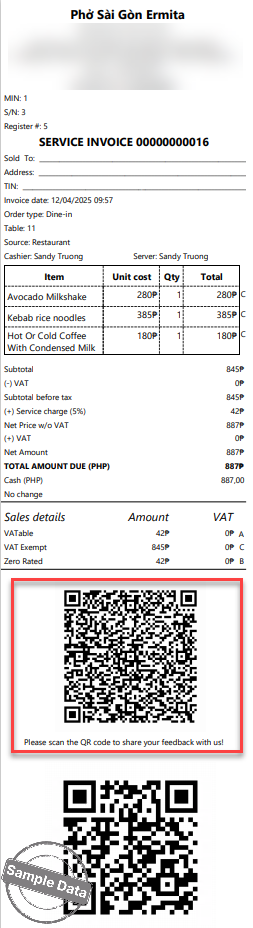
Upon checking out and printing the bill, the customers can scan the QR Code to share their feedback.
After selecting stars and add comment, click Submit review.
Have a nice day!
