MISA CUKCUK
  • Introducing CUKCUK
  • Features by market
  • Feature topics
    • 1. Sale
    • 2. Online order page settings
    • 3. Purchase
    • 4. Storehouse management
    • 5. Cashbook management
    • 6. Bank deposit management
    • 7. Staff management
    • 8. Timekeeping management
    • 9. Track business status
    • 10. Server management
    • 11. Connect to accounting software
    • 12. Reset restaurant data
    • 13. Change to a chain
    • 14. Other settings
  • New features
  • Support channel
    • Instructions via YouTube channel
    • Email
    • Hotline
  1. Main site
  2. 2. Feature topics
  3. Restaurant feature Guides
  4. Guide to restaurant operations on mobile/tablet
  5. User guide for application
  6. CUKCUK - For waiter
  7. Cách xóa đặt chỗ
  1. Main site
  2. 5. Frequently Asked Questions
  3. Other frequently asked questions
  4. Cách xóa đặt chỗ
Searching...

Cách xóa đặt chỗ

To delete reservation, proceed as following:

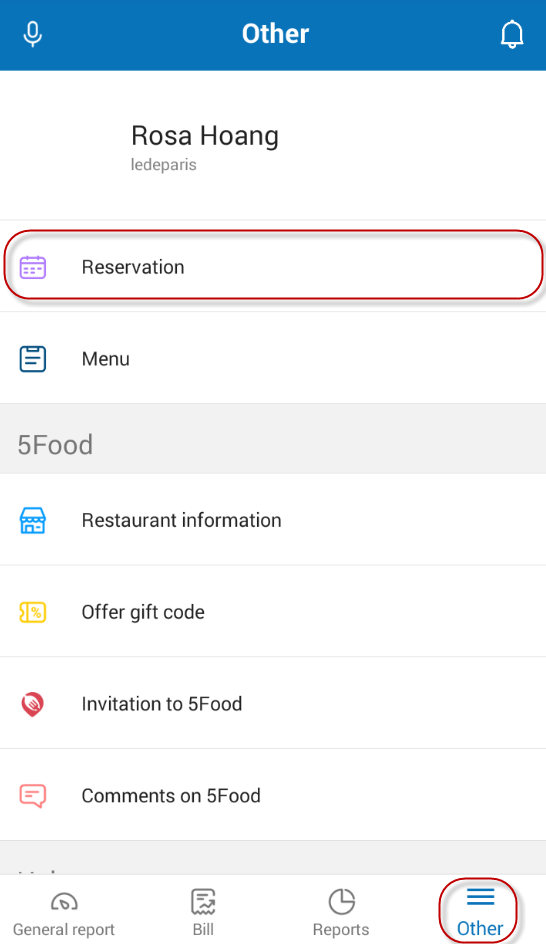
  • Touch dau3gach.
  • Select Reservation.

  • Select restaurant (if your restaurant is a restaurant chain)
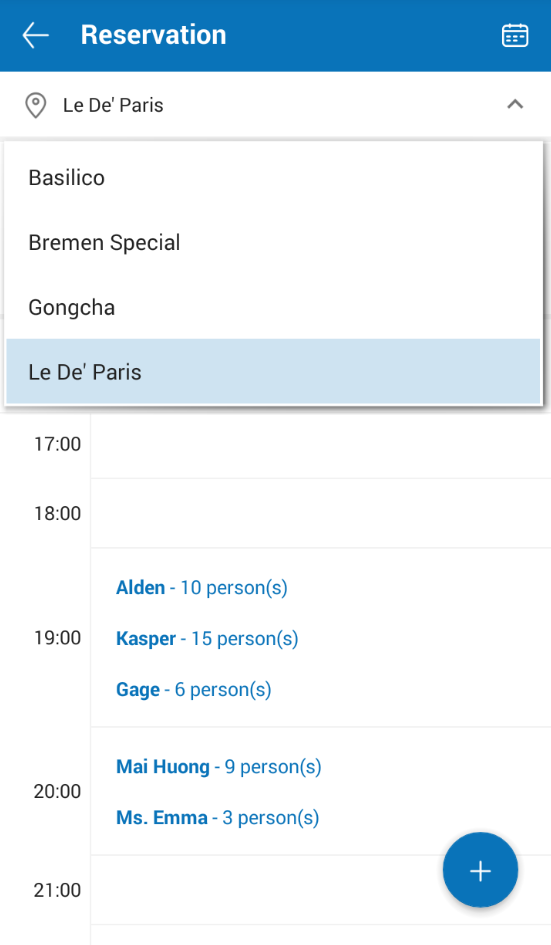
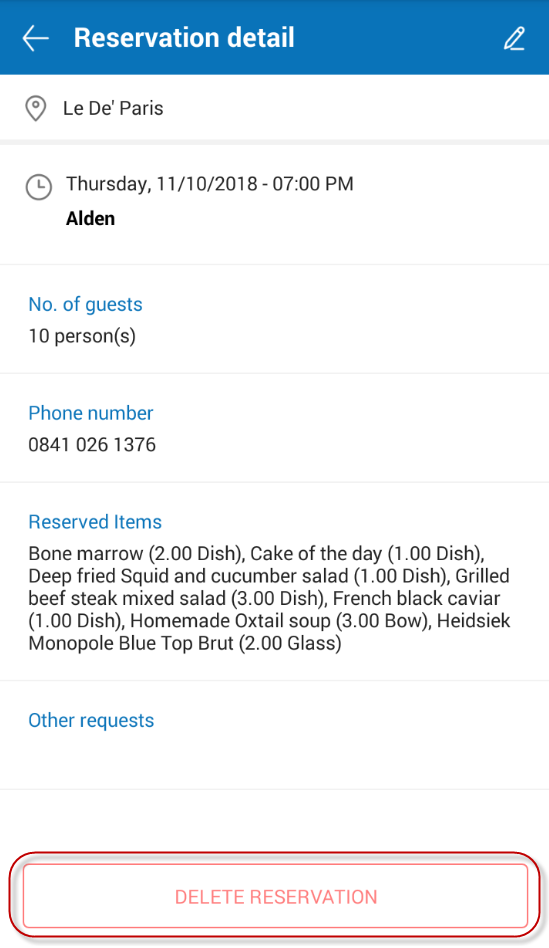
  • Select the reservation you want to delete.
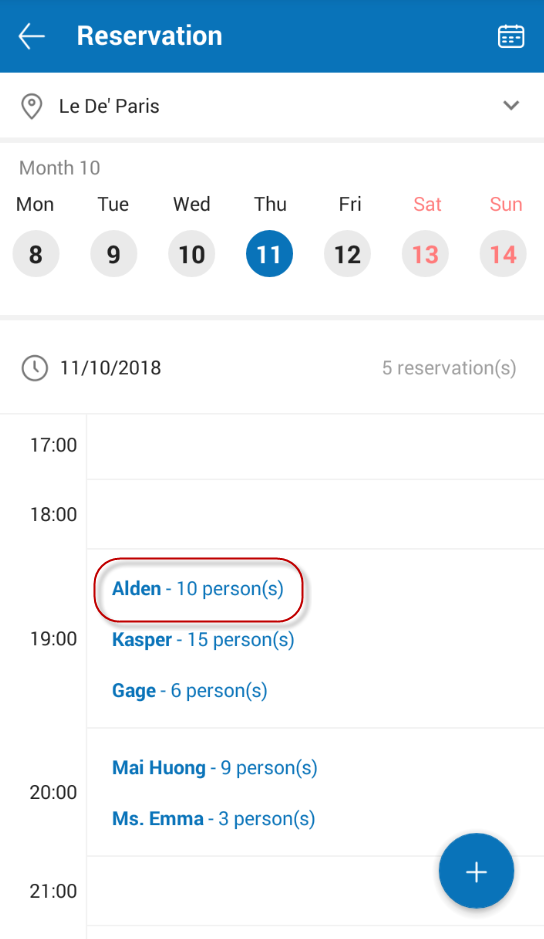
  • Selecy Delete reservation.

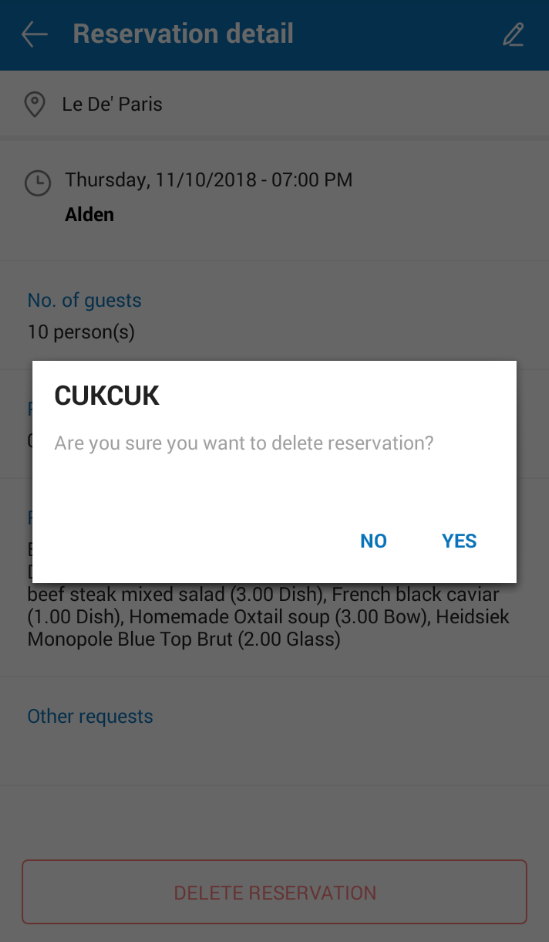
  • Select Yes to confirm.

View: 53
Updated on 22/09/2023

Was this article helpful?

Yes No

Related Articles

  • Select item to quickly enter modifier
  • When a customer is about to finish a service, how will the waiter notify the chef/bartender to prepare for the next service?
  • How to display more order on list of processing order screen?
  • How to assign a staff to manage price so that this staff can quickly adjust price upon taking order?
  • How to send Request Check to the cashier when the guest requests payment via 5Food?
  • How to take order with CUKCUK Self Order?

Trending topics

  • CUKCUK overview
  • Restaurant feature Guides
  • Sale
  • User guide for application
  • Which device should be selected for which department?

CONTACT US

Email: [email protected] | Website: www.cukcuk.com | Hotline: +49 030 89568366

Find us Online
  • cukcuk icon
Copyright © 2015 - 2026 MISA JSC |Term of service