MISA CUKCUK
  • Introducing CUKCUK
  • Features by market
  • Feature topics
    • 1. Sale
    • 2. Online order page settings
    • 3. Purchase
    • 4. Storehouse management
    • 5. Cashbook management
    • 6. Bank deposit management
    • 7. Staff management
    • 8. Timekeeping management
    • 9. Track business status
    • 10. Server management
    • 11. Connect to accounting software
    • 12. Reset restaurant data
    • 13. Change to a chain
    • 14. Other settings
  • New features
  • Support channel
    • Instructions via YouTube channel
    • Email
    • Hotline
  1. Main site
  2. 5. Frequently Asked Questions
  3. Frequently asked questions for cashier
  4. Other
  5. How to troubleshoot login error
  6. Wrong server name error
Searching...

Wrong server name error

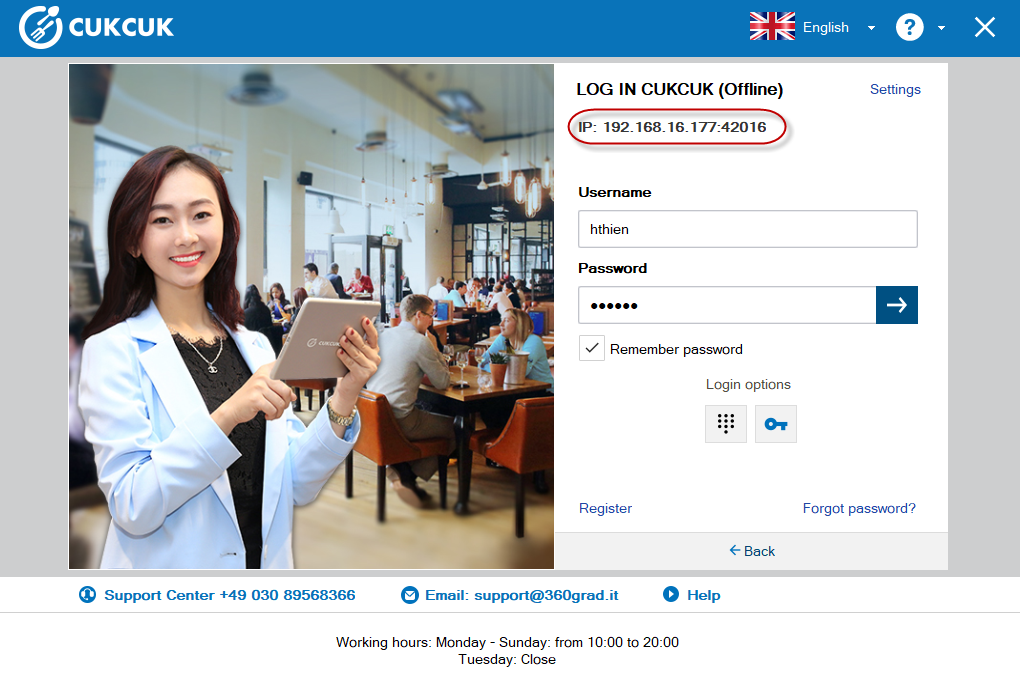
When the cashier cannot log in, the cause may be wrong server name. To troubleshoot this, please follow these steps:

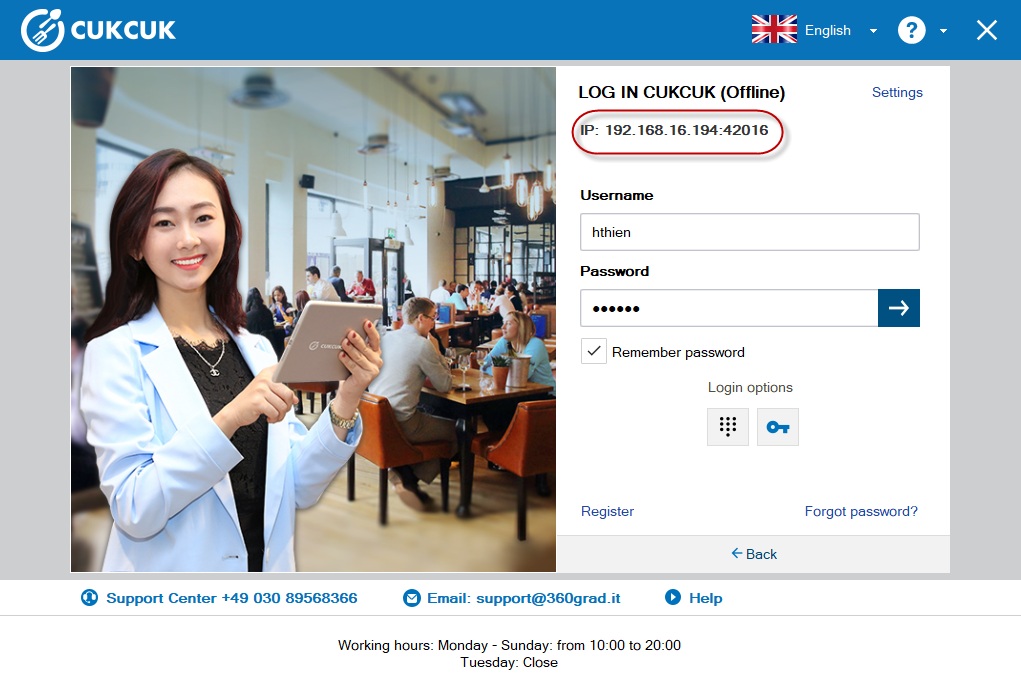
Check if IP address on the cashier’s device is the same as that on the local server.
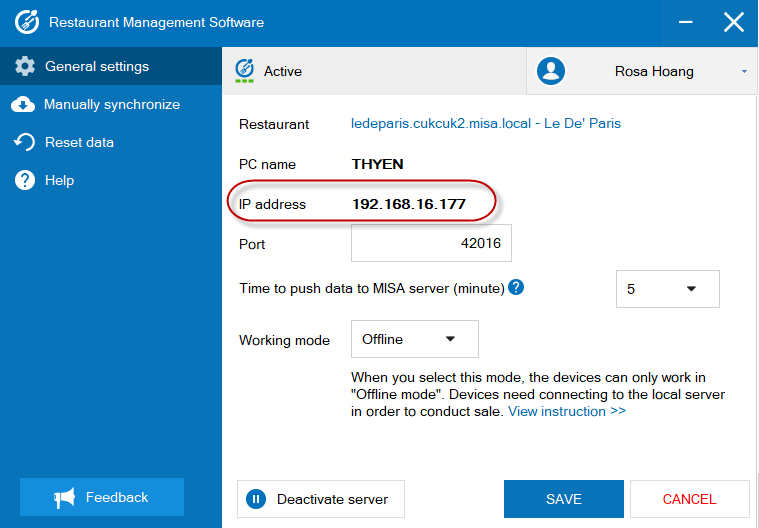
If it is different, enter the correct IP address on the cashier’s device as follows:
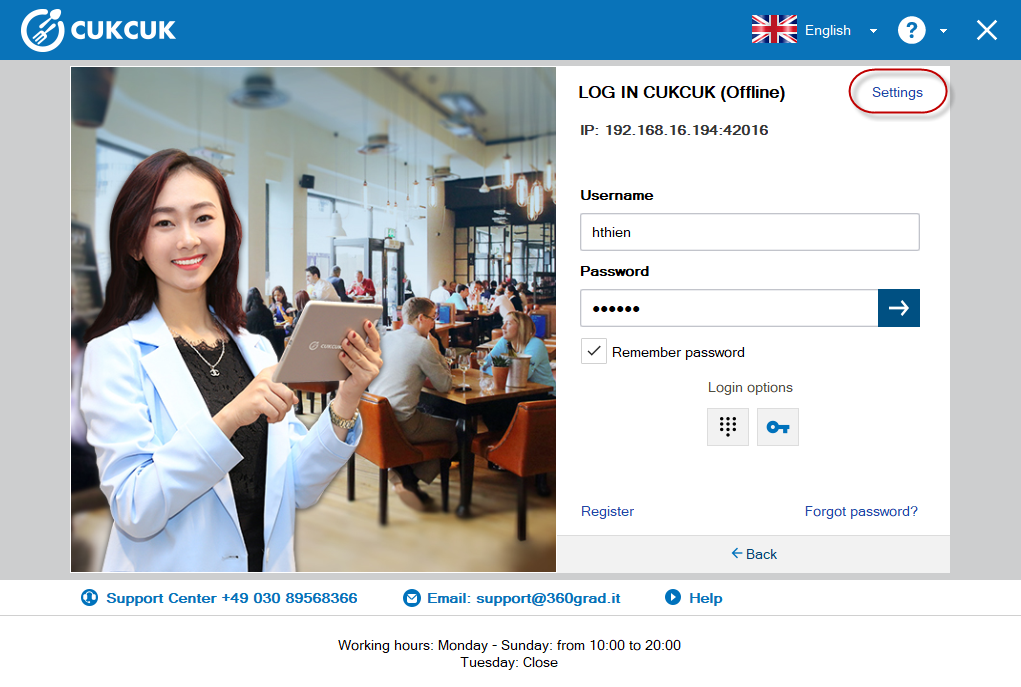
  • On the login screen, click Settings.
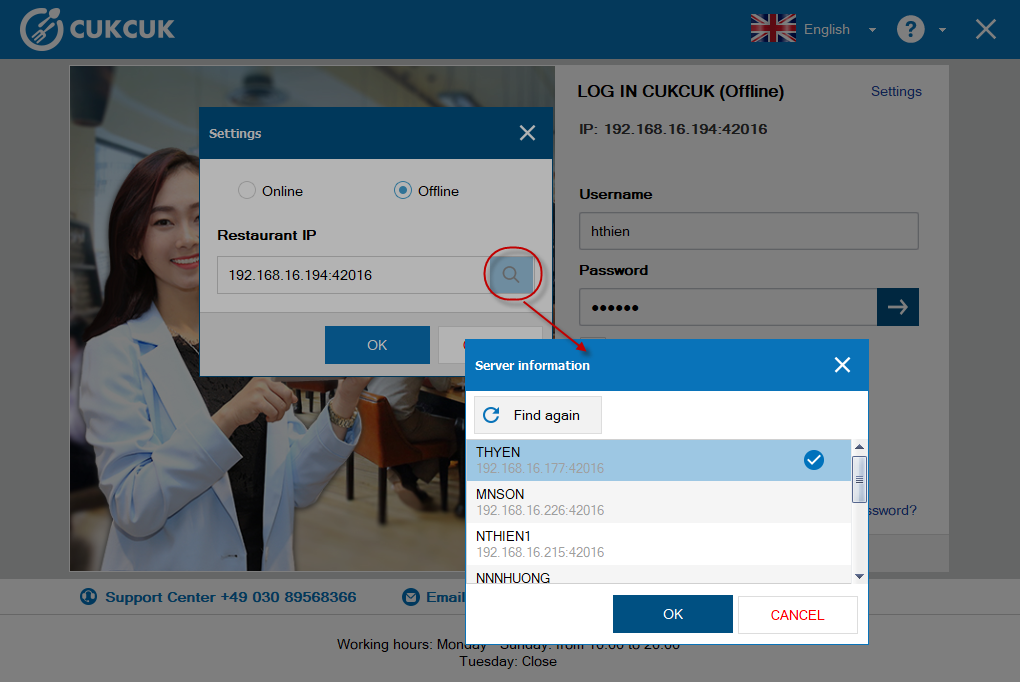
  • Enter IP address of the local server in the IP Restaurant.
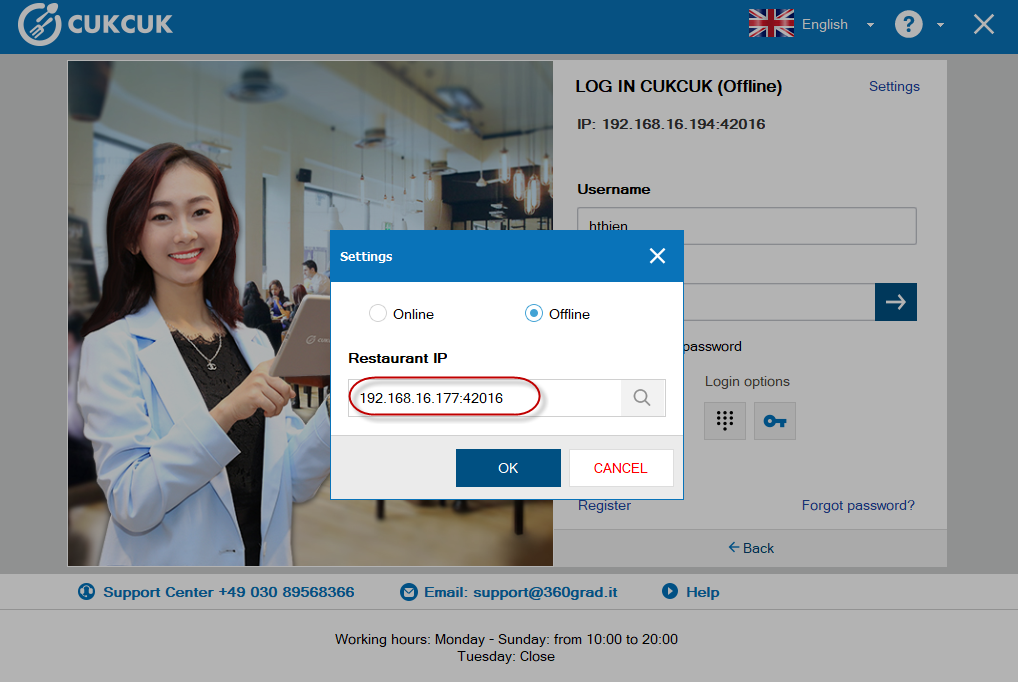
  • Or click the icon , select Local server, click OK.
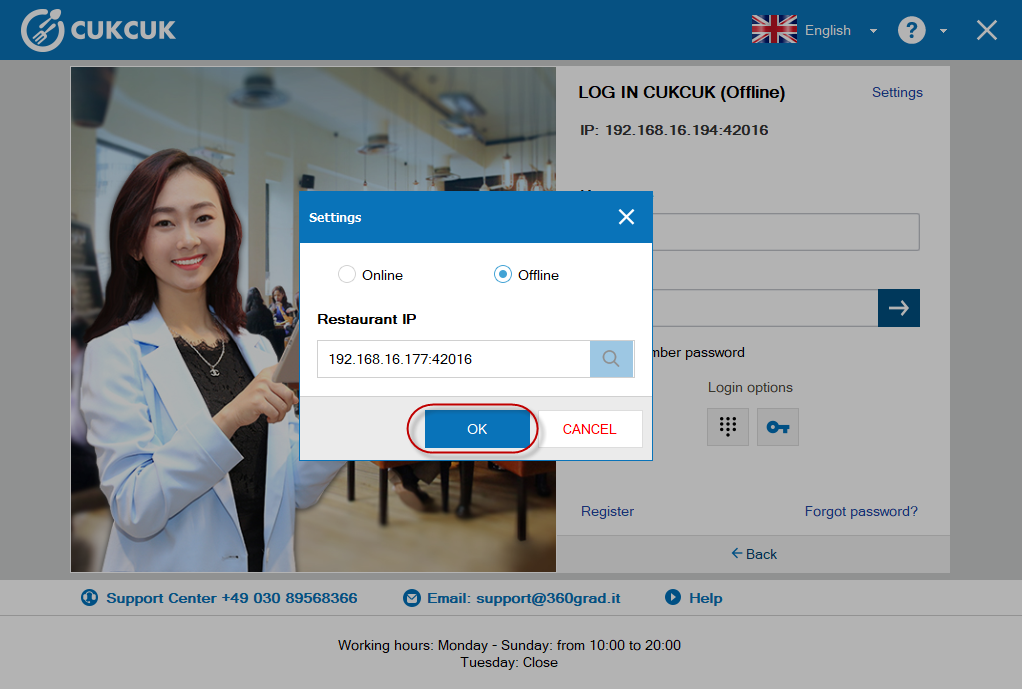
  • Click OK.
  • Log in the program again.
If IP address on the cashier’s device is the same as that on the local server, the cause may be inactive server. Refer to troubleshooting here.
View: 71
Updated on 16/09/2022

Was this article helpful?

Yes No

Related Articles

  • Inactive server error

Trending topics

  • CUKCUK overview
  • Restaurant feature Guides
  • Sale
  • User guide for application
  • Which device should be selected for which department?

CONTACT US

Email: [email protected] | Website: www.cukcuk.com | Hotline: +49 030 89568366

Find us Online
  • cukcuk icon
Copyright © 2015 - 2026 MISA JSC |Term of service