
I. Purpose
This feature enables seamless integration between CukCuk POS and the U Money digital wallet, allowing customers to pay by scanning a QR code directly at checkout.
II. Instruction steps
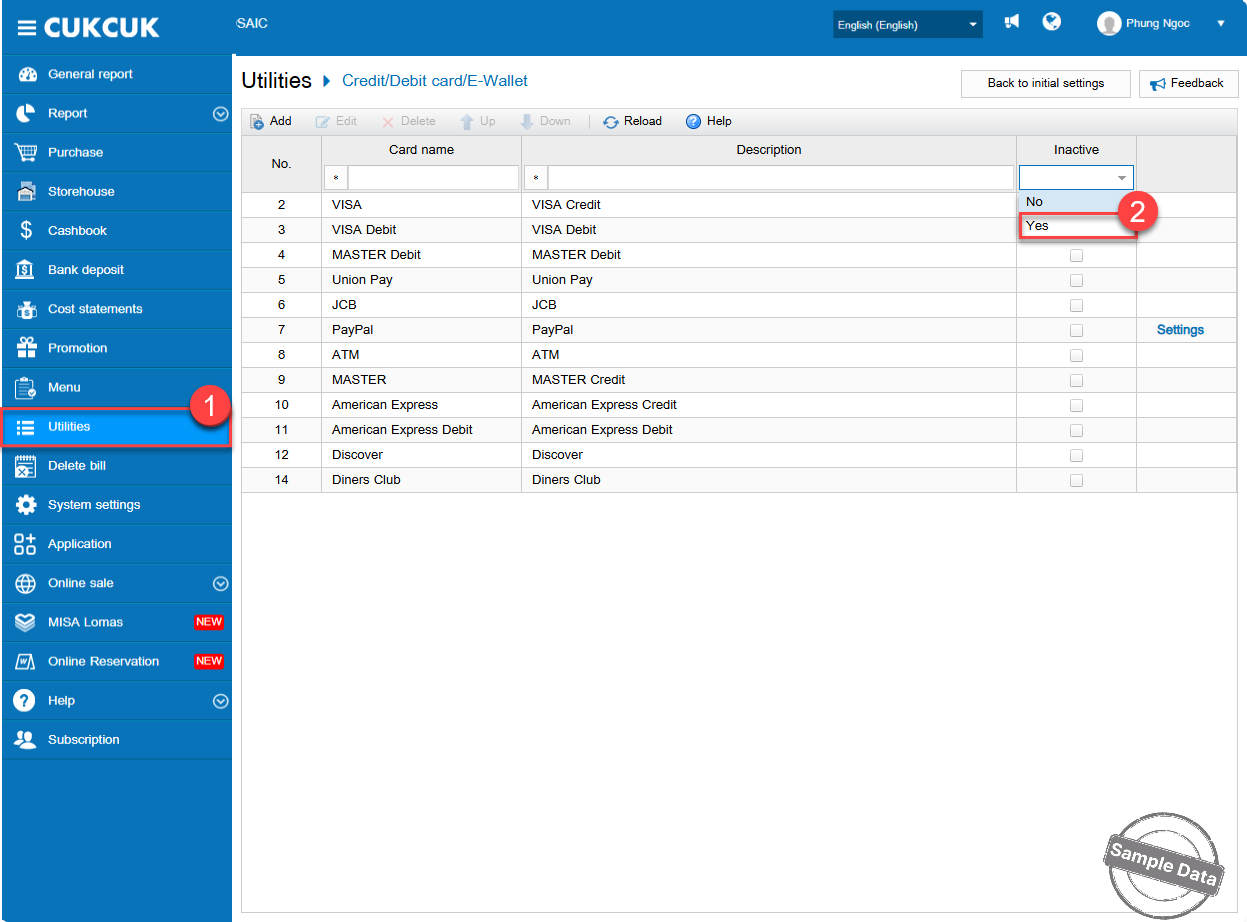
Go to Utilities / Credit/Debit card/E-Wallet. Select Yes in Inactive column.
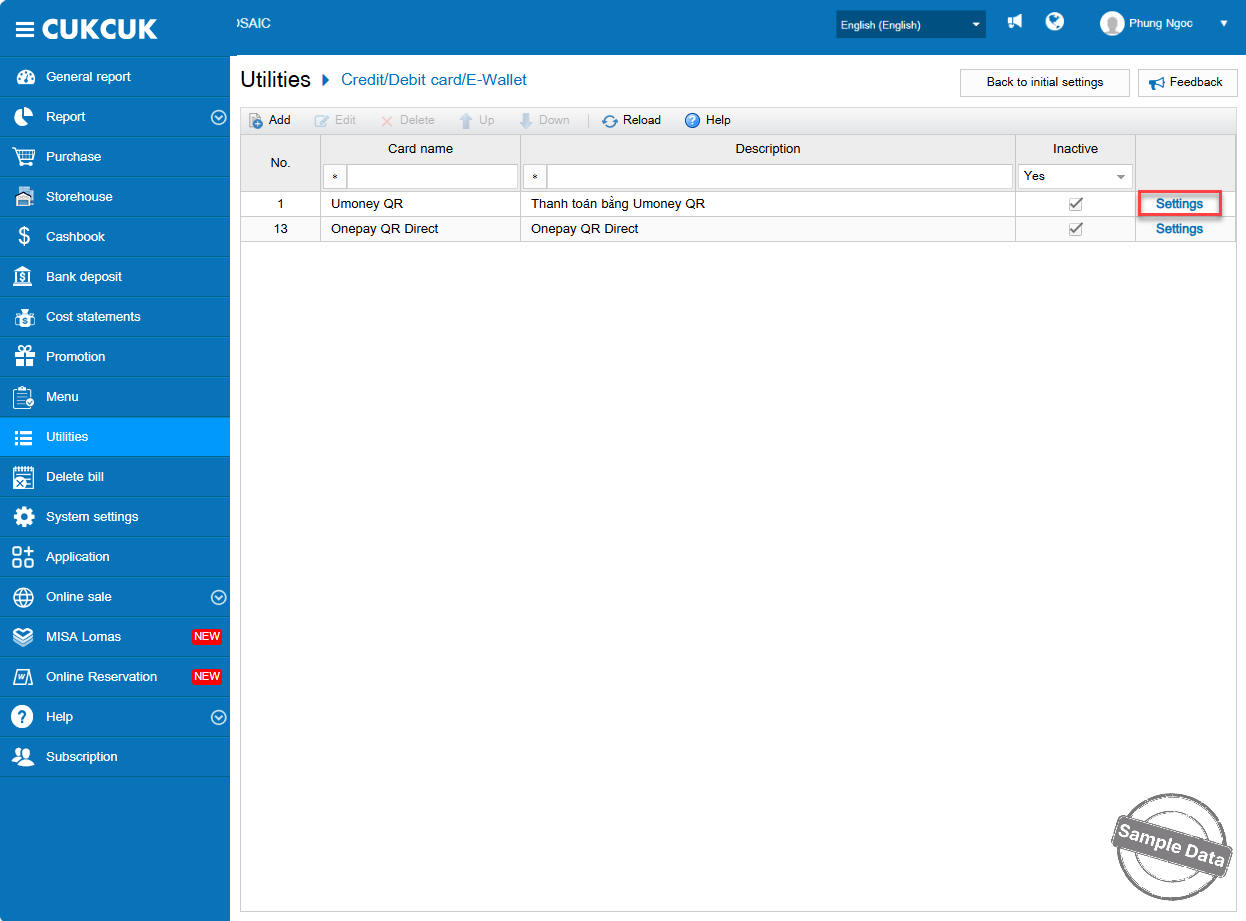
Find U Money QR and click Settings.
Fill in Merchant code and Store code. Click Save to apply the configuration.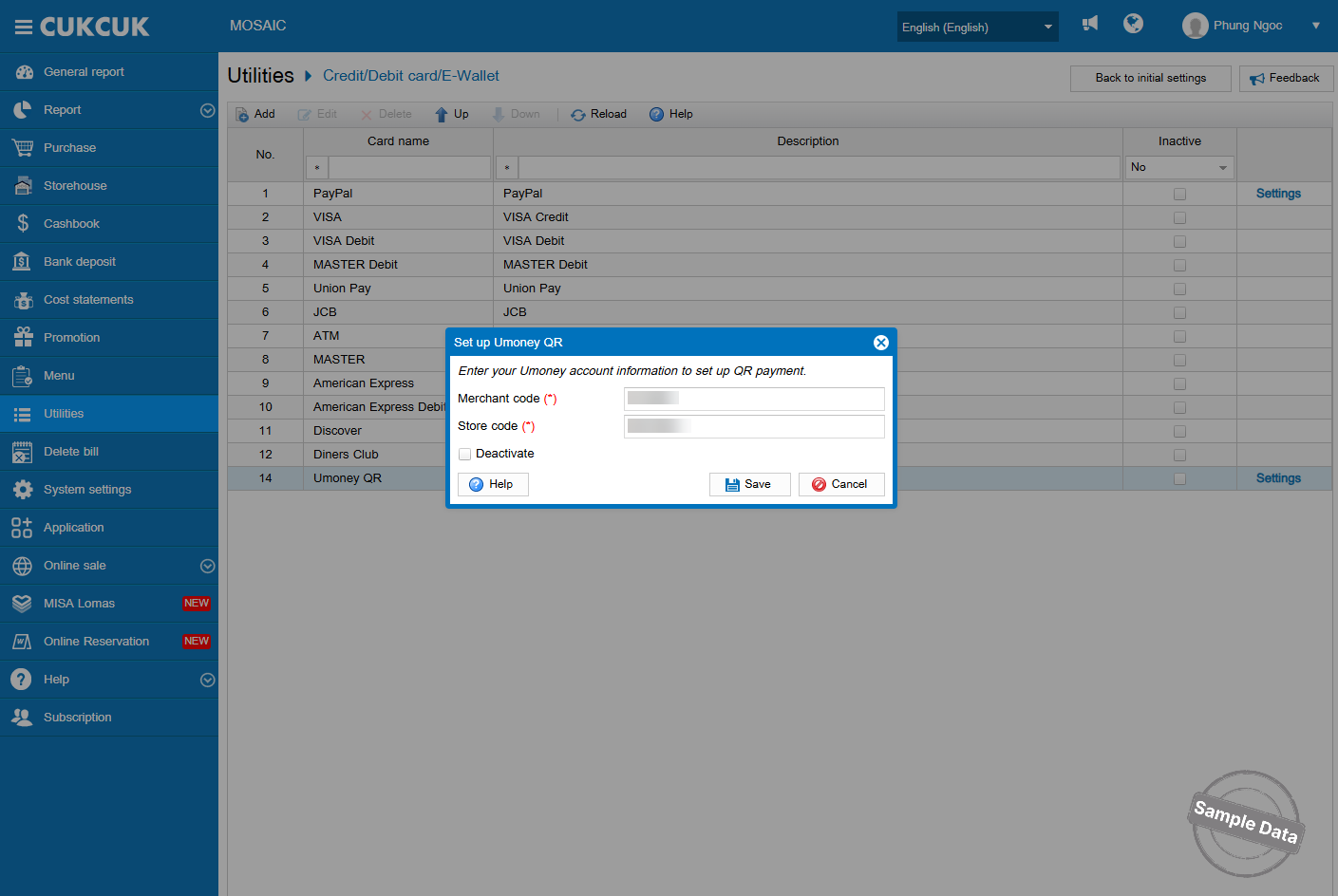
U Money QR is now activated.
Notes:
1. If the restaurant operates under a chain model, the U Money payment method can only be configured at the Chain account level. Once configured at the Chain level, the settings will apply to all linked branches accordingly.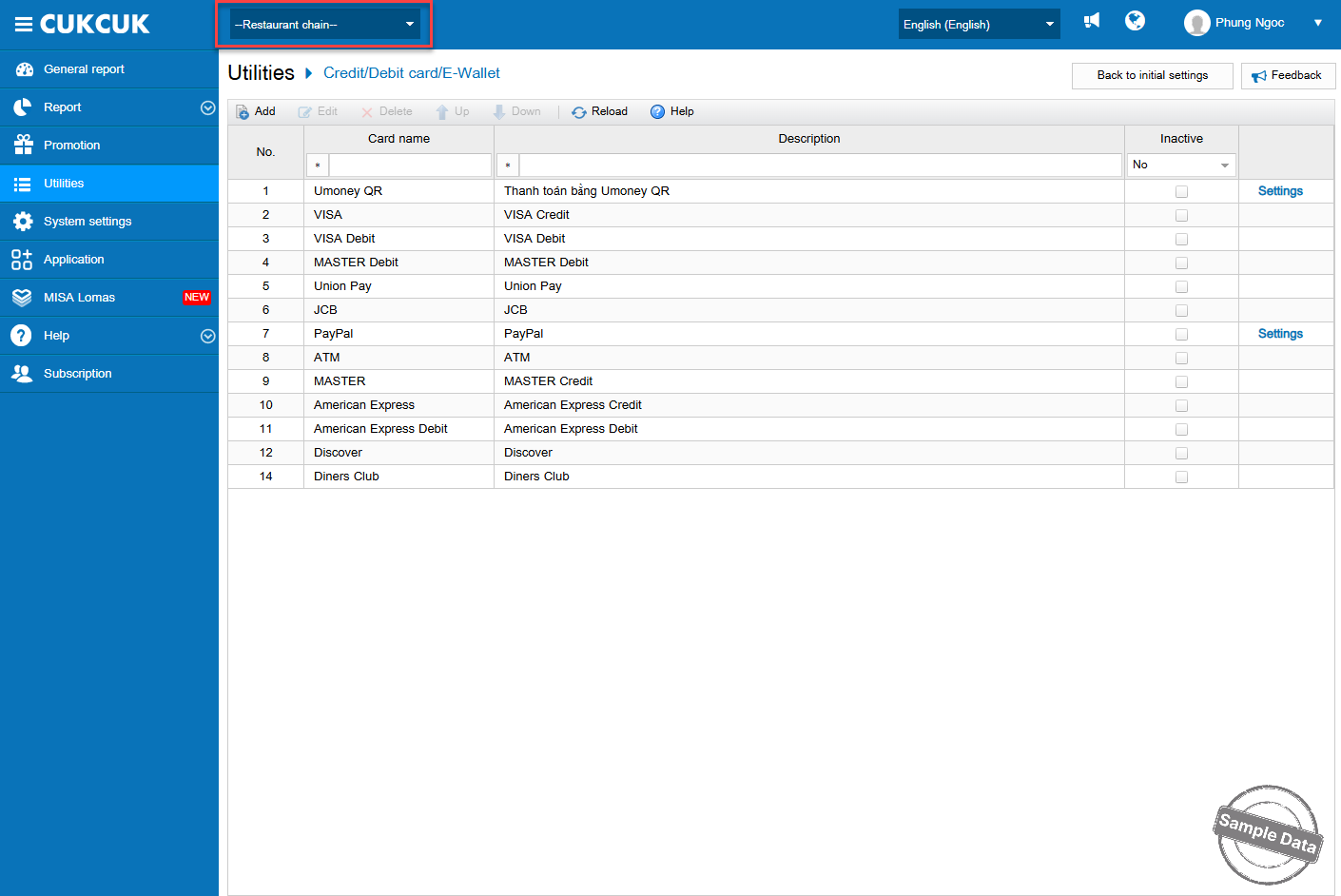
2. Here is how to get Merchant code on U Money.
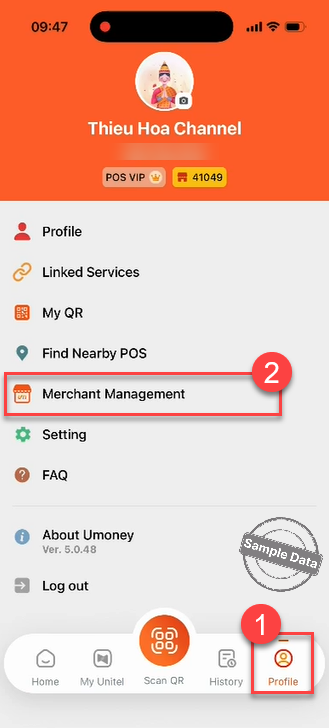
Click Profile and select Merchant Management.
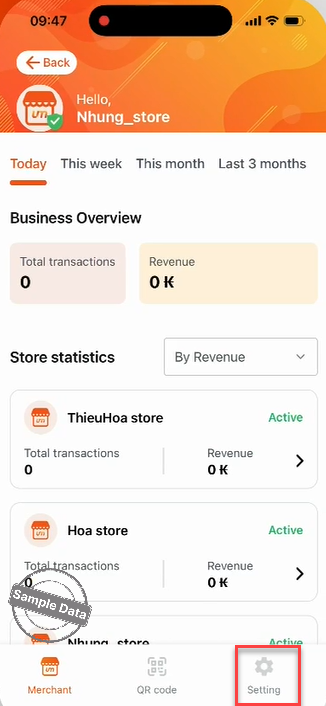
Click Setting.
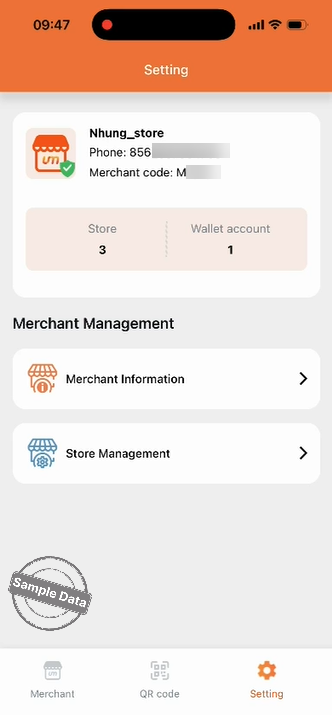
Here you can see the merchant code.
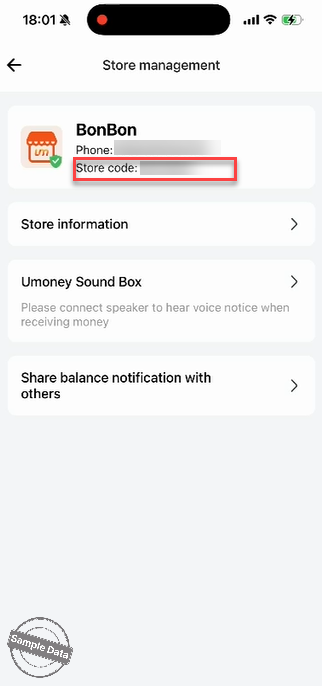
3. Here is how to get Store code on U Money.
Click Store Management.
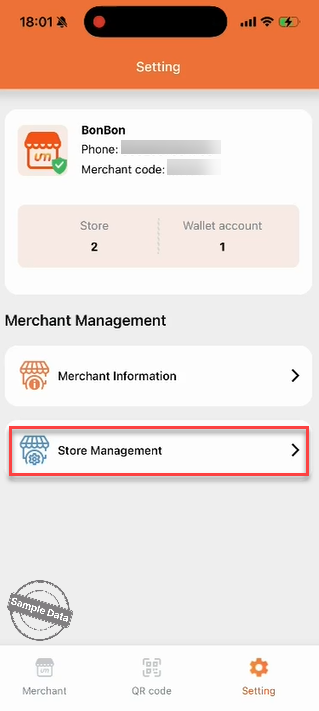
You can get the code at Store code.
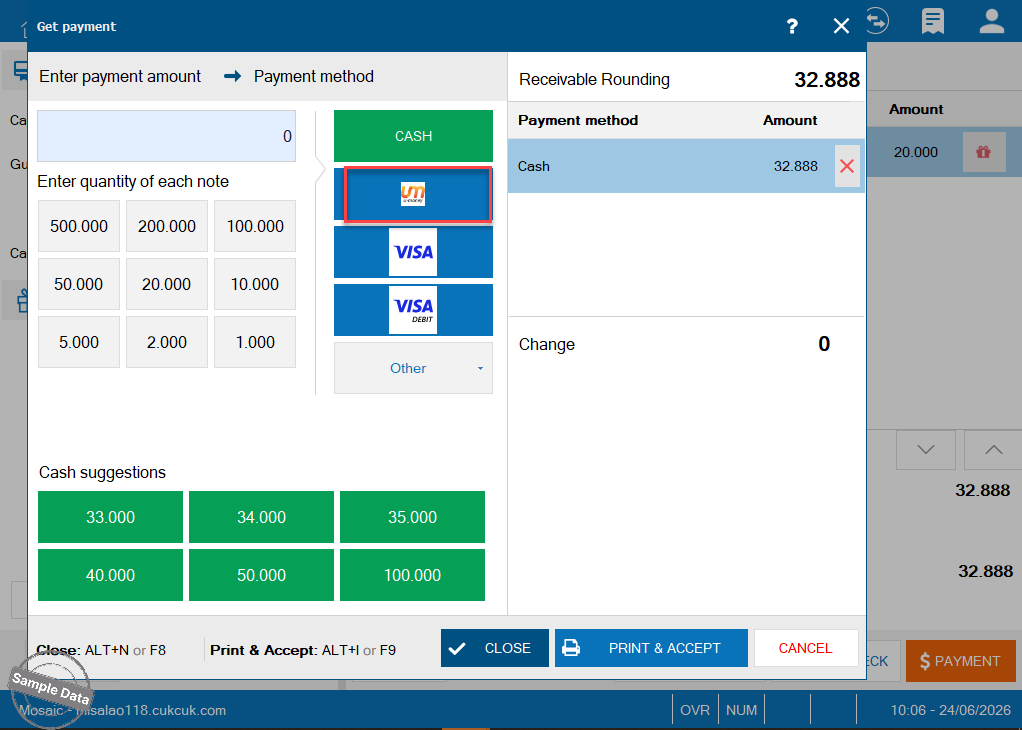
At checkout, select U Money as the payment method.
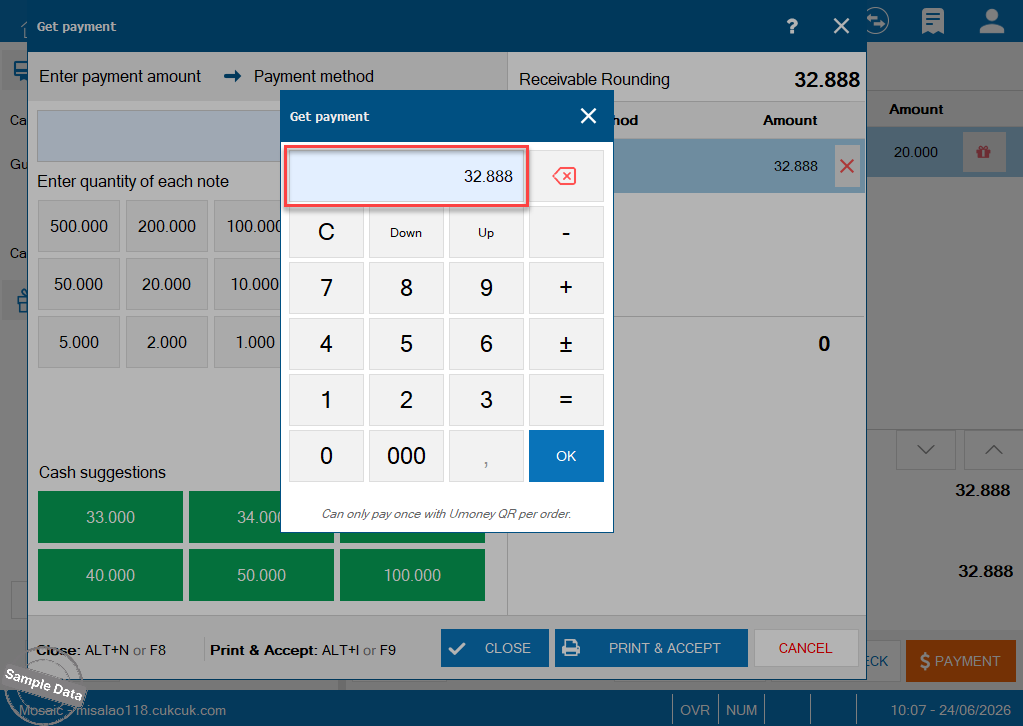
Enter the amount.
The system will generate and display a dynamic QR code for the exact payable amount.
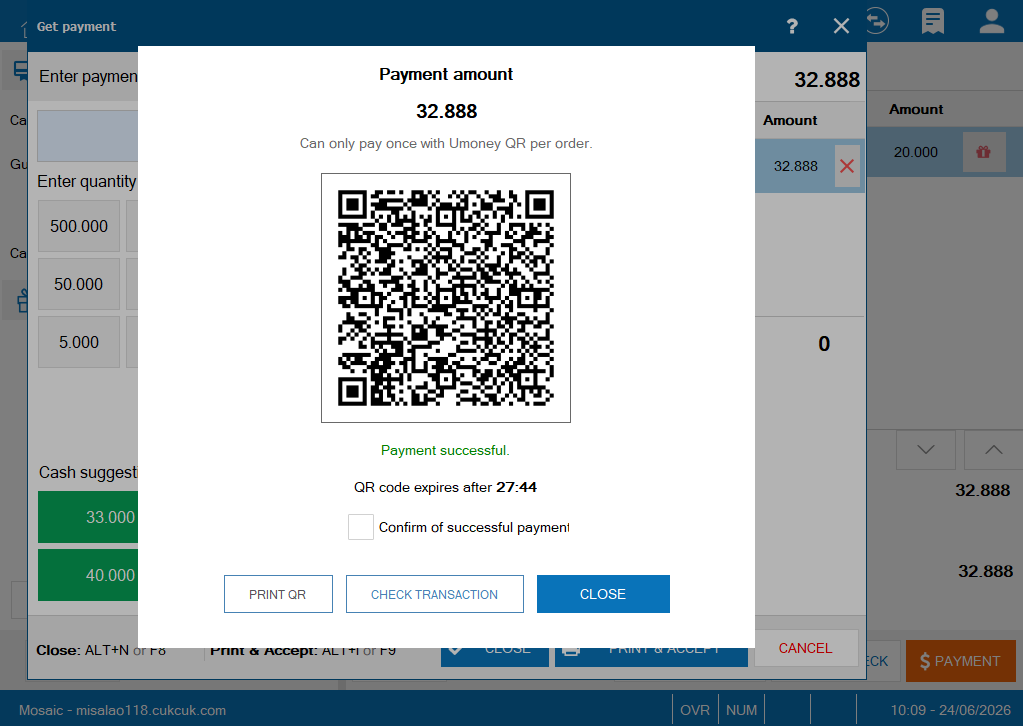
The customer opens the U Money app and taps Scan QR to scan the code.
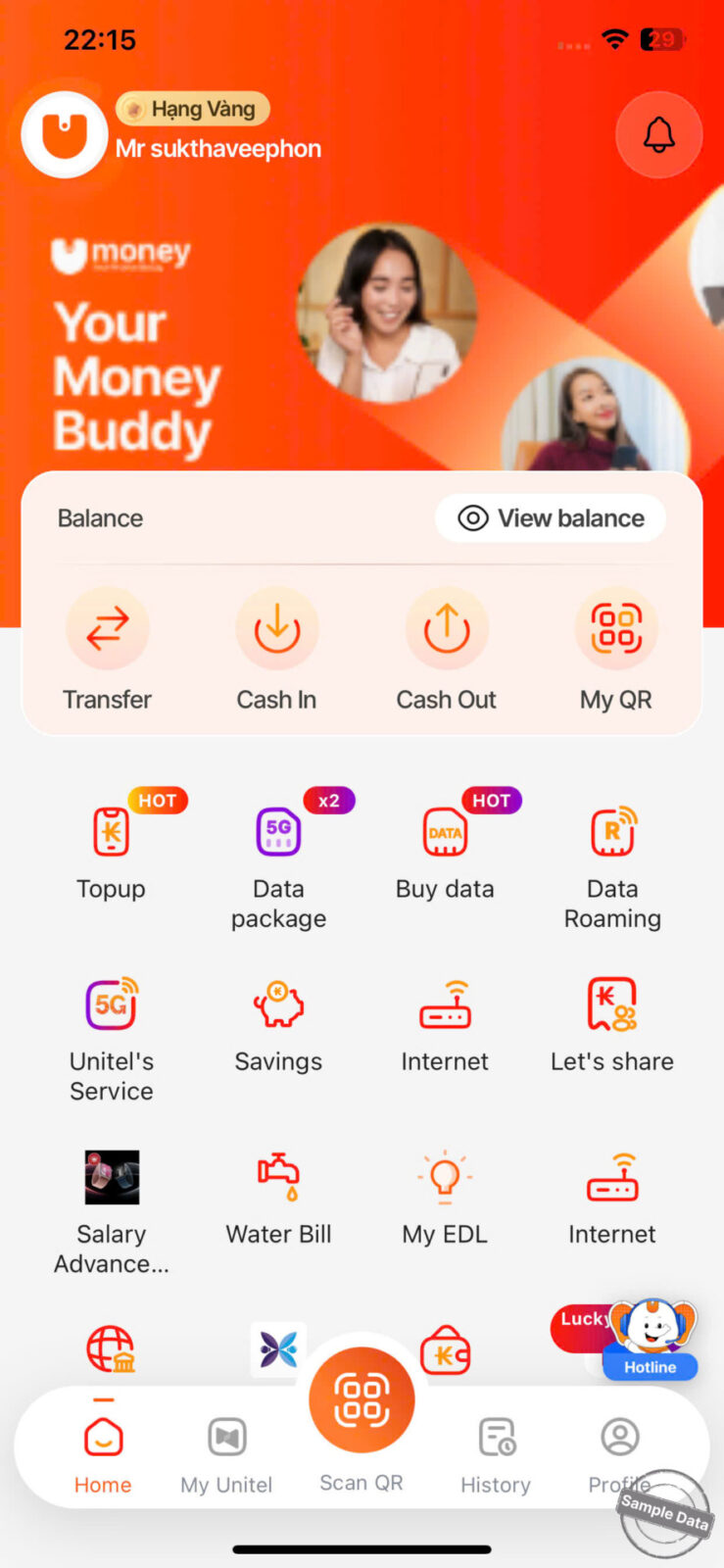
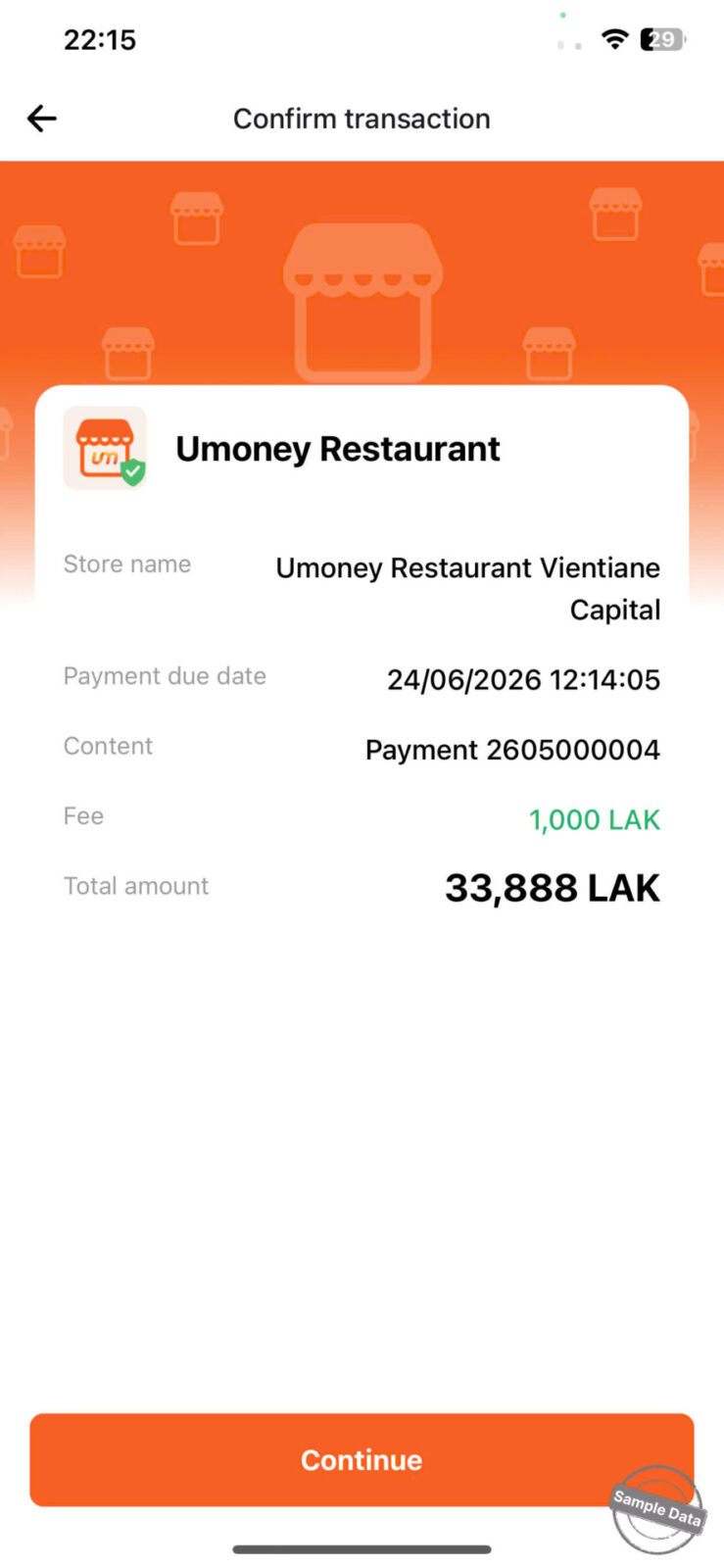
The customer:
- Clicks Continue
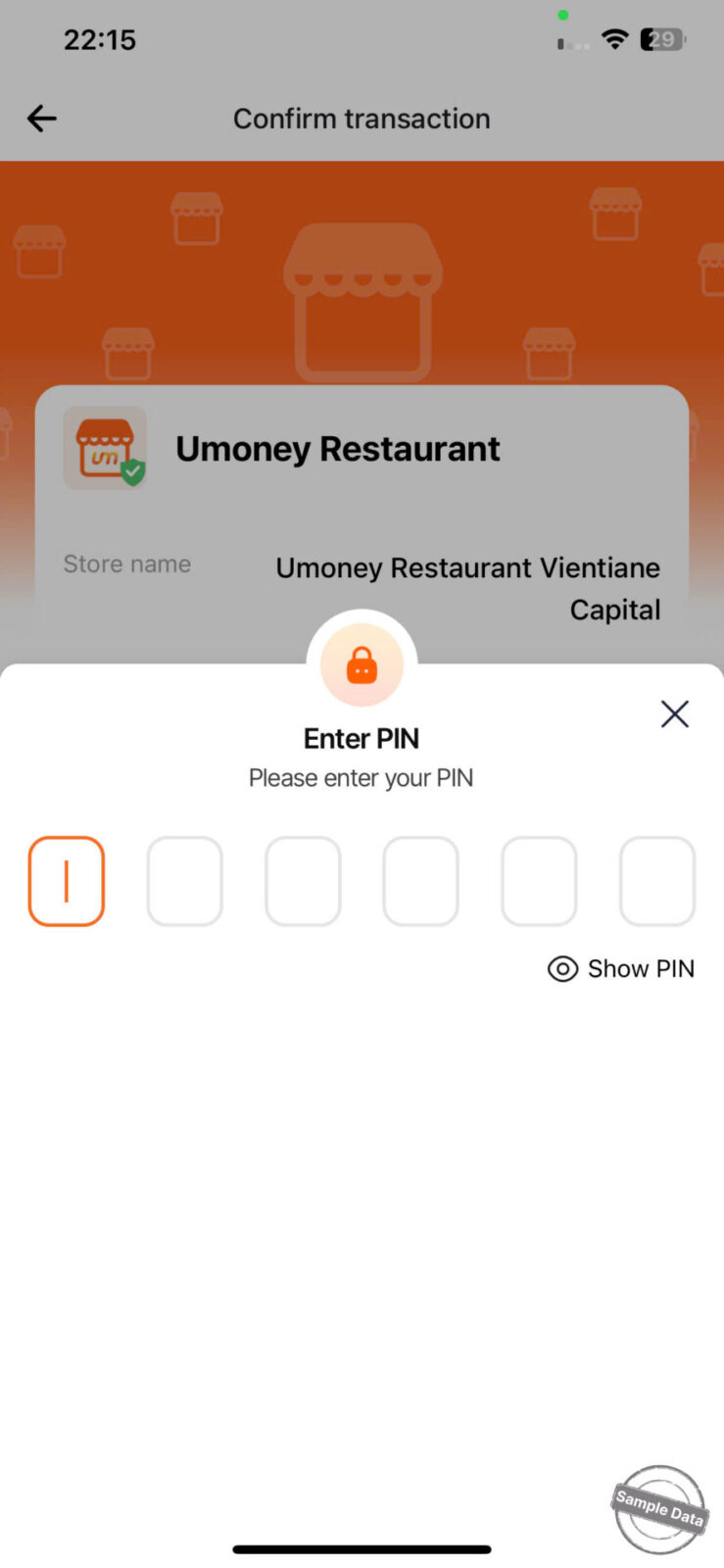
- Enters their PIN
- Enters the OTP sent to their registered phone number
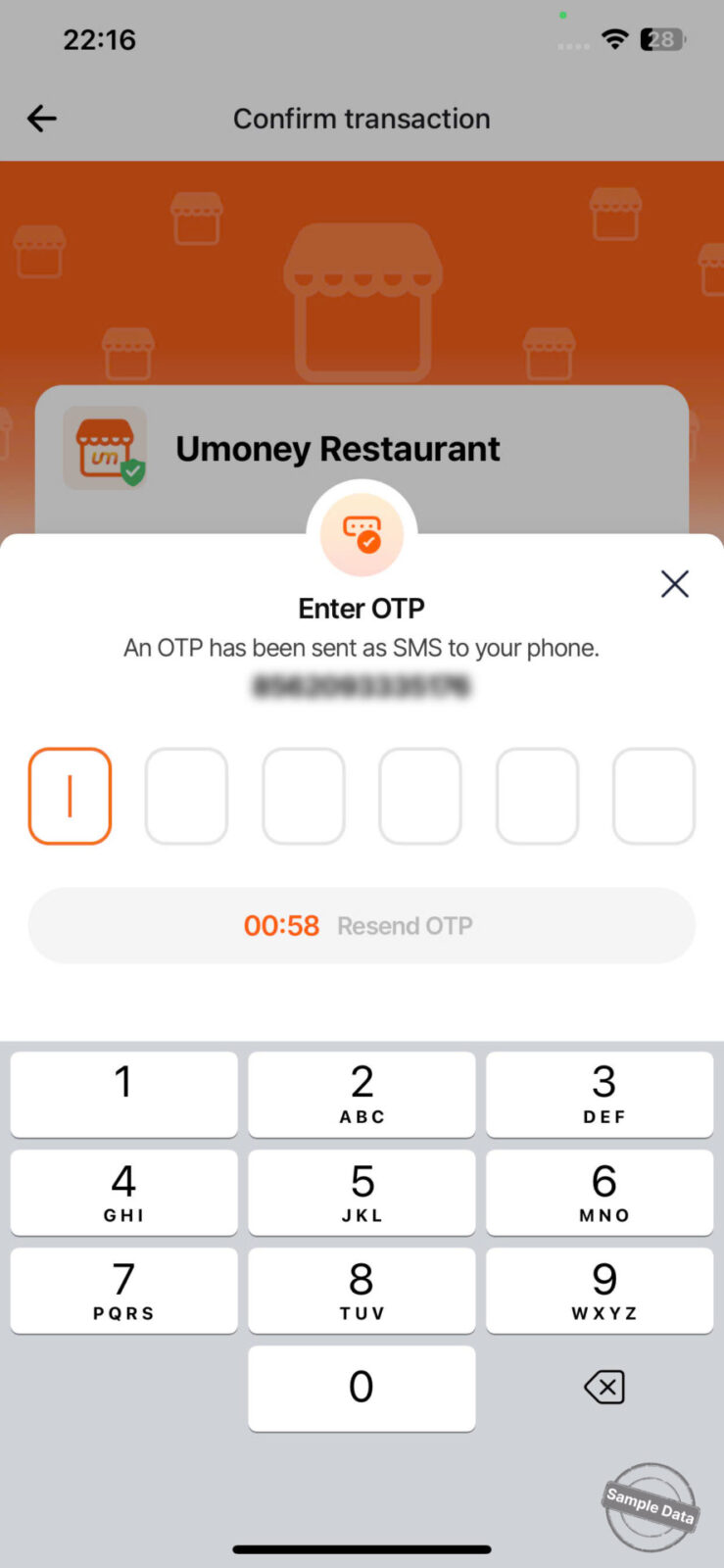
Once verified, the transaction is completed and automatically recorded in the POS system.
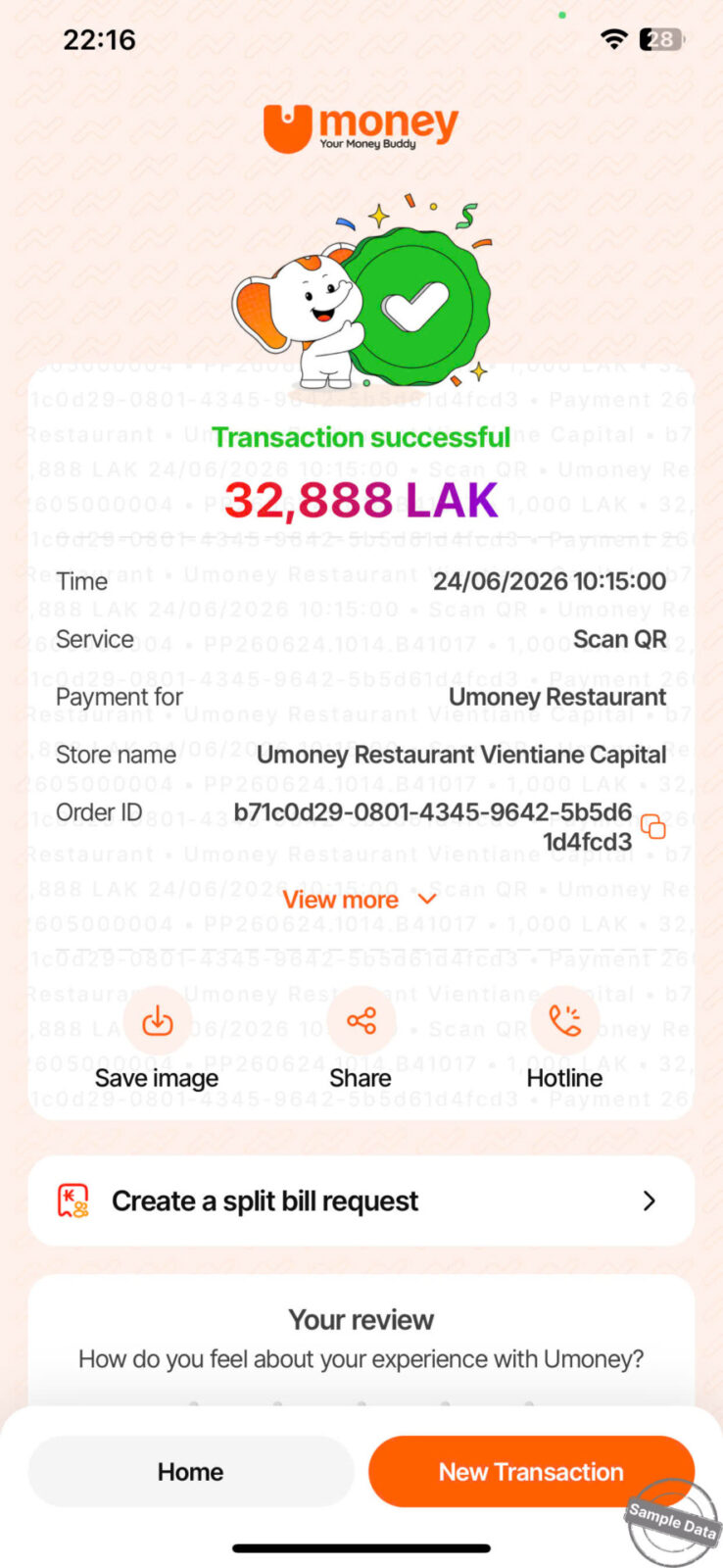
The order is successfully paid via U Money QR.
Notes:
If the customer chooses to pay using more than one payment method (e.g., Cash + U Money), the cashier can enter the specific amount to be paid via U Money as follows:
After the U Money payment is successful, the cashier proceeds with another payment method to settle the remaining balance.
The system will automatically record each payment under its respective method.
Have a nice day!
