
To set up and send marketing emails using your own email domain on MISA CukCuk, please follow these steps:
On the management page, go to System settings/General settings. Click Edit at Email settings.
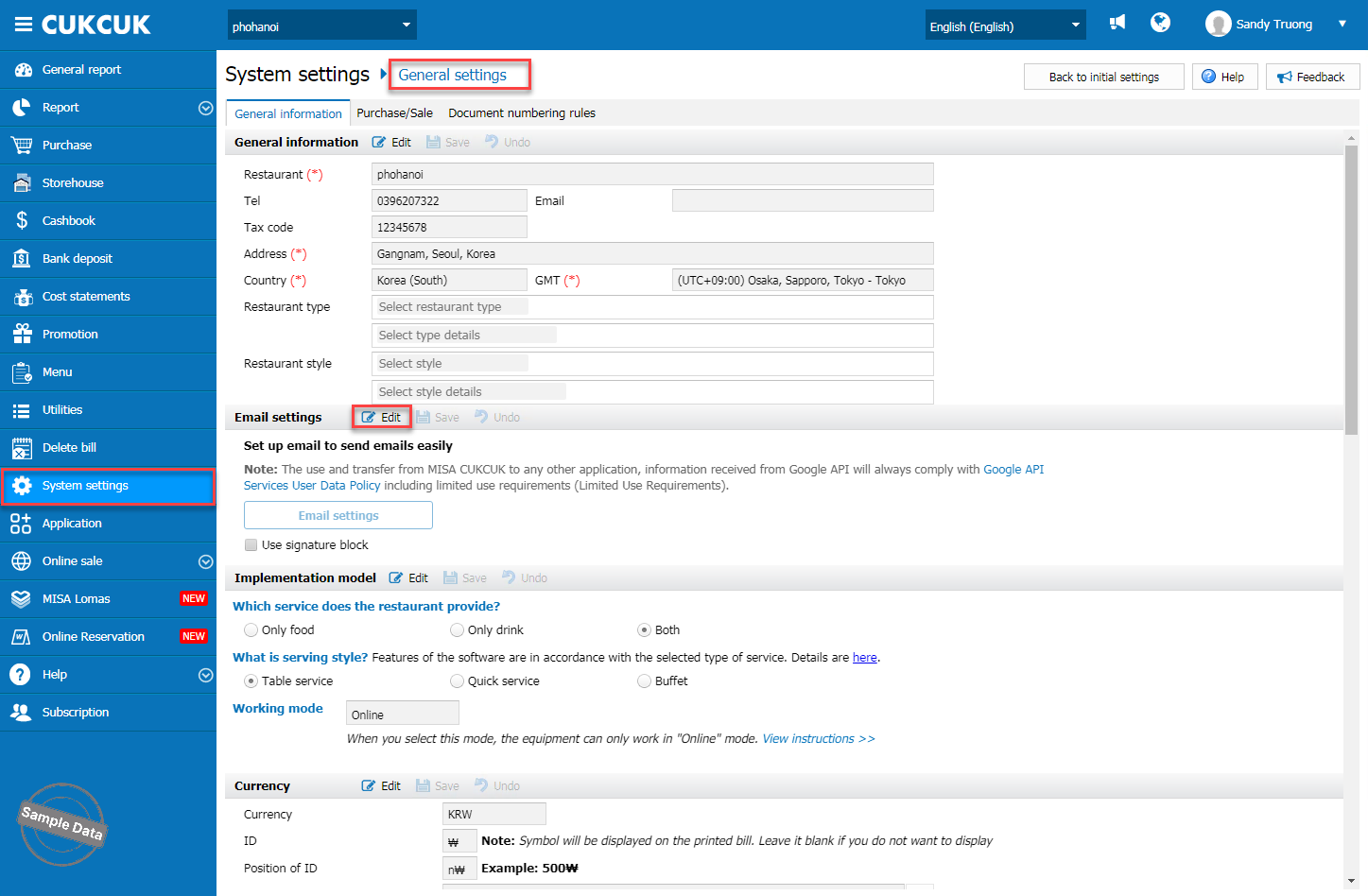
Enter information: email address, email server, port, displayed name, username, app password, and security method.
- Email address: The primary email address used for sending emails (Sender email) → This is typically the restaurant owner’s email or the email used to send reports/invoices.
- Email server: The SMTP server address (the server that processes outgoing email requests) → Must be obtained from the email provider (e.g., smtp.gmail.com, smtp.office365.com).
- Portal: The technical connection port used to communicate with the mail server → Depends on the provider and security method (e.g., 587 for TLS, 465 for SSL).
Here is the list of email servers and portals
| Email accounts | Email server | Portal |
|
smtp.gmail.com | 587 |
|
smtp.gmail.com | 587 |
|
smtp-mail.outlook.com | 587 |
|
smtp.mail.yahoo.com | 465 |
|
smtp.mail.me.com | 587 |
- Displayed name: The name shown to recipients when they receive the email → Defined by the user (e.g., CukCuk Restaurant, Admin Juice).
- Username: The login name used to authenticate with the mail server → Usually the same as the Email address. In some cases, if the restaurant uses a corporate email with branch sub‑emails, the username should be the specific branch sub‑email.
- App password: An application-specific password (separate from the main email login password) → Must be generated in the Google/Microsoft security settings (do not use the primary email password). See instructions how to get App Password below.
- Security method: The encryption method for the connection (None / TLS / SSL / Auto) → Typically corresponds with the selected port (e.g., Port 587 uses TLS).
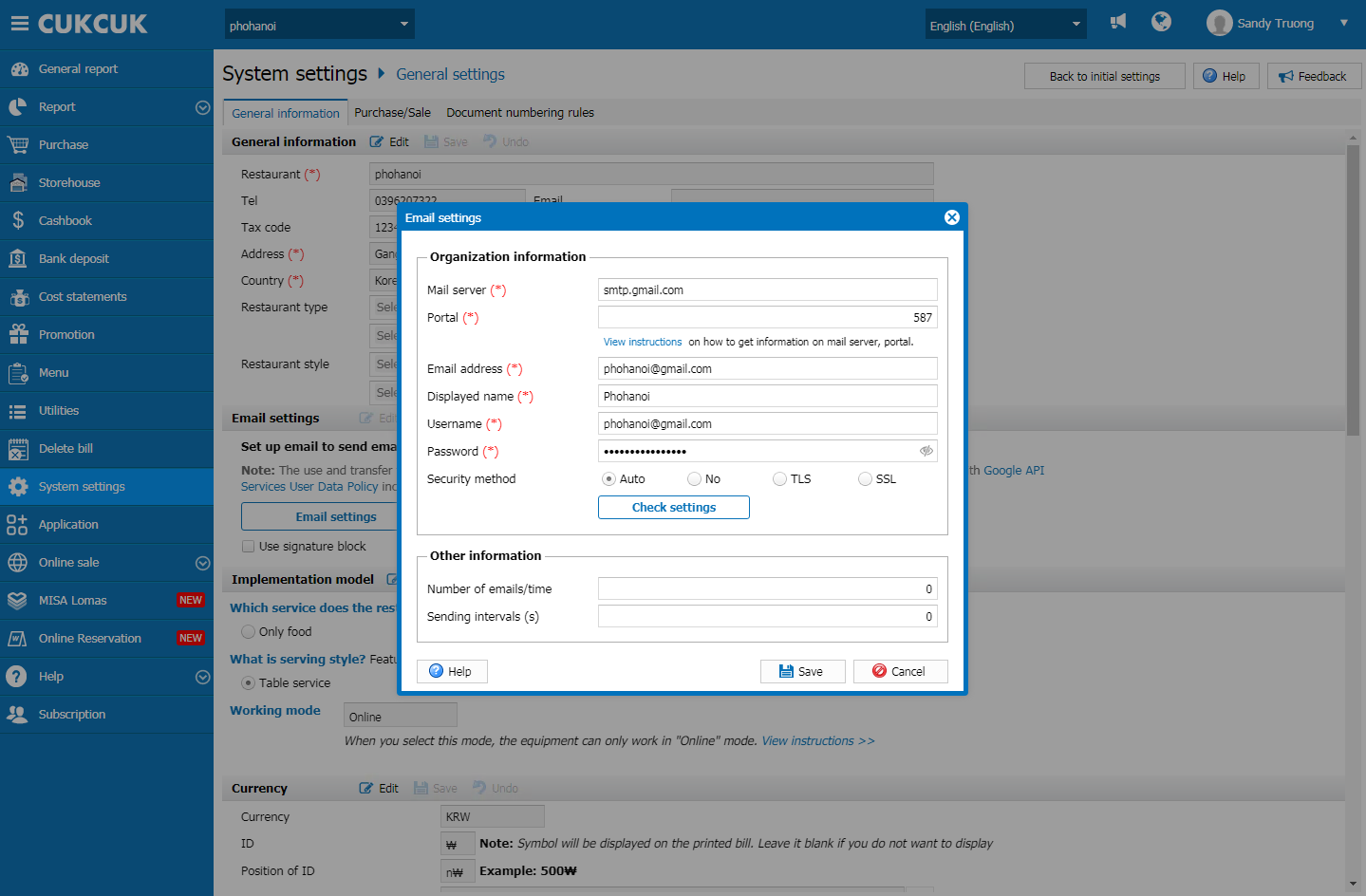
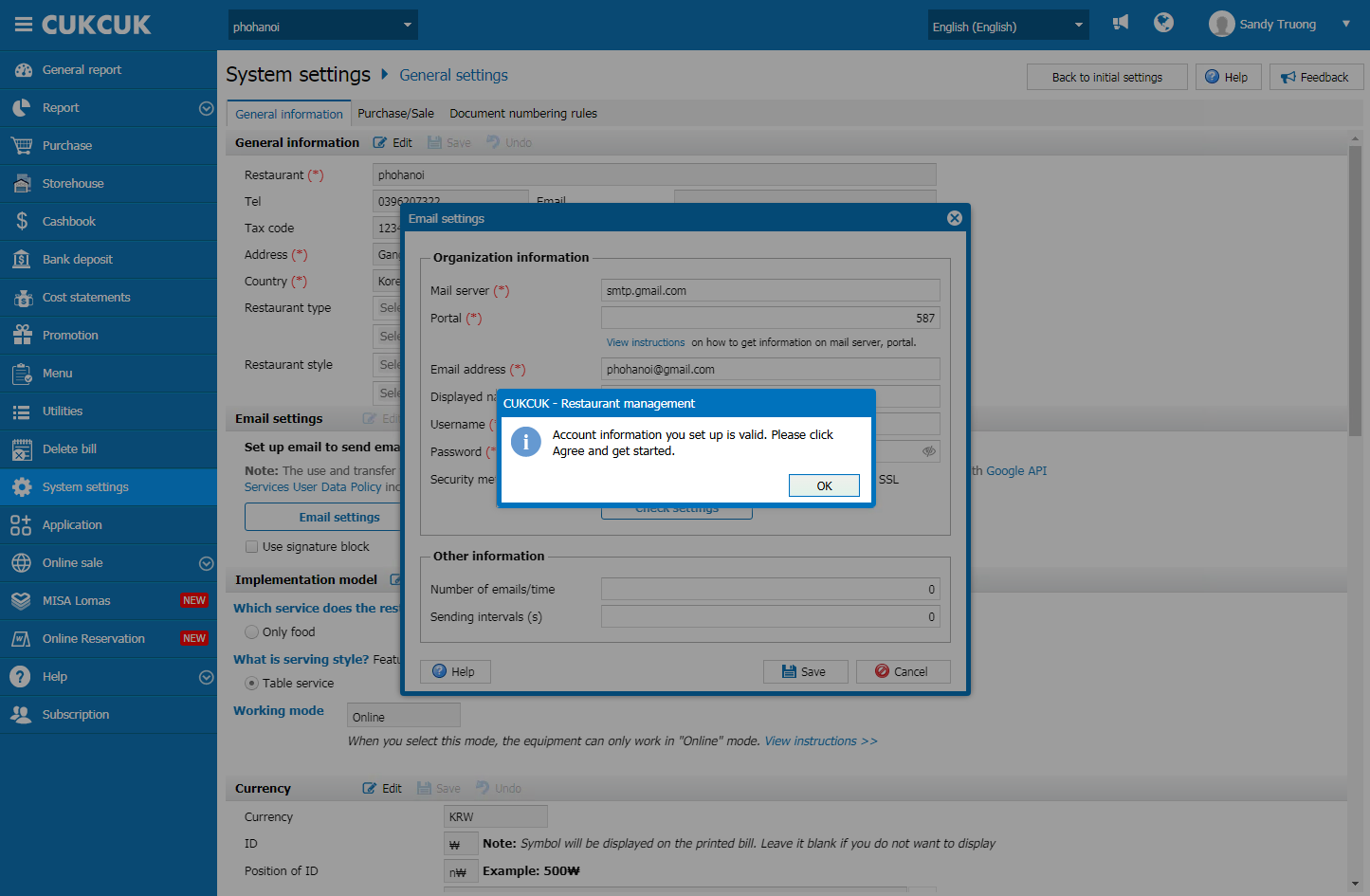
Click Check settings to check validity of the account.
Note: Here is the method of getting App Password
The password is taken from App Password in your own email domain. You should set up one there. For example, here is how to set up a password from a gmail.
Go to Manage your Google Account on your gmail.
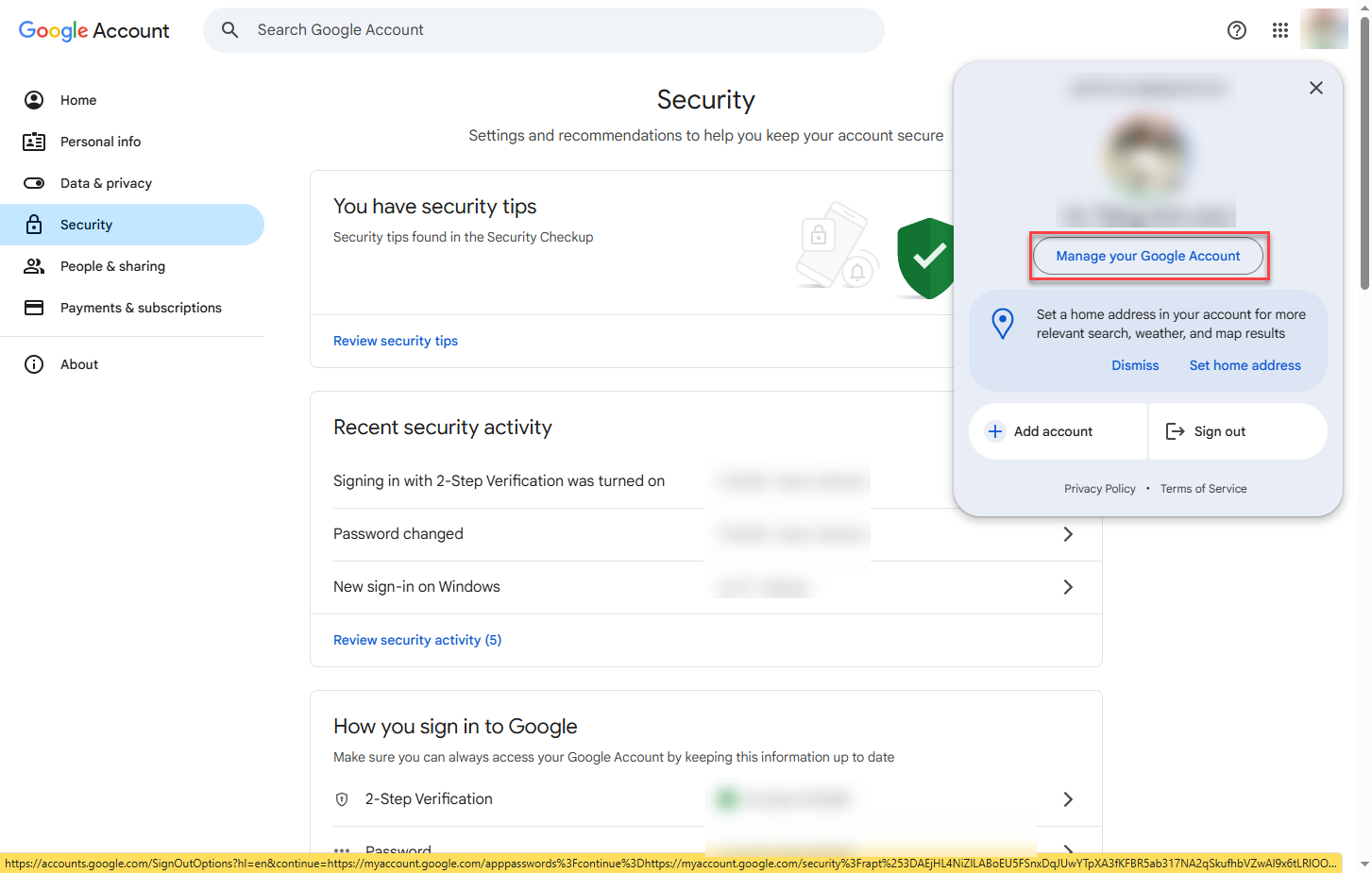
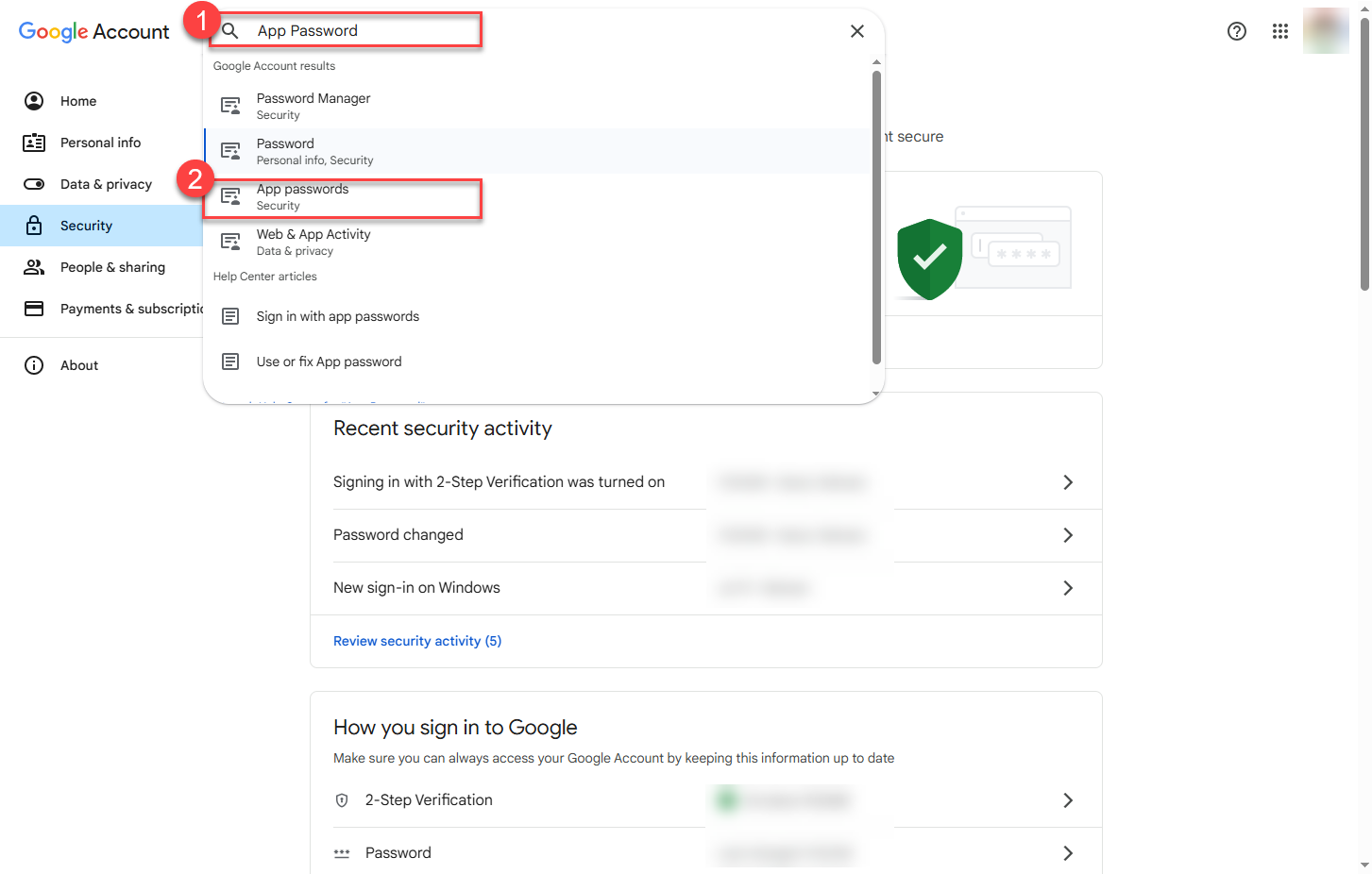
Enter App Password on the search bar.
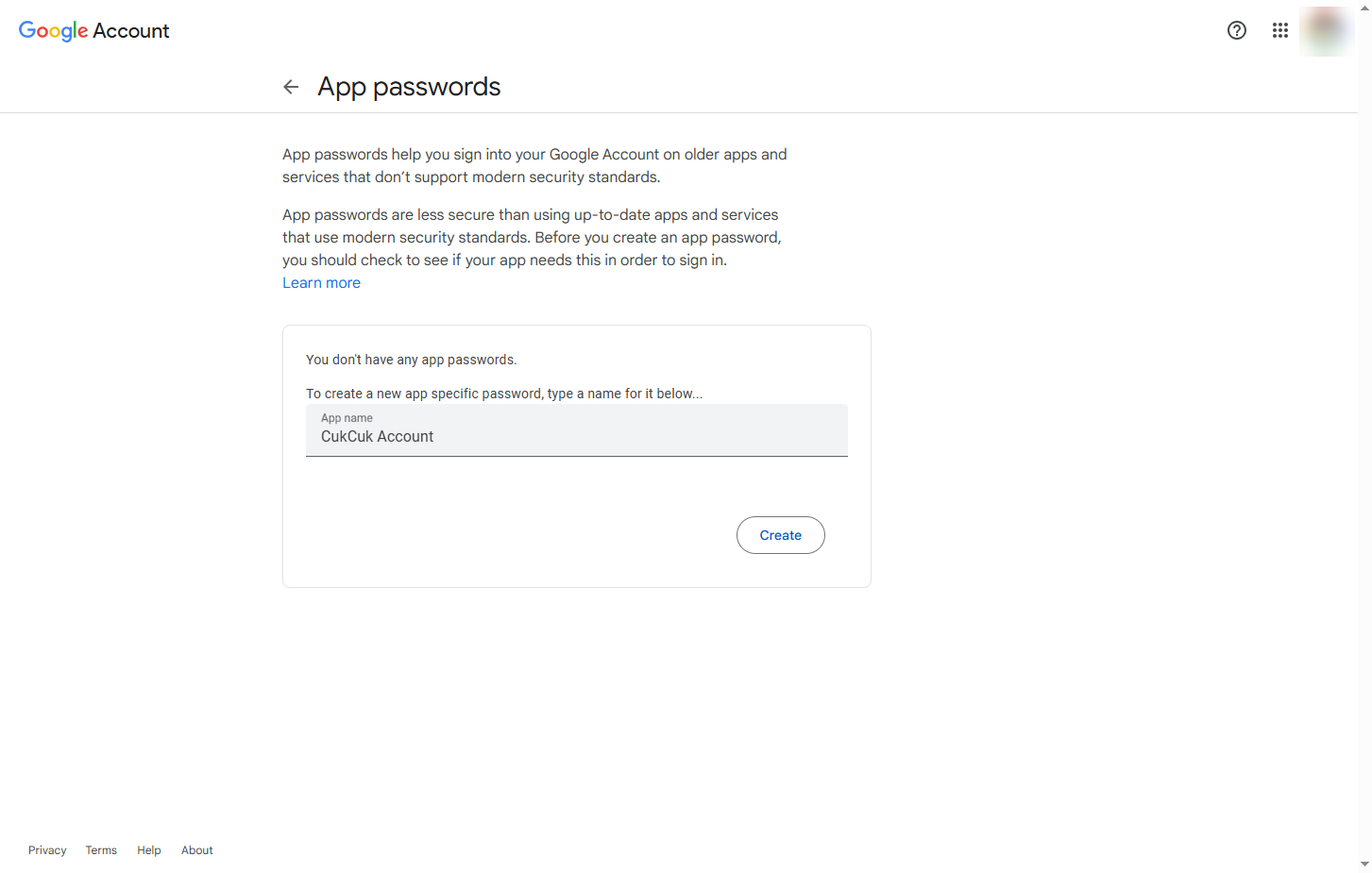
Enter app name and click Create.
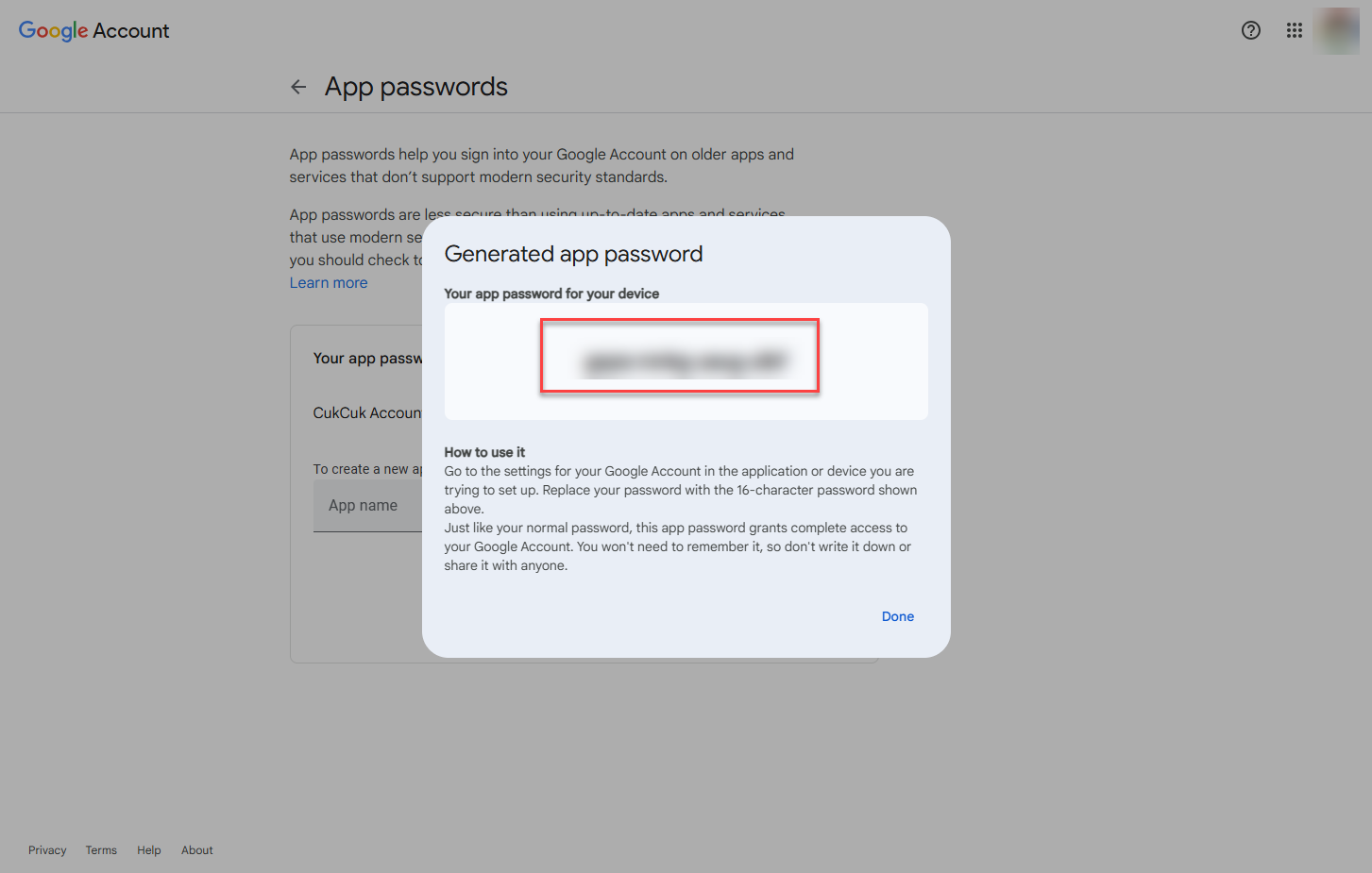
Copy this password and paste it on the program.
Have a nice day!
